

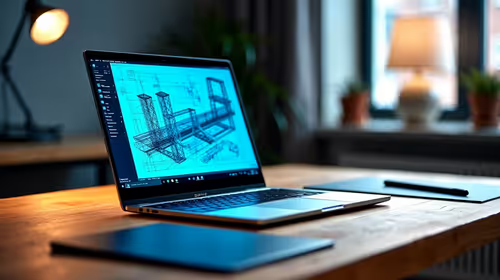
Best Laptop for AutoCAD in South Africa 2026
Top Laptop for AutoCAD picks evaluated on performance, value & SA availability with current Rand pricing from Evetech.
Read moreTop Monitor for Dota 2 picks evaluated on performance, value & SA availability with current Rand pricing from Evetech.

The best Dota 2 monitor in South Africa for 2026 is a 27 inch 1440p IPS at 165Hz or higher, with a 1ms response time and FreeSync or G-Sync Compatible support. Around R5,000 to R7,500 nets you the sweet spot of clarity, smoothness, and screen real estate Dota 2 actually rewards.
Dota 2 is a top-down MOBA where map awareness matters more than raw frame rate beyond a certain threshold. A 27 inch 1440p panel gives you significantly more pixel density than 1080p, meaning hero outlines, ability cooldowns, and minimap details are sharper. At 165Hz, the smoothness is more than enough for the game's pace, Dota's projectile dodging happens at a slower rhythm than CS2 or Valorant. So while you could chase 360Hz competitive panels, the marginal benefit in Dota is small. Spend the money on resolution and panel quality instead.
Here are the panels worth considering for serious Dota 2 grinding in ZAR:
All five comfortably handle Dota 2 maxed out on a Ryzen 5 7600 or i5-14400F with an RTX 4060 or RX 7700 XT.
For Dota 2, IPS is the right call over VA in most cases. Colour accuracy matters when you're trying to spot subtle item glints, ability indicators, and warding cues. VA panels offer deeper blacks but can show smearing on fast camera pans, which Dota does constantly. TN is technically faster but the colour shift on a 27 inch panel is brutal at this size. Stick to IPS unless you're specifically choosing a mini-LED VA for HDR. Response time spec is mostly marketing, anything claiming 1ms GtG with overdrive enabled is fine for Dota's pace.
Dota 2 sessions are long. Blind ranked queues, party stacks, the average match is 35 to 50 minutes and you'll often play four or five back-to-back. Look for monitors with TUV-certified flicker-free backlights and low blue light modes. Matte anti-glare coatings beat glossy for daytime play in SA where windows and direct sunlight are constant. Adjust brightness to around 30 to 40 percent in normal indoor lighting, most monitors ship at 80 to 100 percent which fries your eyes after two hours. A height-adjustable stand matters more than people realise, your monitor's top edge should be roughly at eye level.
Always confirm DisplayPort 1.4 on any monitor over 144Hz at 1440p, HDMI 2.0 alone tops out at 1440p 120Hz on most panels and you'll lose refresh rate without realising. Use the bundled DP cable for high refresh, replace it with a quality 2m DP 1.4 cable from a known brand if needed, around R199 to R349. USB-C with DisplayPort Alt Mode is becoming common on premium panels, useful if you also dock a laptop on the same monitor. Most Dota players play on desktops, so plain DP plus HDMI for a console is the standard setup.
Sit roughly 60 to 80cm from a 27 inch panel, eye level at the top edge. Brightness around 30 percent for daytime SA play, 20 percent for evening, ramp up only if you can't see dark scenes properly in jungle areas. Use a fixed colour profile, not "vivid" or "game" presets which over-saturate and hide subtle effects. Disable any motion blur reduction or backlight strobing modes for Dota, they reduce average brightness and don't help at the game's pace. Set Windows to 165Hz in display settings, double-check Dota's in-game V-Sync is off and your fps cap is at or above your refresh rate.
Easily. Dota 2 at maxed settings on an RTX 4060 typically delivers 200 to 300 fps at 1440p. Even an RX 6600 or RTX 3060 will hit your 165Hz target comfortably. The CPU matters more than people think, prioritise a solid 6-core chip.
For Dota specifically, no. The extra screen real estate at 32 inches forces head movement to track minimap and hero, which actually slows your reactions. 27 inch 1440p is the sweet spot for MOBAs.
FreeSync Premium is fine and cheaper. NVIDIA cards now support FreeSync via G-Sync Compatible mode on the same panel, so don't pay extra for proper G-Sync hardware unless you're chasing absolute lowest input lag.
Ready to Find Your Perfect Match? Find the right Dota 2 monitor with current SA pricing and stock. Shop monitors for Dota 2
Best Monitor for Dota 2 in South Africa available at Evetech.co.za with local warranty and fast delivery.
Best Monitor for Dota 2 in South Africa - check Evetech for latest stock and SA pricing.
Depends on your use case. Best Monitor for Dota 2 in Sou offers good value at current Rand pricing.
Top Laptop for AutoCAD picks evaluated on performance, value & SA availability with current Rand pricing from Evetech.
Read more
Laptop Dictionary. Every term explained in plain English so you can shop with confidence and compare specs accurately.
Read more
Top MacBook for Academic Research picks evaluated on performance, value & SA availability with current Rand pricing from Evetech.
Read more
Can You Use ASUS ROG laptop for Both Gaming and Work Detailed answer with SA data, expert analysis & practical recommendations for local buyers.
Read more
gaming laptop Driver Conflicts: Fix. Step-by-step instructions with SA-specific tips, common pitfalls to avoid & expert recommendations.
Read more
Top Laptop for Veterinary Science at UP : Course picks evaluated on performance, value & SA availability with current Rand pricing from Evetech.
Read more
CS2 Low FPS: Monitor Bottleneck. Real-world benchmark data, FPS numbers & performance analysis. What SA gamers can actually expect.

Is AOC a Good Monitor Brand for Gaming in South Africa Detailed answer with SA data, expert analysis & practical recommendations for local buyers.

What Gaming Monitor Can You Get for R20,000. Full parts list, Rand pricing & expected performance. Build confidently with SA-available components.

What Gamers Actually Bought: November Report. Real purchase data from SA retailers revealing what local buyers are actually choosing and why.

Can the RX 7700 XT Handle 1440p 144Hz Gaming. Performance testing verdict with real data & practical recommendations for SA buyers.

Top Laptop with Core i7 + RX 7700S: Picks picks evaluated on performance, value & SA availability with current Rand pricing from Evetech.

RX 7700 XT Black Myth Wukong 2 FPS: Performance. Real-world benchmark data, FPS numbers & performance analysis. What SA gamers can actually expect.

RTX 6080 Gran Turismo 7 PC Performance: FPS Test. Real-world benchmark data, FPS numbers & performance analysis. What SA gamers can actually expect.

Eliminate background noise in gaming voice chat using cardioid microphones to focus on your voice and reject room sounds. Get cleaner comms fast with smart placement and settings—🎮🎧

Wondering how much to spend on a high-end gaming headset in South Africa? We break down budget vs performance, what you actually get, and smart upgrade steps 🎧⚡

Wondering about THX Spatial Audio vs 7.1 surround for positional awareness? We compare imaging, depth, and cueing so you can pick the best option for gaming. 🎧👣

50mm bio-cellulose drivers vs standard drivers: does material affect audio precision? Compare clarity, bass control, and imaging so you can choose the right headphones. 🎧🔍