

Best Aftermarket RTX 5070 Cards: AIB Partner Comparison 2026
Top Aftermarket RTX 5070 Cards: AIB Partner Comparison picks evaluated on performance, value & SA availability with current Rand pricing from Evetech.
Read moreBest monitor for MSFS 2026 — clear buying guidance comparing ultrawide displays and 4K TVs for flight sim realism, performance, and value. ✈️🖥️ Choose the right size, refresh, and features fast.
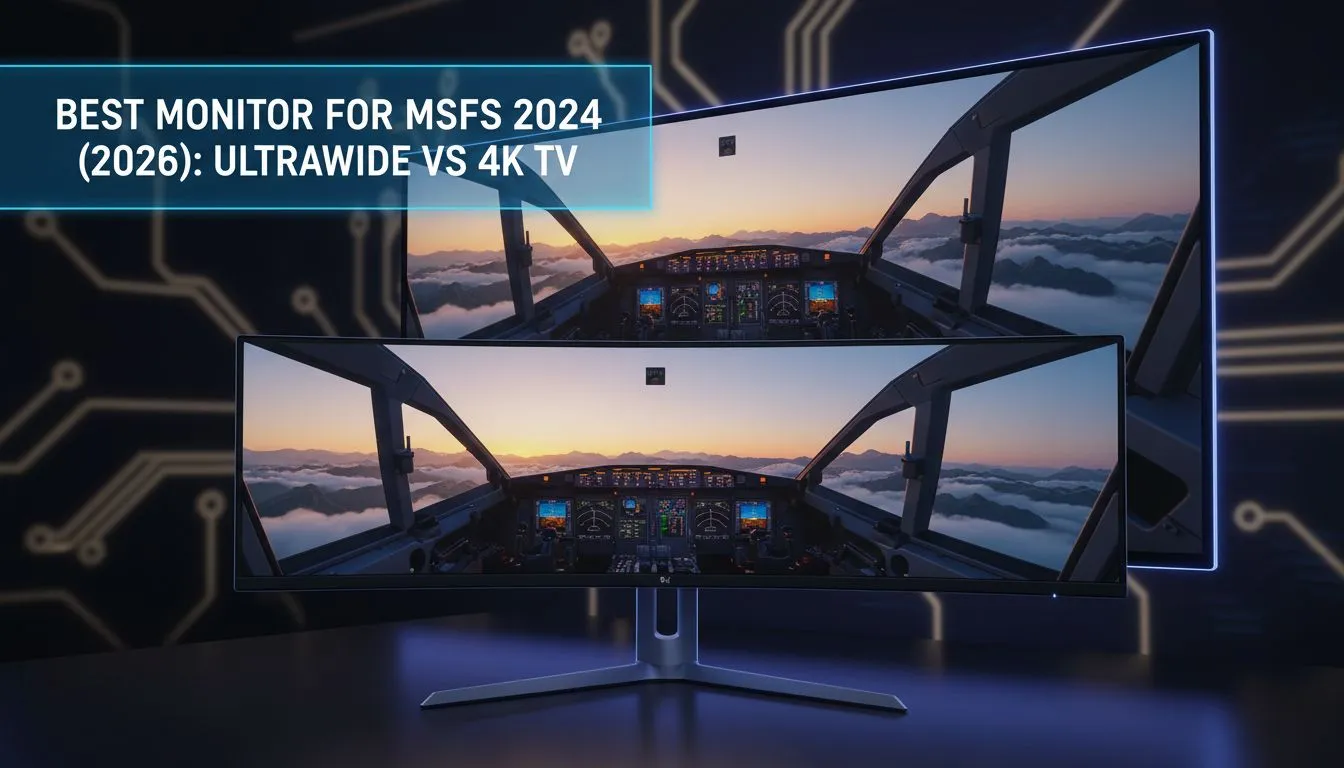
Imagine soaring over the Drakensberg in Microsoft Flight Simulator 2026... the level of detail is staggering. To truly capture that scale, choosing the best monitor for MSFS 2026: ultrawide vs 4K TV becomes your most critical decision. It is the difference between feeling like a pilot and just staring at a screen. Let's break down which display tech earns its place in your cockpit. 🚀
For many virtual pilots, the 21:9 or 32:9 aspect ratio is the gold standard. When you buy curved monitors, you gain vital peripheral vision that a standard screen simply cannot match. Seeing the horizon tilt as you bank into a turn at Cape Town International creates a sense of motion that is purely visceral. It fills your field of view... wrapping the world around your seat.
Ultrawide displays also help with cockpit management. You can keep your primary flight display front and centre while still seeing the side windows. If you browse all gaming monitors, you will notice that high refresh rate ultrawides are becoming the preferred choice for simulation enthusiasts who value fluid motion over raw vertical pixels.
While ultrawides offer width, a large 4K TV offers sheer vertical scale. If you want to feel the true size of a Boeing 747 cockpit, 4K is king. When you buy 5k 4k monitors or large format displays, the pixel density allows you to read every tiny dial and switch without zooming in. This is a massive advantage for complex procedures where clarity is non-negotiable. ✈️
If you choose a large 4K TV, ensure you sit at least 1.2 metres away. This prevents neck strain and helps the screen fill your natural field of vision without seeing individual pixels. For even better control, consider adding a secondary display to offload your GPS or radio stack.
Many local flyers find that a 42-inch or 48-inch OLED TV provides the best monitor for MSFS 2026: ultrawide vs 4K TV experience because of the infinite contrast ratios. Seeing the lights of Johannesburg at night on an OLED panel is something you have to experience to believe. You can even buy portable monitors to act as dedicated instrument panels... keeping your main 4K view completely clear of clutter.
Building a cockpit in South Africa requires some smart planning. You need to consider desk space and mounting options. Before you commit, make sure to buy monitor accessories like heavy-duty arms that can support the weight of these massive screens. A sturdy setup ensures your "horizon" stays level even during a bumpy landing in a summer thunderstorm. 🔧
Budget is always a factor when prices fluctuate. Finding the best PC monitor deals can save you thousands of Rands... money that could be better spent on a high-end yoke or rudder pedals. Whether you prefer the wrap-around feel of a 49-inch super-ultrawide or the towering presence of a 55-inch 4K screen, the goal is the same: total immersion.
Ultimately, your choice in PC monitors should reflect how you fly. If you love low-level VFR bush trips, the ultrawide's peripheral view is unmatched. If you prefer long-haul heavy metal where reading glass cockpits is vital, the 4K TV is your best bet. ✨
Ready to Take to the Skies? Whether you want the wrap-around immersion of an ultrawide or the crystal-clear detail of a 4K powerhouse, we have the perfect display for your hangar. Explore our massive range of gaming monitors and find the perfect hardware to make MSFS 2026 look spectacular.
Ultrawide boosts horizontal FOV and immersion; a 4K TV offers higher pixel density. Choose ultrawide for cockpit view, 4K TV for crisp panoramas.
1440p ultrawide or 4K delivers excellent detail. Pick 5120x1440 for ultrawide or 3840x2160 on a 43" 4K TV for sharp visuals.
HDMI 2.1 helps for 4K at high refresh and low latency; for 60Hz 4K a quality HDMI 2.0 or DisplayPort may suffice.
Expect a high-end GPU for smooth 4K at ultra settings; midrange cards handle 1440p ultrawide better with steady FPS.
Prioritize resolution and FOV for flight sims; 60–120Hz helps smoothness, but detail and low input lag often matter more.
Yes. Curved ultrawides improve immersion and reduce edge distortion, making cockpit scanning and horizon tracking easier.
Some 4K TVs add lag; enable game mode and check input lag reviews to keep responsiveness acceptable for MSFS.
A 34"–49" ultrawide works well. 34" for desk space, 38"–49" for expansive FOV; match size to resolution and viewing distance.
Top Aftermarket RTX 5070 Cards: AIB Partner Comparison picks evaluated on performance, value & SA availability with current Rand pricing from Evetech.
Read more
Top Laptop with Core i7 + RTX 5060 Laptop: Picks picks evaluated on performance, value & SA availability with current Rand pricing from Evetech.
Read more
Top GPU for Students picks evaluated on performance, value & SA availability with current Rand pricing from Evetech.
Read more
RTX 5070 Laptop GPU Hogwarts Legacy Performance. Real-world benchmark data, FPS numbers & performance analysis. What SA gamers can actually expect.
Read more
the CPU Pairing for the RTX 3060. Optimal CPU matches ranked by performance balance & SA value. Avoid bottlenecks with the right pairing.
Read more
Top 4K Monitor for RX 9070 picks evaluated on performance, value & SA availability with current Rand pricing from Evetech.
Read more
Can RTX 4080 Super Run AI Workloads for SA Developers Detailed answer with SA data, expert analysis & practical recommendations for local buyers.

Can RTX 4090 Run AI Workloads for SA Developers Detailed answer with SA data, expert analysis & practical recommendations for local buyers.

Top Settings for Intel Arc B580 at Ultrawide 1440p picks evaluated on performance, value & SA availability with current Rand pricing from Evetech.

RX 7600 Overclocking Guide: Safe OC Settings for. Real-world benchmark data, FPS numbers & performance analysis. What SA gamers can actually expect.

RTX 4060 CS2 Low Settings at 1080p: FPS Results. Real-world benchmark data, FPS numbers & performance analysis. What SA gamers can actually expect.

Visual Artifacts: Possible GPU Issue Issue #1. Diagnosis steps, proven fixes & when to seek professional help. SA-specific support info included.

Can the RTX 4090 Handle 1440p 144Hz Gaming. Performance testing verdict with real data & practical recommendations for SA buyers.

Top ASUS GPU Under R15000 picks evaluated on performance, value & SA availability with current Rand pricing from Evetech.

GTA 6 Max Settings on RTX 5070. Tested & verified settings for best FPS and visual quality on SA hardware budgets.

Cyberpunk 2077 Max Settings on RTX 5080. Tested & verified settings for best FPS and visual quality on SA hardware budgets.

Starfield Max Settings on RTX 5070 Ti. Tested & verified settings for best FPS and visual quality on SA hardware budgets.

Top RTX 5090 Under R5000 picks evaluated on performance, value & SA availability with current Rand pricing from Evetech.