


Dedicated Media Keys for Streamers: Improve Workflow Fast
Dedicated media keys give streamers one-touch control to mute, switch scenes, clip highlights, and adjust audio — cutting task time and boosting consistency 🎛️⚡
Read more- Compare performance and price - Recommend top picks - Settings and buying advice Best monitor for Valorant: 2026 guide comparing 240Hz, 360Hz and 540Hz with picks, latency tests and clear buy advice. 🖥️⚡
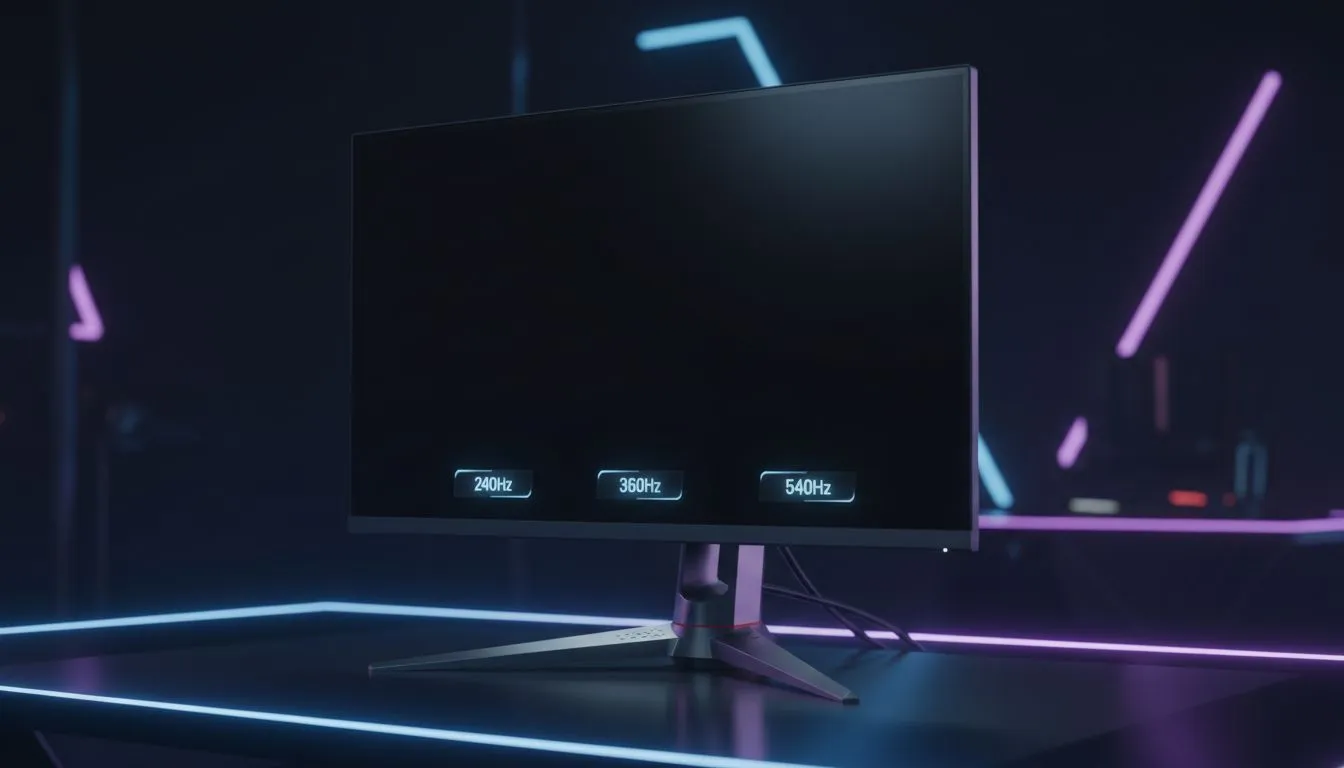
Valorant is a game of pixels and patience. If you want to climb from Iron to Radiant, your hardware must keep up. Finding the best monitor for Valorant in 2026 is about balancing your budget with raw performance. Whether you are playing from a home office in Cape Town or a dedicated gaming room in Jozi, the right screen makes all the difference.
In the high-stakes world of tactical shooters, every millisecond counts. When Jett dashes onto your screen, you need to see her immediately. Today, serious competitors look for best PC monitor deals that offer at least 240Hz. This refresh rate provides a fluid experience that helps you track fast-moving targets. It is the baseline for competitive play in South Africa.
If you want a sharper edge, 360Hz is the next logical step. Our range of PC monitors includes several high-speed options that reduce motion blur significantly. At 360Hz, you can see enemy heads more clearly during fast peeks... provided your ping is low. This extra clarity helps you react faster than your opponent.
The newest tech on the block for 2026 is the 540Hz panel. You can browse all gaming monitors to see the latest ultra-fast displays. This extreme speed is for the elite players who demand zero compromises. It offers unparalleled motion clarity. Every frame is rendered with surgical precision... making the game feel like a moving painting. ⚡
The high refresh rate doesn't just help with speed; it makes the colour transitions appear smoother during intense utility dumps. While 240Hz is great for most, 540Hz represents the bleeding edge of gaming technology.
To truly benefit from a 540Hz monitor, your PC must output 540 frames per second. Lower your in-game settings to 'Low' and disable V-Sync. This ensures the lowest possible input latency for your Valorant matches.
While many gamers buy curved monitors for immersion, flat TN or Fast-IPS panels are usually better for Valorant. They offer the fastest response times. If you are a digital nomad or attend frequent LANs, you might buy portable monitors for practice. However, a stable desk setup is always best for serious ranked play.
Resolution also plays a major role. Some players buy 5k 4k monitors for work and play. But for Valorant, 1080p is still the king. It allows your GPU to push those high refresh rates without breaking a sweat. High resolution looks pretty... but speed wins games. 🚀
Don't forget the small details that complete your battlestation. You should buy monitor accessories like a high-quality DisplayPort 2.1 cable. Cheap cables can flicker at high refresh rates or limit your output. Ensure your desk is at the right height to avoid neck strain during those long weekend grinds. ✨
Investing in the right display is the best way to ensure your skills aren't held back by your gear. Whether you choose 240Hz or 540Hz, the goal is the same... total dominance on the server. 🔧
Ready to Find Your Perfect Match? Finding the best monitor for Valorant: 240Hz vs 360Hz vs 540Hz (2026) depends on your goals and your GPU. For the best prices and expert advice in South Africa, we have you covered. Explore our massive range of gaming monitors and find the perfect screen to dominate the server.
360Hz delivers smoother frame pacing than 240Hz for top-tier players. Choose 360Hz if you have GPU headroom and want minimal input delay. (360Hz vs 240Hz Valorant)
540Hz offers marginal gains over 360Hz for elite pros. Only consider 540Hz if you run very high FPS and demand the absolute lowest latency. (540Hz monitor Valorant 2026)
240Hz often gives the best value for most players. 360Hz is a premium buy for competitive gamers; 540Hz is niche and costly. (best monitor for competitive Valorant)
Aim for 1ms gray-to-gray or MPRT for fast shooters. Low response time reduces ghosting and sharpens targets at high refresh rates. (monitor response time for Valorant)
Check your GPU and CPU; Valorant is CPU-light but hitting 360+ FPS needs a high-end GPU and tuned settings. Lowering settings boosts FPS for 360Hz+. (Valorant monitor settings 240Hz)
Top picks balance refresh, latency and price: premium 360Hz esports panels, cost-effective 240Hz options, and ultra-fast 540Hz for pros. (best esports monitor Valorant)
Yes—enable reduced buffering, set V-Sync off, use high frame rate settings and tune sharpening to match higher refresh. Test input latency after changes. (240hz vs 360hz for FPS)
Dedicated media keys give streamers one-touch control to mute, switch scenes, clip highlights, and adjust audio — cutting task time and boosting consistency 🎛️⚡
Read more
PBT vs ABS keycaps: Clear, local guide for South African gamers—compare feel, sound, durability and where to buy. Find the best material for your budget and playstyle 🎮🇿🇦
Read more
- Multi-Function Digital Dial: define benefits - Show gamer setups and macros - Offer buying and setup tips Multi-Function Digital Dial puts programmable control at your fingertips for faster actions and smoother streaming. 🎮⚙️
Read more
- Explain benefits; - Show the science; - Compare options; - Recommend picks. Magnetic wrist rest for gaming cuts wrist strain and boosts comfort during long sessions 🕹️✨
Read more
best gaming keyboard South Africa: Learn how to pick a low-latency mechanical keyboard, choose switches, layout and budget for competitive play 🎮⚡
Read more
Best wireless keyboard and mouse combo for small desks — curated, space-saving picks that boost comfort and productivity in tight setups. Find low-profile layouts, compact mice, and reliable range to fit your compact workstation. 🖱️⌨️
Read more
Discover webcams that automatically adjust light and color for crystal-clear video calls 🎥✨. Boost your streaming quality today!
Read more
Discover webcams that blend into your workflow 🎯 Capture moments while you work, stream, or create. Upgrade your setup with smart, multitasking tech!
Read more Dedicated media keys give streamers one-touch control to mute, switch scenes, clip highlights, and adjust audio — cutting task time and boosting consistency 🎛️⚡
Read more PBT vs ABS keycaps: Clear, local guide for South African gamers—compare feel, sound, durability and where to buy. Find the best material for your budget and playstyle 🎮🇿🇦
Read more - Multi-Function Digital Dial: define benefits - Show gamer setups and macros - Offer buying and setup tips Multi-Function Digital Dial puts programmable control at your fingertips for faster actions and smoother streaming. 🎮⚙️
Read more - Explain benefits; - Show the science; - Compare options; - Recommend picks. Magnetic wrist rest for gaming cuts wrist strain and boosts comfort during long sessions 🕹️✨
Read more