

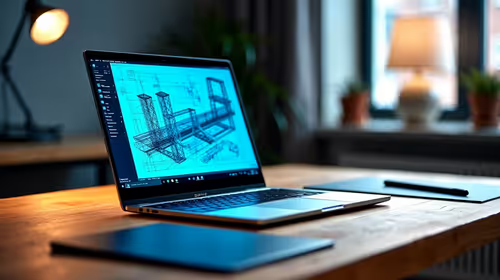
Best Laptop for AutoCAD in South Africa 2026
Top Laptop for AutoCAD picks evaluated on performance, value & SA availability with current Rand pricing from Evetech.
Read moreTop Monitors for retail stores picks evaluated on performance, value & SA availability with current Rand pricing from Evetech.

The best monitors for retail stores in South Africa in 2026 combine bright, consistent panels with durable builds and versatile mounting options. Commercial-grade 24-inch Full HD IPS displays dominate the retail category, offering accurate colour reproduction, wide viewing angles for customer-facing setups, and the reliability needed for all-day operation.
Retail store monitors face a very different set of demands compared to home or office screens. They run for 8 to 16 hours a day, often in bright ambient lighting that requires higher peak brightness, and they are viewed from a wider range of angles by both staff and customers. Panel type and brightness spec are the two most critical criteria. IPS and VA panels are the correct choices for retail environments. IPS panels offer the widest viewing angles, meaning colour and contrast remain accurate when a customer leans across a counter to view a screen. VA panels offer higher contrast ratios and are better in darker ambient environments like cinema-style electronics displays. TN panels are not suitable for customer-facing retail use due to severe colour shift at off-axis viewing angles. Brightness of 250 to 350 nits is the standard for indoor retail environments. High-brightness commercial monitors rated at 500 nits or above are worth the additional cost for stores with large windows or direct sunlight exposure, which is a real consideration in South African retail environments during summer. ## Best Monitor Categories for Different Retail Applications
For point-of-sale (POS) terminals, a 21.5-inch or 24-inch Full HD IPS panel is ideal. The screen needs to be readable at arm's length for cashiers while also being legible to customers confirming transaction amounts. Monitors with built-in speakers are a minor convenience for checkout environments that play audio alerts. Pivot and tilt adjustability on the stand allows the same monitor to serve both the cashier and customer-facing views with a quick rotation. For product display and digital signage within the store, commercial displays with higher brightness and 24/7 operation ratings are the appropriate choice. These are distinct from standard desktop monitors and include warranty coverage that accounts for continuous use. Resolution matters less for display signage than brightness and colour accuracy, as most signage content is designed for 1080p delivery. For back-office and stock management workstations, standard commercial monitors in the 24-inch Full HD category are the most cost-effective option. The priority here is screen real estate for spreadsheet and inventory management software, longevity, and low total cost of ownership. Dual-monitor setups for managers and receiving staff dramatically improve efficiency and are achievable with standard commercial-grade VESA-compatible displays and affordable dual-arm stands. ## South African Retail Monitor Market Considerations
Loadshedding is a practical concern for South African retail operations. Monitors should be connected to the same UPS infrastructure as POS terminals and computers. Standard commercial monitors draw 20 to 35 watts, which means a quality 1,500VA UPS can sustain multiple monitors alongside a POS PC for the duration of a typical stage-2 loadshedding block without shutting down mid-transaction. In South Africa's retail climate, physical durability and after-sales support matter as much as raw specifications. Monitors that ship through local distributors with local warranty coverage mean faulty units are replaced without overseas shipping delays. For chain retailers with multiple branches across Gauteng, KwaZulu-Natal, or the Western Cape, consistent stock availability of the same monitor model ensures standardised setups and simplifies staff training. For budget-conscious independent retailers, the 23.8-inch Full HD commercial IPS segment in South Africa sits between R1,800 and R3,500 per unit depending on brand and features. Volume purchasing for multi-unit store deployments often unlocks better pricing, and it is worth requesting commercial quotes directly from your retailer for orders of 5 units or more. ## Touchscreen and Interactive Display Options
Touchscreen monitors are increasingly common in South African retail for self-service kiosks, loyalty programme sign-up terminals, and interactive product demonstration displays. Ten-point capacitive touchscreen panels in the 21.5 to 27-inch range are the standard for retail touch applications. These require tempered glass overlays for durability against daily public interaction and should be paired with software that supports touch input natively. Installation in high-traffic areas needs to account for cable management and mount security. VESA-compatible wall mounts and kiosk enclosures protect the display from accidental damage and maintain a professional appearance that reflects positively on the store brand. ## Frequently Asked Questions
What is the difference between a commercial monitor and a consumer monitor for retail use? Commercial monitors are rated for extended daily operation (typically 16 to 24 hours), carry longer warranties, and are designed for consistent brightness and colour output over years of continuous use. Consumer monitors are designed for intermittent home use and their panels degrade faster under all-day retail operation. Do retail store monitors in South Africa need to be SABS approved? Monitors sold by reputable South African distributors meet the required safety certifications for commercial use. Always purchase from established local suppliers who can confirm compliance documentation, particularly for high-voltage installations or wall-mounted displays. What refresh rate do retail store monitors need? Retail applications including POS, inventory management, and digital signage do not require high refresh rates. A standard 60Hz display is perfectly adequate for all retail software. High refresh rate panels add cost without benefit in commercial retail environments. How many monitors does a typical South African retail checkout need? A standard checkout counter typically uses two monitors: one facing the cashier for POS software and one facing the customer to display the transaction total and payment prompts. Compact pivot-capable single-screen setups are used in smaller retail environments where counter space is limited. {
{CALLTOACTION:
Ready to Find Your Perfect Match? Browse Evetech's monitor range to find commercial and gaming displays suited for South African retail and business environments. }}
Best Monitors for retail stores in South available at Evetech.co.za with local warranty and fast delivery.
Best Monitors for retail stores in South - check Evetech for latest stock and SA pricing.
Depends on your use case. Best Monitors for retail store offers good value at current Rand pricing.
Top Laptop for AutoCAD picks evaluated on performance, value & SA availability with current Rand pricing from Evetech.
Read more
Laptop Dictionary. Every term explained in plain English so you can shop with confidence and compare specs accurately.
Read more
Top MacBook for Academic Research picks evaluated on performance, value & SA availability with current Rand pricing from Evetech.
Read more
Can You Use ASUS ROG laptop for Both Gaming and Work Detailed answer with SA data, expert analysis & practical recommendations for local buyers.
Read more
gaming laptop Driver Conflicts: Fix. Step-by-step instructions with SA-specific tips, common pitfalls to avoid & expert recommendations.
Read more
Top Laptop for Veterinary Science at UP : Course picks evaluated on performance, value & SA availability with current Rand pricing from Evetech.
Read more
CS2 Low FPS: Monitor Bottleneck. Real-world benchmark data, FPS numbers & performance analysis. What SA gamers can actually expect.

Is AOC a Good Monitor Brand for Gaming in South Africa Detailed answer with SA data, expert analysis & practical recommendations for local buyers.

What Gaming Monitor Can You Get for R20,000. Full parts list, Rand pricing & expected performance. Build confidently with SA-available components.

What Gamers Actually Bought: November Report. Real purchase data from SA retailers revealing what local buyers are actually choosing and why.

Can the RX 7700 XT Handle 1440p 144Hz Gaming. Performance testing verdict with real data & practical recommendations for SA buyers.

Top Laptop with Core i7 + RX 7700S: Picks picks evaluated on performance, value & SA availability with current Rand pricing from Evetech.

RX 7700 XT Black Myth Wukong 2 FPS: Performance. Real-world benchmark data, FPS numbers & performance analysis. What SA gamers can actually expect.

RTX 6080 Gran Turismo 7 PC Performance: FPS Test. Real-world benchmark data, FPS numbers & performance analysis. What SA gamers can actually expect.

Eliminate background noise in gaming voice chat using cardioid microphones to focus on your voice and reject room sounds. Get cleaner comms fast with smart placement and settings—🎮🎧

Wondering how much to spend on a high-end gaming headset in South Africa? We break down budget vs performance, what you actually get, and smart upgrade steps 🎧⚡

Wondering about THX Spatial Audio vs 7.1 surround for positional awareness? We compare imaging, depth, and cueing so you can pick the best option for gaming. 🎧👣

50mm bio-cellulose drivers vs standard drivers: does material affect audio precision? Compare clarity, bass control, and imaging so you can choose the right headphones. 🎧🔍