

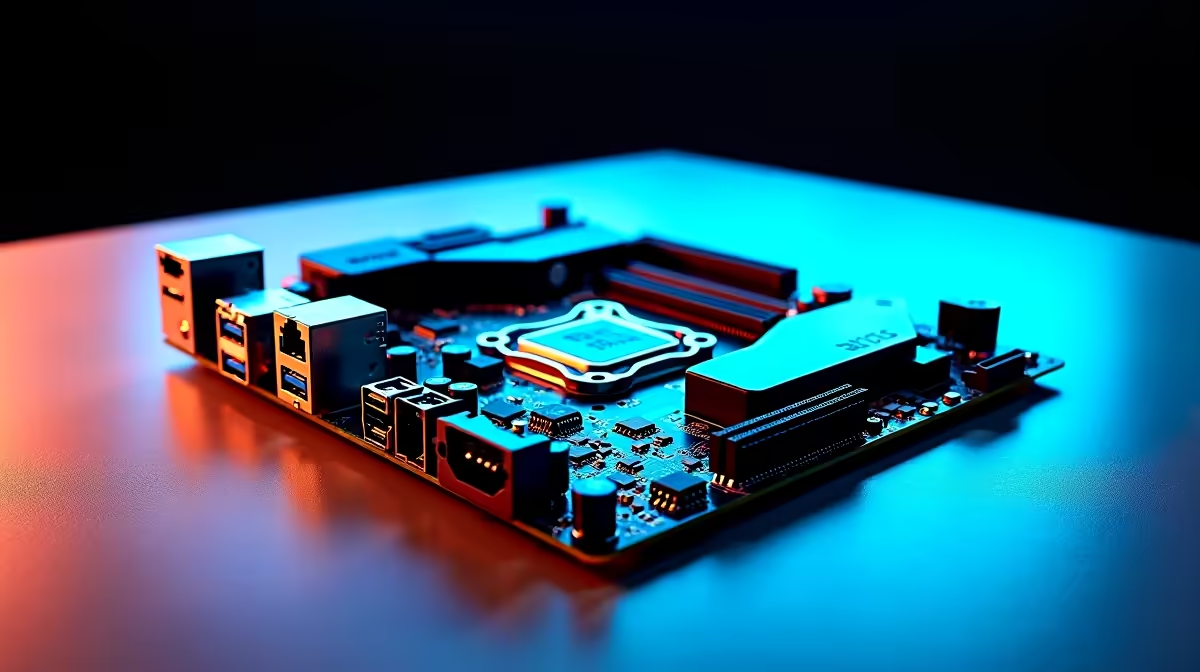
The Ryzen 7 9800X3D is AMD’s gaming CPU champion for 2025–2026, and choosing the right motherboard to pair with it can unlock its full potential - or leave performance and stability on the table. Not all AM5 motherboards treat the 9800X3D equally, particularly when it comes to power delivery, BIOS maturity, and DDR5 memory support.
Quick Answer
What are the best motherboards for the Ryzen 7 9800X3D? The ASUS ROG Strix X670E-E, MSI MEG X670E ACE, Gigabyte X670E Aorus Master, and ASRock X670E Taichi are the top picks. For mainstream builds, the ASUS TUF Gaming B650E-Plus and MSI MAG B650 Tomahawk offer excellent value without sacrificing compatibility.
🔧 What the Ryzen 7 9800X3D Needs from a Motherboard
The 9800X3D is an 8-core, 16-thread Zen 5 CPU with 96MB of 3D V-Cache stacked on its compute die. It runs at a 120W TDP - higher than standard non-X3D Ryzen chips but well within what any modern AM5 board can handle. That said, optimal stability and performance come from boards that meet a few criteria:
Power Delivery (VRM): The 9800X3D doesn’t need an extreme VRM to run at rated speeds, but a quality 14–16 phase VRM helps maintain stable boost clocks under all-day gaming and mixed workloads. Budget B650 boards with weaker VRMs can throttle the CPU under sustained load.
BIOS Maturity: 3D V-Cache CPUs benefited enormously from BIOS updates after launch. Any board released in 2024 or later has mature 9800X3D support. Older boards should have their BIOS updated to the latest available version before installing the CPU.
DDR5 Memory: All AM5 motherboards use DDR5. For the 9800X3D, DDR5-6000 with EXPO or XMP profiles enabled is the performance sweet spot. Boards with two DIMM slots per channel (4 slots total) handle high-speed DDR5 kits better.
PCIe 5.0: For GPU and Gen5 NVMe SSDs, ensure the board offers PCIe 5.0 x16 for the GPU and PCIe 5.0 x4 for the primary M.2 slot. Most X670E boards have this; B650E has PCIe 5.0 for the GPU slot.
📊 Recommended Motherboards by Tier
Premium: X670E Chipset
ASUS ROG Strix X670E-E Gaming WiFi
- 18+2 power stages, robust VRM for sustained performance
- Full PCIe 5.0 x16 GPU + PCIe 5.0 M.2
- Four DDR5 slots supporting up to DDR5-6400 with EXPO
- Excellent BIOS with Armoury Crate integration
- Best choice for enthusiasts who want maximum overclocking headroom
MSI MEG X670E ACE
- 24+2+1 power stage VRM - one of the strongest in the AM5 lineup
- PCIe 5.0 GPU and M.2 support
- Four M.2 slots total, ideal for multi-drive setups
- Strong DDR5 overclocking support up to DDR5-7800+
Gigabyte X670E Aorus Master
- 16+2+2 power stage, competitive with the ROG Strix
- Excellent thermal design with large VRM heatsinks
- DDR5-8000 support in BIOS
- BIOS is among the most user-friendly in the X670E category
Mainstream: B650E Chipset (Best Value)
ASUS TUF Gaming B650E-Plus WiFi
- 14+2 power stages - more than sufficient for the 9800X3D
- PCIe 5.0 x16 GPU slot (B650E distinction vs standard B650)
- Three M.2 slots including one PCIe 5.0
- Reliable BIOS, proven platform stability
- Ideal for R8,000–R12,000 build budgets
MSI MAG B650 Tomahawk WiFi
- 16+2+1 power stage VRM at a mainstream price point
- Standard PCIe 5.0 GPU support
- Very strong DDR5 compatibility list - high-speed kits work reliably
- One of the most popular AM5 boards in SA for good reason
ASRock B650E PG Riptide
- 14 power stages, competitive specs at a lower price
- PCIe 5.0 GPU slot, PCIe 4.0 M.2
- Good entry point for 9800X3D builds on tighter budgets
X670E vs B650E: Which Should You Choose?
For the 9800X3D specifically, a quality B650E board handles the CPU without compromise. The premium X670E boards add more M.2 slots, stronger VRMs for overclocking, and additional USB ports - but the 9800X3D’s non-overclockable V-Cache die means you’re not unlocking extra CPU performance by spending on X670E.
Choose X670E if you:
- Need multiple NVMe drives (4+ M.2 slots)
- Want maximum USB bandwidth and connectivity
- Plan future CPU upgrades to higher-TDP chips
Choose B650E if you:
- Want the best CPU value without premium board costs
- Are building a focused gaming PC (single GPU, 1-2 SSDs)
- Are managing overall build budget
💡 BIOS Settings for the Ryzen 7 9800X3D
Enable EXPO: DDR5-6000 kits need EXPO enabled in BIOS to run at rated speed. Without it, they default to DDR5-4800 and you leave 10-15% gaming performance untapped.
Enable PBO (Precision Boost Overdrive): Set PBO to “Auto” or “Enabled”. Do NOT enable aggressive PBO scalar settings on the 9800X3D - the V-Cache die is temperature-sensitive and excess voltage can reduce stability.
Disable fTPM if experiencing stutters: Some Ryzen systems experience micro-stutters from fTPM entropy generation. If you notice random 1-second freezes, toggle fTPM off in BIOS (or use a discrete TPM module).
Set Eco Mode: The 9800X3D can run at 65W Eco Mode with minimal gaming performance loss, reducing temperatures and fan noise. A useful setting for small form factor builds.
❓ Frequently Asked Questions
Can I use the Ryzen 7 9800X3D on a B650 (non-E) motherboard? Yes. The 9800X3D runs correctly on standard B650 boards. The key difference with B650E is that it offers PCIe 5.0 for the primary GPU slot, while B650 non-E uses PCIe 4.0 x16 for the GPU. For current-gen GPUs, PCIe 4.0 x16 is sufficient - no real-world gaming performance difference. Future PCIe 5.0 GPUs may benefit from B650E or higher.
Will the 9800X3D work immediately on older B550 or X570 boards? No. The Ryzen 7 9800X3D is an AM5 CPU and is not compatible with AM4 motherboards (B550, X570, X470, etc.). AM5 and AM4 use different physical sockets and power delivery systems.
How much RAM should I pair with the Ryzen 7 9800X3D? For gaming, 32GB DDR5-6000 in a dual-channel 2x16GB configuration is ideal. This gives you the memory bandwidth the 9800X3D thrives on while providing sufficient capacity for modern open-world games. If you multitask heavily or use creative applications alongside gaming, 64GB DDR5-6000 is a strong upgrade.
Evetech carries AMD Ryzen 9 Processors and AMD Ryzen 7 Processors — check live stock and pricing before you buy.
Ready to Find Your Perfect Match? Shop at Evetech











