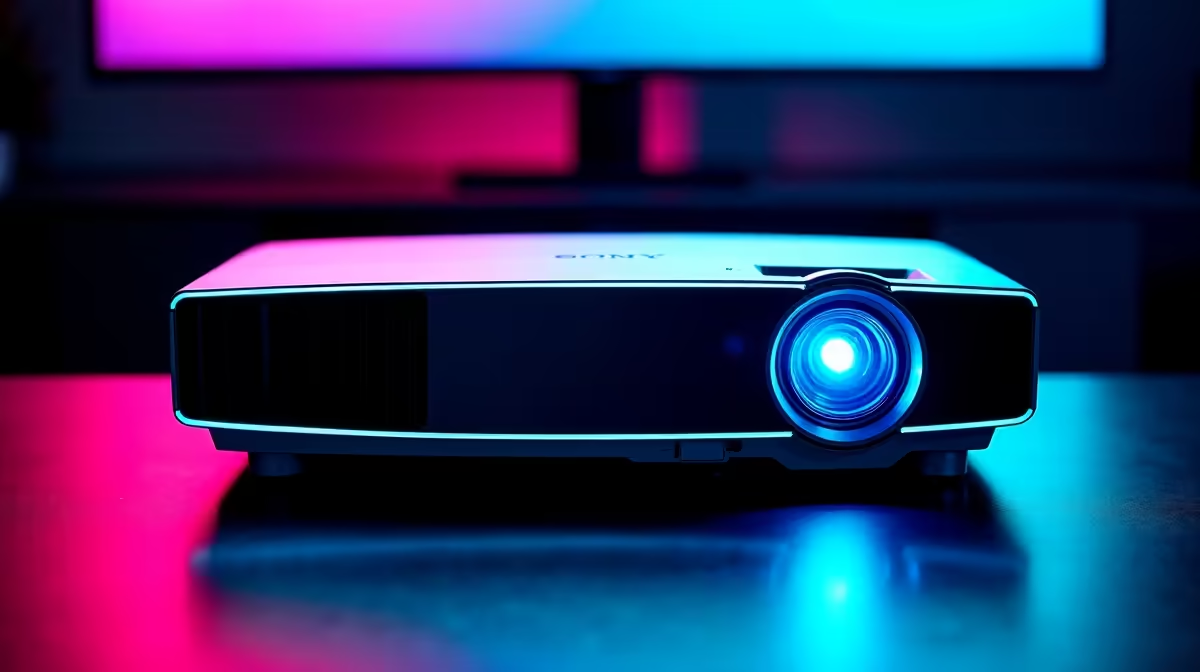
Gaming on a projector has gone from a niche enthusiast choice to a genuinely viable setup in 2026, and South African gamers are increasingly considering it as a big-screen alternative to large monitors or TVs. The critical factor that separates a good gaming projector from a frustrating one is input lag - and knowing what to look for will save you from a setup that looks impressive but plays terribly.
Quick Answer
For gaming, you need a projector with input lag below 20ms in its dedicated game mode. The best gaming projectors in South Africa in 2026 include models from BenQ, Optoma, and Epson, with prices ranging from R8,000 to R30,000+ depending on resolution and brightness. Always check the game mode input lag spec, not the standard mode lag.
⚡ Understanding Input Lag for Gaming Projectors
Input lag is the delay between a signal being sent from your PC or console and that frame appearing on screen. In gaming, even 30ms of lag is perceptible - you press a button and there's a slight hesitation before the on-screen action. Competitive gaming becomes very difficult above 30ms. At 50ms+, casual gaming starts to feel sluggish.
Most projectors are built primarily for movies and presentations, where lag of 80–150ms is irrelevant. Their built-in image processing - colour correction, keystone adjustment, noise reduction - adds significant delay. The solution is a Game Mode that bypasses most processing and drops input lag to a playable level. The best gaming projectors in 2026 achieve 8–16ms in Game Mode, which is comparable to a mid-range gaming monitor.
When reading projector specs, always look specifically for the Game Mode input lag figure. Standard mode lag listed in general reviews is often 2–5x higher and not relevant for gaming.
🎮 Key Specs to Prioritise for Gaming
Beyond input lag, these are the specs that matter for gaming in a South African context:
Resolution: 1080p (Full HD) projectors are the value entry point for gaming and are perfectly sharp on screens up to 120 inches. 4K projectors offer stunning visuals but require a more powerful GPU to push 4K frame rates and cost significantly more. For most SA gaming setups, 1080p or 1440p-equivalent is the practical sweet spot.
Brightness (Lumens): SA living rooms and gaming spaces often have ambient light during the day. A projector rated at 2,500–3,500 ANSI lumens is bright enough for a darkened room or evening gaming. For rooms that cannot be fully darkened, 4,000+ lumens is advisable, though bright projectors cost more and typically run hotter.
Refresh Rate: Gaming projectors should support at least 120Hz at 1080p for smooth gameplay. Some models now support 240Hz, though the practical benefit is mainly for competitive PC gaming. Ensure your projector's HDMI 2.0 or 2.1 port supports the resolution and refresh rate combination you need.
Throw Ratio: For SA living rooms and bedrooms, a short-throw projector (throw ratio below 1.0) can project a large image from less than a metre away, making placement much more flexible. Standard-throw models need 2–3 metres of distance for a 100-inch image.
🏆 Top Gaming Projector Picks for SA 2026
BenQ TH685P - One of the best value gaming projectors available in SA. 1080p, 3,500 lumens, and 8.3ms input lag in Game Mode. Reliable local warranty support. Priced around R8,000–R10,000.
Optoma GT1090HDR - Short-throw 1080p with HDR support and around 16ms Game Mode lag. Excellent for smaller rooms where you need a big image close to the wall. Typically R9,000–R12,000 locally.
Epson EH-TW9400 - A step up for those wanting near-4K quality via 4K enhancement tech, with solid game mode performance around 17ms. Brighter and more colour accurate, suited for dedicated home cinema-gaming rooms. R20,000+.
BenQ X3000i - Purpose-built gaming projector with native 4K and 240Hz support at 1080p. 8ms Game Mode lag. The premium pick for serious gaming setups. R25,000–R30,000.
You can browse projectors available at Evetech for current local pricing and stock availability.
🔗 Pairing Your Projector with the Right PC
A gaming projector is only as good as the PC driving it. To fully utilise a 4K projector at 60Hz, you need a GPU capable of pushing 4K frame rates in your target games - typically an RTX 4070 or RX 7800 XT minimum. For 1080p at 120Hz, a mid-range GPU like an RTX 4060 or RX 7600 XT is sufficient.
Connect via HDMI 2.1 for 4K/120Hz or HDMI 2.0 for 1080p/120Hz. Use a high-quality cable, as budget HDMI cables can introduce signal issues over longer runs common in projector setups. Pair your projector with a capable gaming rig - Evetech's gaming PC range has options suited to projector gaming at every budget.
❓ FAQ
What input lag is acceptable for gaming on a projector? Under 20ms in Game Mode is considered good. Under 16ms is excellent and comparable to budget gaming monitors. Above 30ms starts to become noticeable in fast-paced games.
Can I use a gaming projector for console gaming (PS5, Xbox)? Yes. Modern gaming projectors with HDMI 2.1 support 4K/120Hz output from PS5 and Xbox Series X. Just enable Game Mode on the projector and use the console's Game Mode output settings.
How big a screen can I get without quality loss? A 1080p projector maintains acceptable sharpness up to about 120 inches. Beyond that, pixel visibility increases. 4K projectors scale well up to 200 inches. Most SA living rooms are suited to 90–120 inch screens.
Is a projector better than a large gaming TV for lag? Premium gaming TVs (OLED, QD-OLED) typically achieve 1–5ms input lag, which is lower than most projectors. However, gaming projectors are competitive with budget and mid-range TVs, and offer screen sizes that no TV can match at the same price.
Evetech stocks Projectors and Graphics Card Deals — shop online with fast delivery across South Africa.