


Dedicated Media Keys for Streamers: Improve Workflow Fast
Dedicated media keys give streamers one-touch control to mute, switch scenes, clip highlights, and adjust audio — cutting task time and boosting consistency 🎛️⚡
Read moreBest usb-c hub for laptop buyers: compare ports, power delivery, and brand compatibility for MacBook, Dell, HP, Lenovo and more to pick the right hub. ⚡🔌
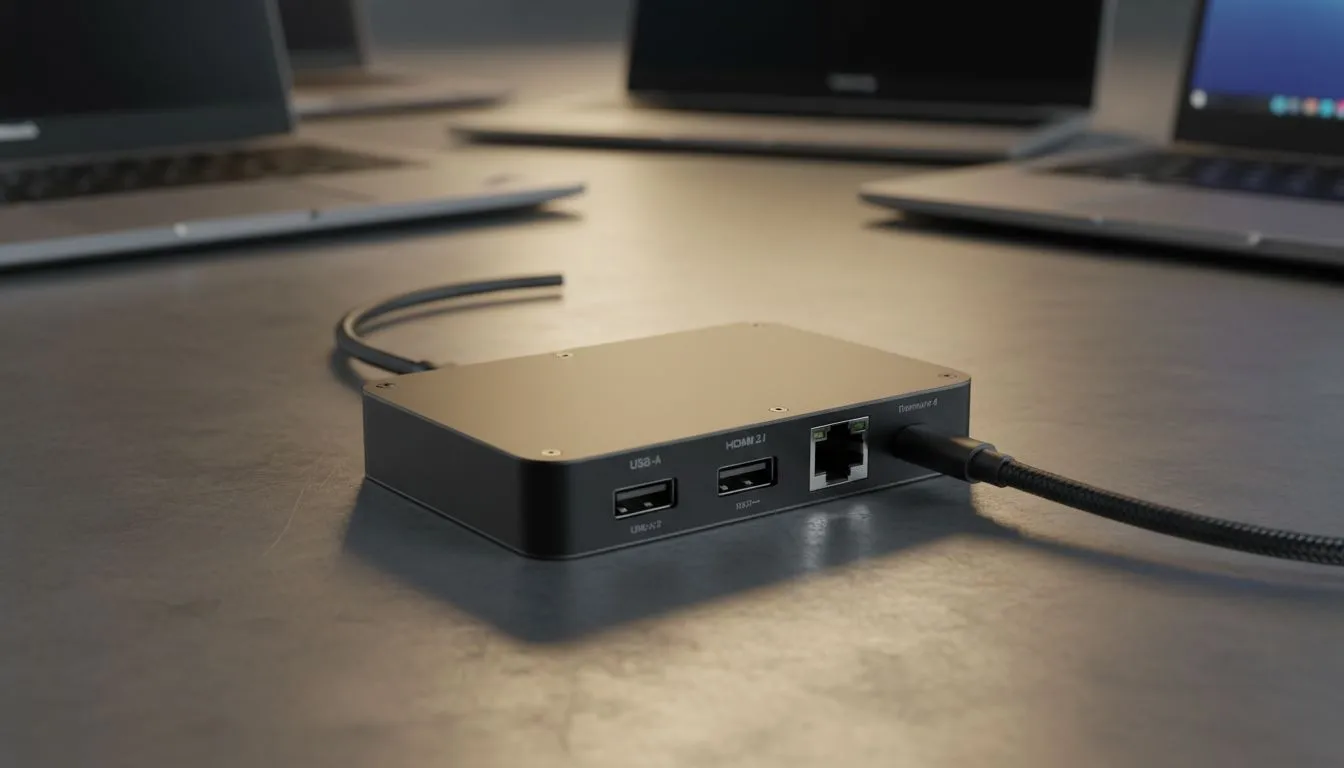
Sleek, powerful... and with barely any ports. Sound familiar? Modern laptops are amazing, but that minimalist design often leaves us juggling dongles. Whether you're a gamer in Jozi needing a stable connection or a creative in Cape Town connecting multiple displays, finding the best USB-C hub for your laptop is essential. It’s the one small gadget that unlocks your machine’s true potential, turning a single port into a powerhouse workstation. 🚀
In today’s world of thin-and-light notebooks, the humble USB-C hub has become a non-negotiable accessory. It’s the bridge between your minimalist machine and the real world of peripherals. A good hub lets you connect everything—your mechanical keyboard, gaming mouse, 4K monitor, and external SSD—all through a single, convenient port on your laptop. It declutters your desk and simplifies your workflow, making it a must-have for any serious setup. Plus, you can often find great value if you check out the latest gaming accessory deals online.
Not all hubs are created equal, and the best USB-C hub for your laptop often depends on the machine you're using. Different brands have different needs, from power delivery requirements to specific port standards.
MacBook users live in the dongle world. Apple's commitment to USB-C (and Thunderbolt) means a hub is essential. Look for a hub with a sleek, aluminium finish that matches your Mac's aesthetic. Key features include Thunderbolt 3 or 4 compatibility for maximum data speeds, at least 85W Power Delivery (PD) to charge your laptop through the hub, and an HDMI port capable of 4K at 60Hz.
Dell and HP laptops are the workhorses of the corporate and home office world. The ideal USB-C hub for these machines is all about versatility. An Ethernet port is crucial for stable internet during those endless Teams meetings. Multiple USB-A ports are a must for legacy devices, and an SD or microSD card reader is a fantastic bonus for photographers and content creators. These hubs are some of the most versatile PC components you can buy.
When you're running a powerful gaming laptop from brands like ASUS, MSI, or Razer, your hub needs to keep up. Performance is everything. Prioritise a hub with high-speed USB 3.1 or 3.2 ports for connecting fast external drives for your game library. A gigabit Ethernet port is non-negotiable for lag-free online gaming. Make sure it has enough ports for your entire battlestation; you can browse dedicated gaming accessories to see just how many peripherals a modern gamer uses.
Not all USB-C ports are the same. Before buying, check your laptop's specs. Does it support 'DisplayPort Alt Mode' for video output? Is it a full 'Thunderbolt' port for the fastest speeds? Knowing this ensures you buy a hub that's fully compatible and won't disappoint. A quick Google search of your laptop model will tell you what you need to know.
Beyond the brand, focus on the specs that will impact your daily use.
Choosing the right USB-C hub for your laptop transforms your user experience. It's a small investment that delivers massive returns in productivity and convenience.
Ready to Expand Your Connectivity? Stop juggling dongles and unlock your laptop's full power. The right hub turns one port into a universe of possibilities. Explore our incredible tech deals and find the perfect hub to complete your setup today.
Match ports and power delivery to your model: verify MacBook, Dell, HP or Lenovo compatibility, needed HDMI/Ethernet, and required PD wattage.
For high-resolution displays and max speed, choose a Thunderbolt 4 hub or best thunderbolt 4 hub for macbook for full bandwidth and charging.
Rarely if you buy reputable hubs with proper PD and safety features—look for overcurrent protection and verified brand compatibility.
Hubs add ports and pass-through charging; docks offer higher PD, sustained video outputs, and fuller Ethernet or multi-monitor support.
Choose USB 3.1/3.2 hubs with HDMI/DisplayPort, Ethernet and enough PD watts; search 'usb-c hub for Dell XPS' recommendations.
Yes—pick an usb-c hub with power delivery for laptop charging that matches your laptop's wattage, typically 45W to 100W depending on model.
Start with HDMI, one USB-A, Ethernet and a PD input; add SD card slots or extra USB ports based on photography or peripheral needs.
Dedicated media keys give streamers one-touch control to mute, switch scenes, clip highlights, and adjust audio — cutting task time and boosting consistency 🎛️⚡
Read more
PBT vs ABS keycaps: Clear, local guide for South African gamers—compare feel, sound, durability and where to buy. Find the best material for your budget and playstyle 🎮🇿🇦
Read more
- Multi-Function Digital Dial: define benefits - Show gamer setups and macros - Offer buying and setup tips Multi-Function Digital Dial puts programmable control at your fingertips for faster actions and smoother streaming. 🎮⚙️
Read more
- Explain benefits; - Show the science; - Compare options; - Recommend picks. Magnetic wrist rest for gaming cuts wrist strain and boosts comfort during long sessions 🕹️✨
Read more
best gaming keyboard South Africa: Learn how to pick a low-latency mechanical keyboard, choose switches, layout and budget for competitive play 🎮⚡
Read more
Best wireless keyboard and mouse combo for small desks — curated, space-saving picks that boost comfort and productivity in tight setups. Find low-profile layouts, compact mice, and reliable range to fit your compact workstation. 🖱️⌨️
Read more
Discover webcams that automatically adjust light and color for crystal-clear video calls 🎥✨. Boost your streaming quality today!

Discover webcams that blend into your workflow 🎯 Capture moments while you work, stream, or create. Upgrade your setup with smart, multitasking tech!
Dedicated media keys give streamers one-touch control to mute, switch scenes, clip highlights, and adjust audio — cutting task time and boosting consistency 🎛️⚡
PBT vs ABS keycaps: Clear, local guide for South African gamers—compare feel, sound, durability and where to buy. Find the best material for your budget and playstyle 🎮🇿🇦
- Multi-Function Digital Dial: define benefits - Show gamer setups and macros - Offer buying and setup tips Multi-Function Digital Dial puts programmable control at your fingertips for faster actions and smoother streaming. 🎮⚙️
- Explain benefits; - Show the science; - Compare options; - Recommend picks. Magnetic wrist rest for gaming cuts wrist strain and boosts comfort during long sessions 🕹️✨