

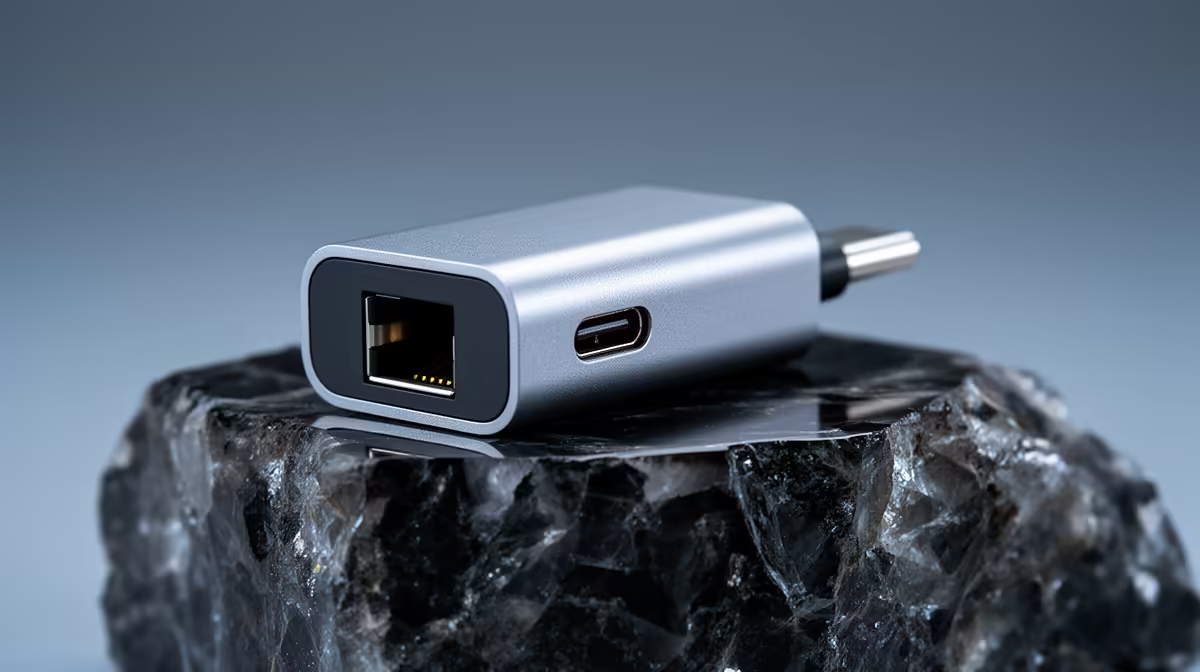
A USB-C to Ethernet adapter transforms your MacBook into a reliable wired networking machine, bypassing Wi-Fi interference entirely. For South African users on Vumatel fibre or Afrihost home connections, a wired link delivers the consistent low-latency experience that wireless simply cannot match. Choosing the right adapter means understanding chipset quality, throughput ratings, and compatibility with macOS.
Quick Answer
What is the best USB-C to Ethernet adapter for MacBook? Look for adapters using the Realtek RTL8153 or AX88179 chipset, which are natively supported by macOS without additional drivers. Gigabit (1000Mbps) throughput is the minimum spec worth buying in 2026, and bus-powered designs keep your desk cable-free.
🔧 What to Look for in a USB-C Ethernet Adapter
The chipset inside the adapter matters more than the brand name on the box. macOS has built-in kernel extensions for Realtek RTL8153, ASIX AX88179, and a handful of other controllers, meaning plug-and-play operation with no third-party driver installation. Adapters using obscure chipsets may require drivers that break with every major macOS update, turning a simple accessory into a recurring headache.
Throughput is the next consideration. Every modern fibre package in South Africa - whether you are on Vumatel, Openserve, or MTN Fixed LTE - benefits from a true Gigabit adapter. Budget adapters capped at 100Mbps will bottleneck a 200Mbps or 500Mbps line, so pay the small premium for the full Gigabit spec.
Bus power matters for MacBook users. A quality adapter draws power directly from the USB-C port, leaving your other ports free. Avoid any adapter that requires a separate USB power cable - that design compromises the portability that MacBook users value.
📊 Adapter Types: Single-Port vs. Hub Designs
A standalone USB-C to Ethernet dongle is the simplest solution: one cable plugs into your MacBook, the other into your router or wall plate. These are compact, affordable, and ideal if Ethernet is your only requirement.
Multi-port hubs that include an Ethernet jack alongside USB-A ports, HDMI, and a pass-through charging port are popular with users who work at a fixed desk setup. The trade-off is a larger footprint and a higher price, but the convenience of a single cable managing power delivery, display output, and wired networking simultaneously is hard to argue with for a home office.
For MacBook Pro users plugged into a Vumatel 1Gbps residential line, a hub with 2.5G Ethernet is now worth considering. The 2.5G spec is increasingly common in newer routers and switches, and it future-proofs the investment for the next several years.
💡 Setup and Optimisation Tips
Once your adapter is connected, macOS will detect the new network interface automatically. Open System Settings, navigate to Network, and confirm that the Ethernet interface shows as Connected with the correct IP address assigned by your router.
For the best performance on a Vumatel or Afrihost fibre connection, set your MTU to 1500 in the Network interface settings and disable Wi-Fi while the Ethernet cable is active. macOS will occasionally prefer Wi-Fi even when Ethernet is connected unless you drag Ethernet to the top of the service order list under Network settings.
If you use your MacBook for video calls on platforms like Microsoft Teams or Zoom, wired Ethernet eliminates the packet loss that causes audio dropouts and video freezes on busy Wi-Fi networks - a genuine productivity improvement for remote workers across South Africa.
❓ Frequently Asked Questions
Does a USB-C to Ethernet adapter reduce MacBook performance? No. A quality Gigabit adapter adds negligible CPU overhead. The USB-C interface on modern MacBook Pro and MacBook Air models supports speeds well above 1Gbps, so the Ethernet connection is the bottleneck, not the host port.
Will a USB-C Ethernet adapter work with Apple Silicon MacBooks? Yes, provided the adapter uses a chipset with native macOS support such as the Realtek RTL8153 or ASIX AX88179. Apple Silicon Macs running macOS Ventura and later support these chipsets without third-party drivers.
Can I use a USB-C Ethernet adapter with a USB-C hub that is also connected to power? Yes. Most quality hubs with pass-through charging handle power delivery and Ethernet simultaneously without conflict. Ensure the hub specifies at least 60W pass-through to keep your MacBook charging at a useful rate while connected.
Evetech stocks Graphics Card Deals and Evetech Best Sellers — shop online with fast delivery across South Africa.
Ready to Find Your Perfect Match? Shop at Evetech











