


Best Laptop with Ryzen 5 + RTX 4090 Laptop: SA Picks 2026
Top Laptop with Ryzen 5 + RTX 4090 Laptop: Picks picks evaluated on performance, value & SA availability with current Rand pricing from Evetech.
Read moreFind the best wireless mouse options for remote work in South Africa—fast pairing, comfy ergonomics, and reliable performance for home offices. Upgrade your setup today and work smoother. 🖱️⚡
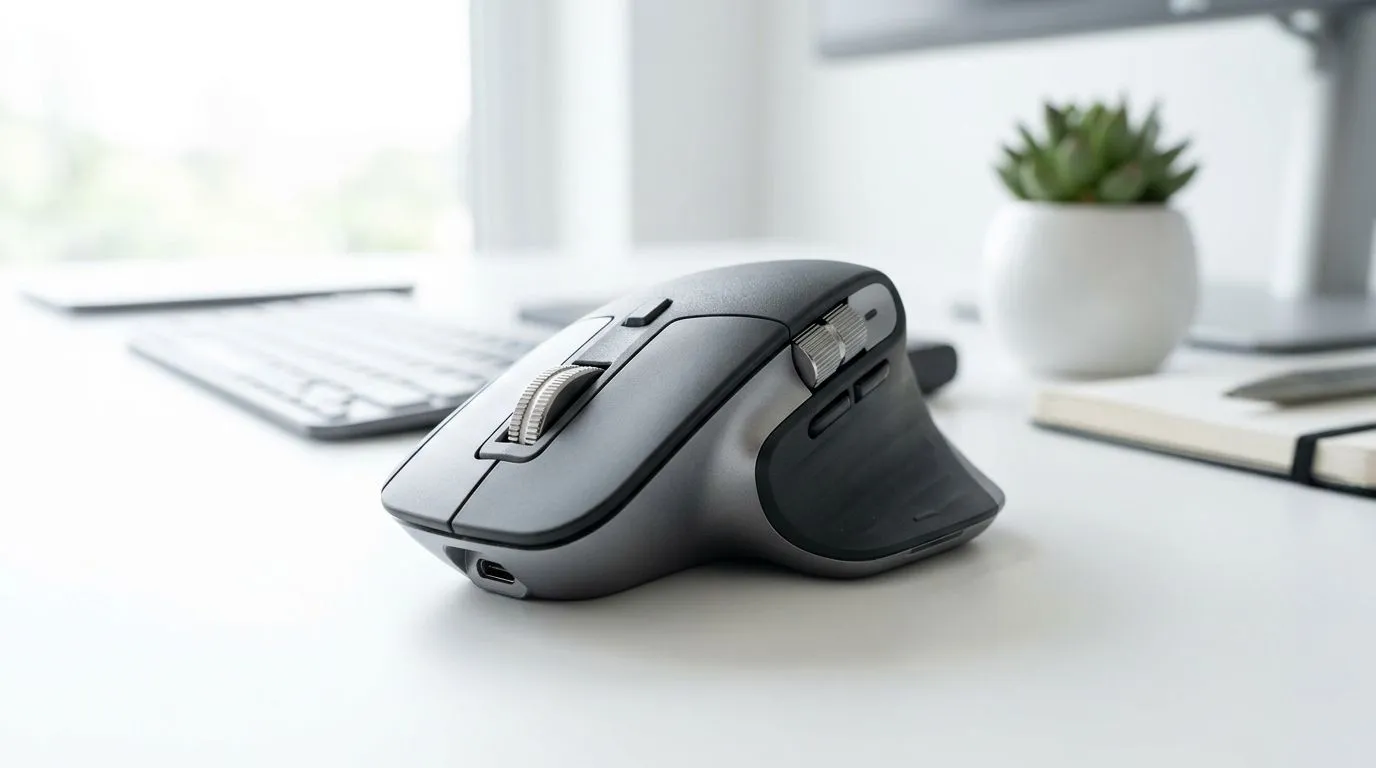
If you’re working from home in South Africa, your desk setup can make or break your day. One clunky mouse is all it takes… and suddenly you’re fighting aim, wrist strain, and lag. The good news? A great wireless mouse can feel as reliable as a wired one, while keeping your cable chaos under control. ⚡ Whether you’re in spreadsheets, design tools, or even casual gaming between calls, choosing the right sensor, shape, and battery habits matters.
In this guide, we’ll help you pick from the best wireless mouse options for remote work in South Africa, with practical buying tips and what to look for before you checkout.
A “best” mouse depends on how you work. Here’s the checklist we use before recommending anything 🔧:
Look for smooth tracking on your most-used surface (desk mat, glass, or plain desk). Laser tends to be less forgiving on some surfaces; many people prefer optical sensors for consistency.
If you’re on calls all day, comfort wins. Decide your grip:
Wireless convenience only counts if it fits your routine. Rechargeable mice can be easy, but check whether they charge via cable or dock, and how long they last (the “weeks” claim should match your actual usage).
Some mice use a USB receiver; others use Bluetooth. For remote work, a stable connection reduces cursor “drift” and missed clicks.
On Windows, set your mouse pointer speed to a comfortable level and turn on “Enhance pointer precision” only if it improves accuracy for your hand. Then test on your actual desk surface. Small tweaks can reduce over-correcting during spreadsheets and design work.
You can start broad, then narrow down quickly. If you’re building a clean workspace, begin with mouse accessories and add-ons to match your setup, like pads or spare parts: mouse accessories.
If you’re specifically set on wireless, you’ll also want to browse the wireless category itself to compare sizes and sensor types: wireless mouse options.
And if you’re doing work that’s sensitive to latency or precision, it’s worth comparing what wired can do (even if you end up choosing wireless anyway): wired mouse models.
Here’s a quick truth from day-to-day setups: many “gaming” mice are simply built better for precision and comfort. That’s why office users and developers often like them too.
If you want value without sacrificing feel, check current deal-style picks in the gaming mouse range. Deals can help you land a premium shape for less, often in the range of hundreds of rand depending on the model: best gaming mouse deals.
If you want to compare consistent specifications across a family of models, use the category pages to cross-check options: gaming mouse selection. Pick based on shape first, then features.
If you’re unsure, use this fast rule:
And remember… the “right” mouse is the one you stop adjusting every 10 minutes.
Ready to Find Your Perfect Match? The Mac vs Windows debate is complex, but for maximum power, choice, and value in South Africa, Windows is hard to beat. Explore our massive range of laptop specials and find the perfect machine to conquer your world.
Look for comfort, stable connectivity (USB receiver or dual mode), and long battery life. The best wireless mouse options for remote work fit your desk and workflow.
A USB receiver can reduce dropouts and improve lag-free wireless performance. It is often a great choice for home office setups with Wi-Fi congestion.
Choose an ergonomic wireless mouse with a shape suited to your grip, adjustable DPI, and a comfortable thumb area. This supports productivity during long sessions.
Yes. Silent wireless mice help reduce click noise during meetings. Pair them with reliable wireless mouse connectivity for smooth daily use.
Prioritise cursor stability, battery life, DPI control, and a comfortable design. If you switch devices, consider multi-device wireless mouse support.
A budget wireless mouse with a dependable sensor, USB receiver stability, and good ergonomics can deliver strong value for remote work in South Africa.
Keep the receiver close, avoid metal obstructions, and use quality batteries. For smoother performance, consider a dual mode wireless mouse with stable pairing.
Yes. Multi-device wireless mice or dual mode wireless mice can switch between laptop and desktop quickly, making them ideal for remote work setups.
Top Laptop with Ryzen 5 + RTX 4090 Laptop: Picks picks evaluated on performance, value & SA availability with current Rand pricing from Evetech.
Read more
Top Budget GPU for Marvel Rivals picks evaluated on performance, value & SA availability with current Rand pricing from Evetech.
Read more
Valorant Settings on RTX 5070: Performance. Real-world benchmark data, FPS numbers & performance analysis. What SA gamers can actually expect.
Read more
Top Budget GPU for Assassins Creed Shadows picks evaluated on performance, value & SA availability with current Rand pricing from Evetech.
Read more
Valorant Settings on RTX 4080 Super: Performance. Real-world benchmark data, FPS numbers & performance analysis. What SA gamers can actually expect.
Read more
Top Valorant Settings for RTX 5070: FPS Optimisation picks evaluated on performance, value & SA availability with current Rand pricing from Evetech.

RDNA 3.5 Graphics in Ryzen AI 400? Can You Game. Plain-English explanation of what it means, why it matters & how it affects your buying decisions in SA.

GPU Price Index : December Report. Current stock data & price tracking for SA buyers. See what is available and where prices are heading.

RX 9070 XT Elden Ring Nightreign at 4K: FPS. Real-world benchmark data, FPS numbers & performance analysis. What SA gamers can actually expect.

Core i5-14600K + B760 + RTX 5060 Build Under. Full parts list, Rand pricing & expected performance. Build confidently with SA-available components.

RX 7600 Apex Legends at 4K: FPS Benchmark. Real-world benchmark data, FPS numbers & performance analysis. What SA gamers can actually expect.

RX 7900 XTX GTA 6 at 4K: FPS Benchmark & Optimal. Real-world benchmark data, FPS numbers & performance analysis. What SA gamers can actually expect.

Head-to-head comparison of RTX 5070 vs RX 9070 XT: Gaming Performance for SA gamers. Performance benchmarks, Rand pricing & which delivers better value.

Top RTX 5070 Under R25,000 picks evaluated on performance, value & SA availability with current Rand pricing from Evetech.
Core i5-14600K + B760 + RTX 5060 Build Under. Full parts list, Rand pricing & expected performance. Build confidently with SA-available components.

Top Monitor for RX 9070: Resolution & Refresh Rate picks evaluated on performance, value & SA availability with current Rand pricing from Evetech.

Valorant Settings on RX 9060 XT: Performance. Real-world benchmark data, FPS numbers & performance analysis. What SA gamers can actually expect.