


Dedicated Media Keys for Streamers: Improve Workflow Fast
Dedicated media keys give streamers one-touch control to mute, switch scenes, clip highlights, and adjust audio — cutting task time and boosting consistency 🎛️⚡
Read moreBudget wireless gaming controller buyers: discover must-have features like low-latency connection, responsive haptics, reliable range, long battery life, and ergonomic design to get pro performance without breaking the bank. 🎮🔋
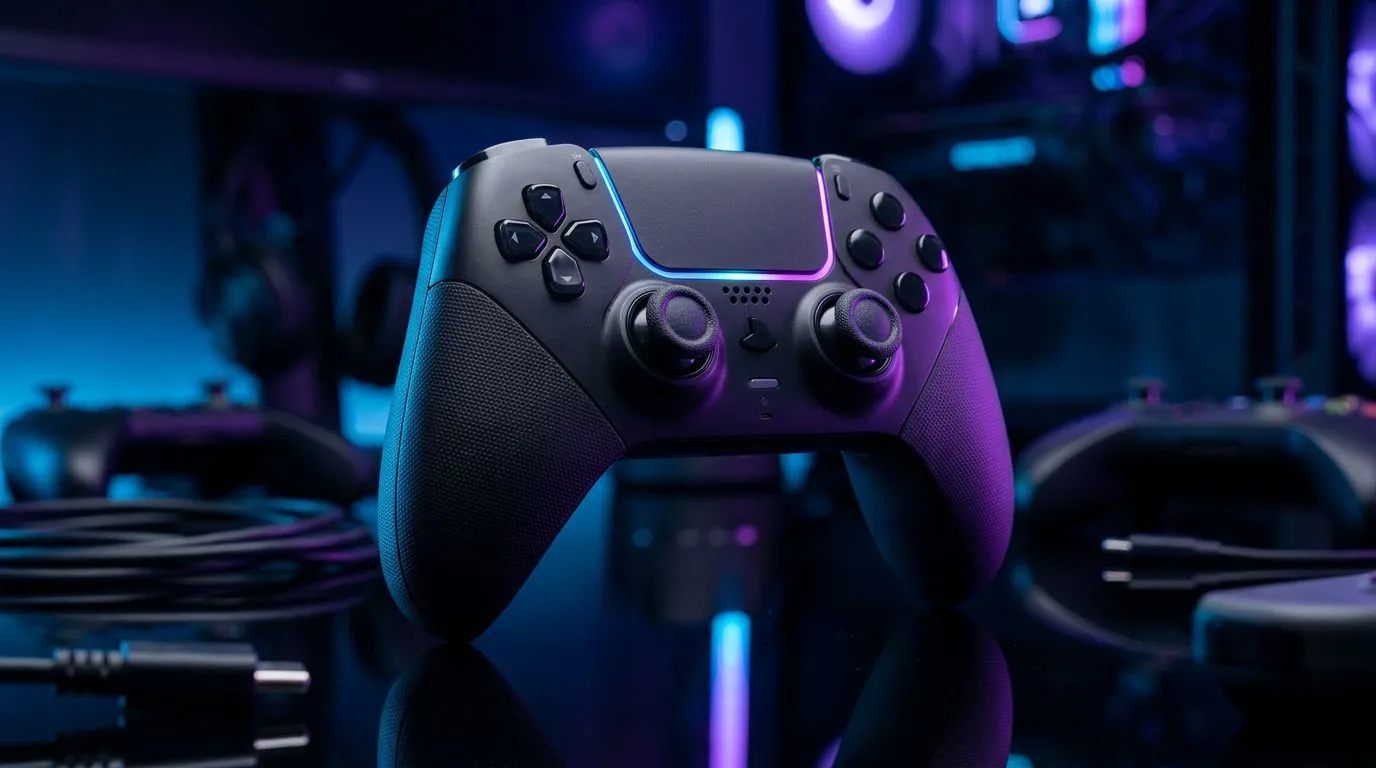
Looking to upgrade on a South African budget? In the next few minutes you’ll learn which features matter when buying a budget wireless gaming controller, why they change how you play, and how to spot real value in ZAR. Whether you’re chasing low latency, long battery life, or pro-level button feel, these pointers save rand and frustration. 🔧⚡
Wireless freedom is only useful if your inputs arrive on time. Look for controllers that support low-latency wireless modes or include a 2.4GHz dongle to avoid Bluetooth lag. If you want pro-level responsiveness without the cord, review models that promise tournament-grade polling and wired fallback — Evetech’s product listings explain exact connectivity options and current pricing for specific models. See the Razer Wolverine V3 Tournament Edition listing for an example of wired/wireless feature breakdowns: https://www.evetech.co.za/razer-wolverine-v3-tournament-edition-8k/best-deal/24274.
A cheap shell is fine, but buttons should feel consistent. Remappable paddles, hair-trigger modes, and swappable thumbsticks are features that often appear on higher-value controllers. For a view across brands and what’s currently available in South Africa, browse Evetech’s full controller category to compare specs and ZAR prices side by side: https://www.evetech.co.za/PC-Components/buy-gaming-controllers-365.
Keep a tiny notebook or phone note of your controller profiles. Many budget controllers save only a couple of profiles. When you switch games, having a quick reference avoids reprogramming mid-match.
Battery life is opinion until you test it. Look for controllers with 20+ hours for marathon sessions, USB‑C fast charging, or hot-swap options. Ergonomics matter more to SA players who game on couches and desks... try to handle a controller before you buy, or choose retailers with easy returns. If you favour a trusted brand, Evetech’s Razer filter helps you focus on certified designs and local stock: https://www.evetech.co.za/PC-Components/buy-gaming-controllers-365?brands=Razer.
If you must prioritise, put responsiveness and comfort first, then battery and customisation. Extra RGB and flashy aesthetics are nice, but won’t stop dropped inputs. Think about warranty, spare parts availability in South Africa, and whether a controller supports both PC and console — these practical checks save trips and rand later.
I once swapped a cheap Bluetooth pad for a budget wireless model with a dongle... my input errors dropped immediately in Rocket League. It felt like unlocking a new skill. Little upgrades like that compound fast — and they don’t need to break the bank.
Ready to Find Your Perfect Match? The Mac vs Windows debate is complex, but for maximum power, choice, and value in South Africa, Windows is hard to beat. Explore our massive range of laptop specials and find the perfect machine to conquer your world.
Prioritize low latency, reliable wireless range, long battery life, comfortable ergonomics, durable build and customizable buttons for best value.
Low latency is critical for competitive play; choose controllers advertising low-latency wireless modes or strong Bluetooth 5.0/USB dongle support.
Aim for 15–40 hours per charge on budget models; look for rechargeable batteries and fast-charge support to minimize downtime.
Many affordable controllers offer button mapping and onboard profiles; check product specs for macro support and companion apps.
Yes. Inspect materials, trigger durability, and joystick quality; read reviews focused on wireless controller build quality tips before buying.
Some are cross-platform; verify compatibility notes for PC, Xbox, PlayStation and Switch or look for explicit cross-platform wireless gaming controller support.
Range and stable connectivity prevent dropouts; prefer controllers with proven wireless range and either a USB dongle or robust Bluetooth 5.x support.
Dedicated media keys give streamers one-touch control to mute, switch scenes, clip highlights, and adjust audio — cutting task time and boosting consistency 🎛️⚡
Read more
PBT vs ABS keycaps: Clear, local guide for South African gamers—compare feel, sound, durability and where to buy. Find the best material for your budget and playstyle 🎮🇿🇦
Read more
- Multi-Function Digital Dial: define benefits - Show gamer setups and macros - Offer buying and setup tips Multi-Function Digital Dial puts programmable control at your fingertips for faster actions and smoother streaming. 🎮⚙️
Read more
- Explain benefits; - Show the science; - Compare options; - Recommend picks. Magnetic wrist rest for gaming cuts wrist strain and boosts comfort during long sessions 🕹️✨
Read more
best gaming keyboard South Africa: Learn how to pick a low-latency mechanical keyboard, choose switches, layout and budget for competitive play 🎮⚡
Read more
Best wireless keyboard and mouse combo for small desks — curated, space-saving picks that boost comfort and productivity in tight setups. Find low-profile layouts, compact mice, and reliable range to fit your compact workstation. 🖱️⌨️
Read more
Discover webcams that automatically adjust light and color for crystal-clear video calls 🎥✨. Boost your streaming quality today!

Discover webcams that blend into your workflow 🎯 Capture moments while you work, stream, or create. Upgrade your setup with smart, multitasking tech!
Dedicated media keys give streamers one-touch control to mute, switch scenes, clip highlights, and adjust audio — cutting task time and boosting consistency 🎛️⚡
PBT vs ABS keycaps: Clear, local guide for South African gamers—compare feel, sound, durability and where to buy. Find the best material for your budget and playstyle 🎮🇿🇦
- Multi-Function Digital Dial: define benefits - Show gamer setups and macros - Offer buying and setup tips Multi-Function Digital Dial puts programmable control at your fingertips for faster actions and smoother streaming. 🎮⚙️
- Explain benefits; - Show the science; - Compare options; - Recommend picks. Magnetic wrist rest for gaming cuts wrist strain and boosts comfort during long sessions 🕹️✨