


Dedicated Media Keys for Streamers: Improve Workflow Fast
Dedicated media keys give streamers one-touch control to mute, switch scenes, clip highlights, and adjust audio — cutting task time and boosting consistency 🎛️⚡
Read moreAre built-in monitor speakers enough for your setup? 🔊 We compare audio quality, desk space, and value to help you decide if you need external speakers or if stock monitor audio will suffice for your daily grind. 🎧
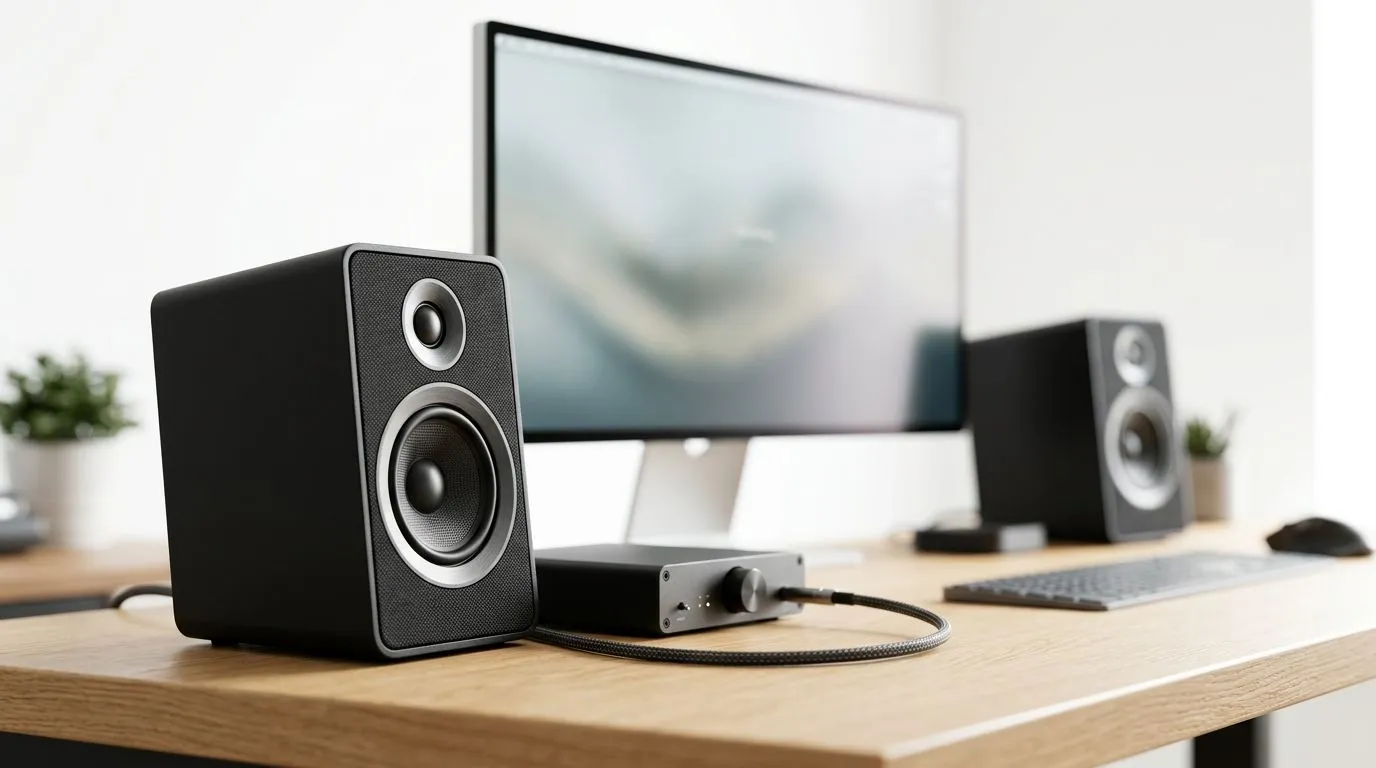
If your desk is starting to feel like a “click and pray” setup, audio is usually the first thing you notice when it sounds thin. Built-in monitor speakers can be convenient… but are they actually good enough for gaming, movies, and voice chat? And when should you spend on external speakers (or a soundbar) instead? Let’s break it down in plain South African terms, so you can choose once and upgrade less.
Most built-in monitor speakers are designed for basic audio output. That means:
External speakers, on the other hand, are built for sound quality and control. Even budget external speakers typically sound fuller and give you better clarity at higher volumes.
Built-in speakers can be enough if you:
They’re also easier if you often move between work and gaming, and you just want audio without extra wiring.
External speakers make more sense when you:
For many South African gamers, pairing a good monitor with a simple external speaker setup is a sweet spot, especially when you’re already investing in a solid display.
Use this fast checklist:
If you’re unsure, start by thinking about your main activity:
On Windows, enable Spatial Sound and set your output device correctly in Sound settings. Then test with a short mix of footsteps, speech, and music. This helps you spot whether your built-in speakers are masking voice clarity before you spend money on upgrades.
Speaker performance depends heavily on your monitor and overall desk setup. If you’re buying or upgrading your display, it’s worth checking you’re getting the right monitor class first. Then you can decide whether you need external audio.
If you’re browsing deals, you’ll likely find value in the right screen first, then fine-tune audio after.
Built-in audio tends to be “afterthought” level across many monitor types, but different monitor classes can still affect perceived sound. Your best move is to choose your monitor category based on how you game, then plan audio accordingly.
Once you decide to use external speakers, you’ll quickly realise you may need cables, adapters, or simple mounting options. To keep the setup clean, browse monitor accessories so your audio connections stay stable and tidy.
In South Africa, your best “first upgrade” depends on your budget range and your tolerance for desk clutter.
Because speaker models vary wildly, the safest approach is this:
If you mainly want convenience and you don’t mind basic audio, built-in monitor speakers are fine to start. But if you care about voice clarity, bass, and a more immersive gaming feel, external speakers are usually the better buy. In most real SA setups, the “you’ll actually enjoy it” factor is what makes external audio worth it.
Ready to Find Your Perfect Match? The Mac vs Windows debate is complex, but for maximum power, choice, and value in South Africa, Windows is hard to beat. Explore our massive range of laptop specials and find the perfect machine to conquer your world.
Most built-in monitor speakers lack bass and clarity. While fine for casual tasks, external speakers or headsets provide a better immersive experience for gaming.
Because monitors are thin, manufacturers have limited space for high-quality drivers, resulting in weak audio performance compared to dedicated external speakers.
If you primarily use a headset, you might not need external speakers. However, they are useful for background music or when you want to rest your ears.
External speakers offer superior sound quality, better frequency response, and stereo imaging that built-in monitor speakers simply cannot match.
Yes, a dedicated monitor soundbar usually offers more power and clearer audio than integrated monitor speakers while still saving desk space.
You can connect them via the monitor's 3.5mm audio-out jack, or directly to your PC's audio output for better sound quality.
Dedicated media keys give streamers one-touch control to mute, switch scenes, clip highlights, and adjust audio — cutting task time and boosting consistency 🎛️⚡
Read more
PBT vs ABS keycaps: Clear, local guide for South African gamers—compare feel, sound, durability and where to buy. Find the best material for your budget and playstyle 🎮🇿🇦
Read more
- Multi-Function Digital Dial: define benefits - Show gamer setups and macros - Offer buying and setup tips Multi-Function Digital Dial puts programmable control at your fingertips for faster actions and smoother streaming. 🎮⚙️
Read more
- Explain benefits; - Show the science; - Compare options; - Recommend picks. Magnetic wrist rest for gaming cuts wrist strain and boosts comfort during long sessions 🕹️✨
Read more
best gaming keyboard South Africa: Learn how to pick a low-latency mechanical keyboard, choose switches, layout and budget for competitive play 🎮⚡
Read more
Best wireless keyboard and mouse combo for small desks — curated, space-saving picks that boost comfort and productivity in tight setups. Find low-profile layouts, compact mice, and reliable range to fit your compact workstation. 🖱️⌨️
Read more
Discover webcams that automatically adjust light and color for crystal-clear video calls 🎥✨. Boost your streaming quality today!

Discover webcams that blend into your workflow 🎯 Capture moments while you work, stream, or create. Upgrade your setup with smart, multitasking tech!
Dedicated media keys give streamers one-touch control to mute, switch scenes, clip highlights, and adjust audio — cutting task time and boosting consistency 🎛️⚡
PBT vs ABS keycaps: Clear, local guide for South African gamers—compare feel, sound, durability and where to buy. Find the best material for your budget and playstyle 🎮🇿🇦
- Multi-Function Digital Dial: define benefits - Show gamer setups and macros - Offer buying and setup tips Multi-Function Digital Dial puts programmable control at your fingertips for faster actions and smoother streaming. 🎮⚙️
- Explain benefits; - Show the science; - Compare options; - Recommend picks. Magnetic wrist rest for gaming cuts wrist strain and boosts comfort during long sessions 🕹️✨