

Fortnite Settings on RTX 5060 Ti: Best Performance
Fortnite Settings on RTX 5060 Ti: Performance. Real-world benchmark data, FPS numbers & performance analysis. What SA gamers can actually expect.
Read moreController with programmable buttons can level up your aim and speed. Learn how to compare trigger locks and advanced haptics so you choose the right controller for your games 🎮🔧.
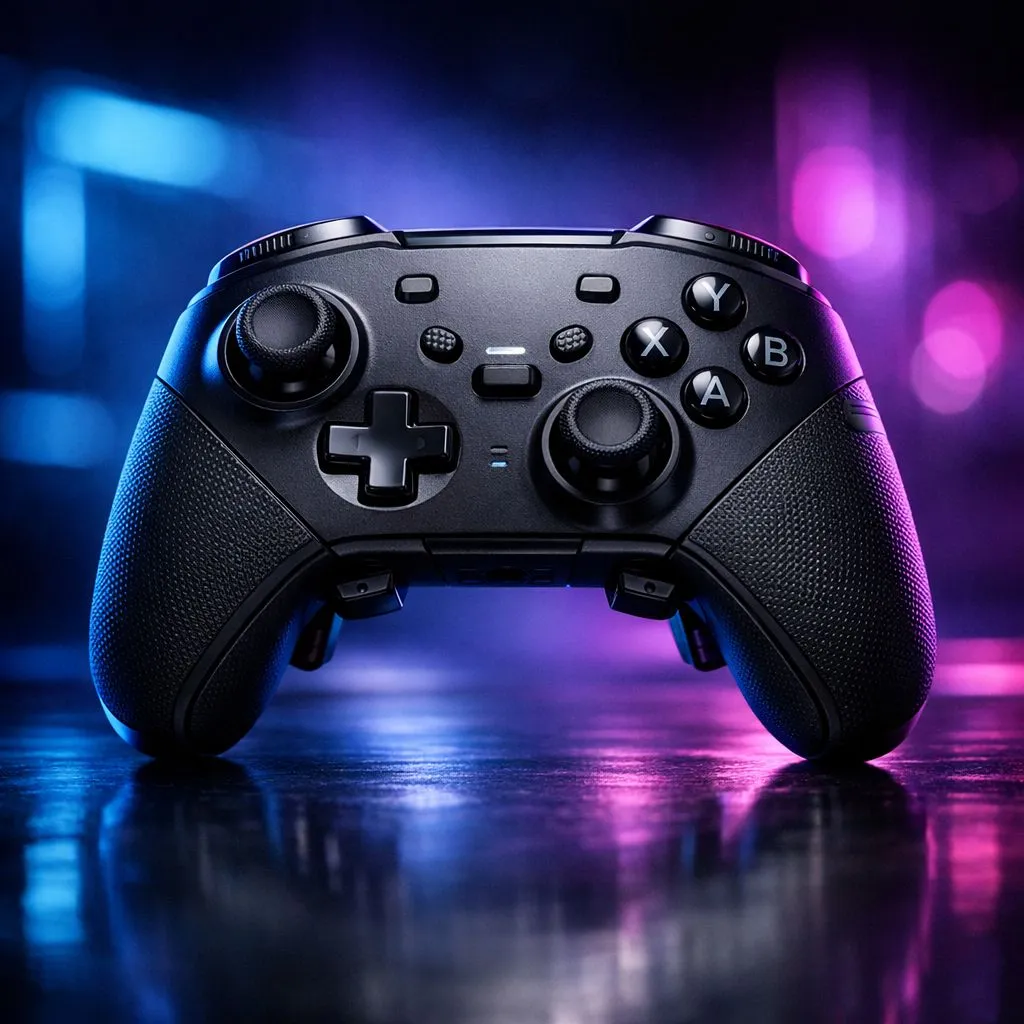
If you’re tired of fumbling through menus mid-match, programmable buttons can feel like cheating… in the best way. South African gamers on PC and console want faster inputs, smoother combos, and fewer mistakes when the pressure spikes. But not every controller with extra back buttons is built the same. Some are great for shooters, others for fighters, and some are basically “nice to have” extras. So how do you choose the right one without wasting money in ZAR?
Start with what you actually play. For shooters like Fortnite or Apex-style aim-and-move games, back buttons should map to actions you press constantly: jump, crouch, weapon swap, or ability. For fighters, you’ll want easy access to combos or defence options without sacrificing thumb control.
When you’re comparing models, check three layout details:
A quick note for South African buyers… shipping, stock, and availability can swing. That’s why it helps to buy from a retailer with clear product pages and local support.
Programmable buttons only matter if remapping is consistent. Look for a controller that supports saving profiles and remapping without fragile drivers or constant reconfiguration.
If you want a tournament-style controller approach, consider the Razer Wolverine V3 Tournament Edition with wired performance. It’s built around quick access and competitive play, and Evetech lists it in their best-deal section here: See the Razer Wolverine V3 Tournament Edition 8K deal on Evetech
For broader choices, shop by the type of controller experience you want: Browse gaming controllers on Evetech
And if you already know the brand that fits your hands, you can filter: Explore Raze controllers from the Evetech gaming controller range
Here’s a practical setup many players stick to:
Then keep your sticks for movement and aiming only. Don’t map everything. Too many bindings can slow you down because you start “thinking” mid-fight.
If you play on a PC and use a programmable controller for multiple tasks (games plus Discord, streaming overlays, even editing between matches), create a simple “profile habit”: remap only one action per profile. After a week, you’ll remember muscle memory faster and reduce mistakes when switching games or modes.
Programmable buttons are useless if the controller feels awkward. Hold it for a minute in-store if you can, or check reviews for grip shape and trigger feel.
Durability matters too. In real play, controllers get dropped, sweat happens, and hairline wear shows up. Look for solid build quality and a reputable brand. Also, confirm what’s included: cable length, headset compatibility (if any), and whether it’s wired or wireless.
When comparing “value”, don’t only chase the lowest price. A slightly higher ZAR cost can be worth it if it prevents remapping frustration or inconsistent button response. Evetech’s listings make it easy to compare models side-by-side before you commit.
Use this before checkout:
If you want programmable buttons that feel “natural”, choose based on your main game first. Then fine-tune your mappings. That’s how you turn extra hardware into real competitive advantage… without overspending.
Ready to Find Your Perfect Match? The Mac vs Windows debate is complex, but for maximum power, choice, and value in South Africa, Windows is hard to beat. Explore our massive range of laptop specials and find the perfect machine to conquer your world.
A controller with programmable buttons lets you remap actions to paddles or face buttons, improving speed for reloads, grenades, and combos.
Trigger locks (often adjustable) help you set trigger travel for faster responses in shooters, making sustained fire and rapid actions more consistent.
Advanced haptics can improve immersion and target feedback, helping you detect in-game events. They may be less critical than button placement.
Choose based on your game: FPS players often benefit from trigger locks, while action or MOBA players may value programmable buttons.
Many support PC and consoles, but not all. Check compatibility for your platform, connection type, and any required software.
Quality mapping typically does not add noticeable delay. Look for reliable software profiles and smooth input feel for accuracy.
Compare paddle/button placement, grip comfort, and accessibility during fast play. If possible, watch reviews focused on ergonomics and trigger reach.
Look for adjustable haptics intensity and clear presets. Good controllers let you tune vibration for feel without overwhelming feedback.
Fortnite Settings on RTX 5060 Ti: Performance. Real-world benchmark data, FPS numbers & performance analysis. What SA gamers can actually expect.
Read more
Top Aftermarket RX 7900 XTX Cards: AIB Partner picks evaluated on performance, value & SA availability with current Rand pricing from Evetech.
Read more
Top Case for RTX 5060: Airflow & Size Compatibility picks evaluated on performance, value & SA availability with current Rand pricing from Evetech.
Read more
Complete ATX Case Size Guide: Interior Dimensions. Best deals curated with real SA discounts, price history & tips on getting genuine value.

What GPU Do You Need for AI & Machine Learning. Hardware requirements breakdown with recommended specs & SA pricing for each tier.

Top Settings for RTX 4060 at Ultrawide 1440p picks evaluated on performance, value & SA availability with current Rand pricing from Evetech.

Head-to-head comparison of FreeSync vs G-Sync Explained: Which Should Gamers for SA gamers. Performance benchmarks, Rand pricing & which delivers better value.

Every spec on PCIe 5.0 explained in plain English. What matters for gaming and creator work in 2026, what's marketing fluff, and how each number translates to real-world performance.

Every spec on bios explained in plain English. What matters for gaming and creator work in 2026, what's marketing fluff, and how each number translates to real-world performance.

Every spec on gaming setups explained in plain English. What matters for gaming and creator work in 2026, what's marketing fluff, and how each number translates to real-world performance.

Every spec on cooling systems explained in plain English. What matters for gaming and creator work in 2026, what's marketing fluff, and how each number translates to real-world performance.

Every spec on understanding how much vram is needed explained in plain English. What matters for gaming and creator work in 2026, what's marketing fluff, and how each number translates to real-world.

How to pick the right PCIe 5.0 for your build in 2026: the features worth paying for, ZAR value tiers, and the trade-offs between budget, mid-range and flagship picks.

Every spec on gpu explained in plain English. What matters for gaming and creator work in 2026, what's marketing fluff, and how each number translates to real-world performance.

Every spec on gpu explained in plain English. What matters for gaming and creator work in 2026, what's marketing fluff, and how each number translates to real-world performance for SA buyers.