

Fortnite Settings on RTX 5060 Ti: Best Performance
Fortnite Settings on RTX 5060 Ti: Performance. Real-world benchmark data, FPS numbers & performance analysis. What SA gamers can actually expect.
Read moreWondering if an OLED display makes a big difference on a gaming keyboard? Here’s what it improves (and what it won’t) for visibility, customization, and latency. 🎮✨
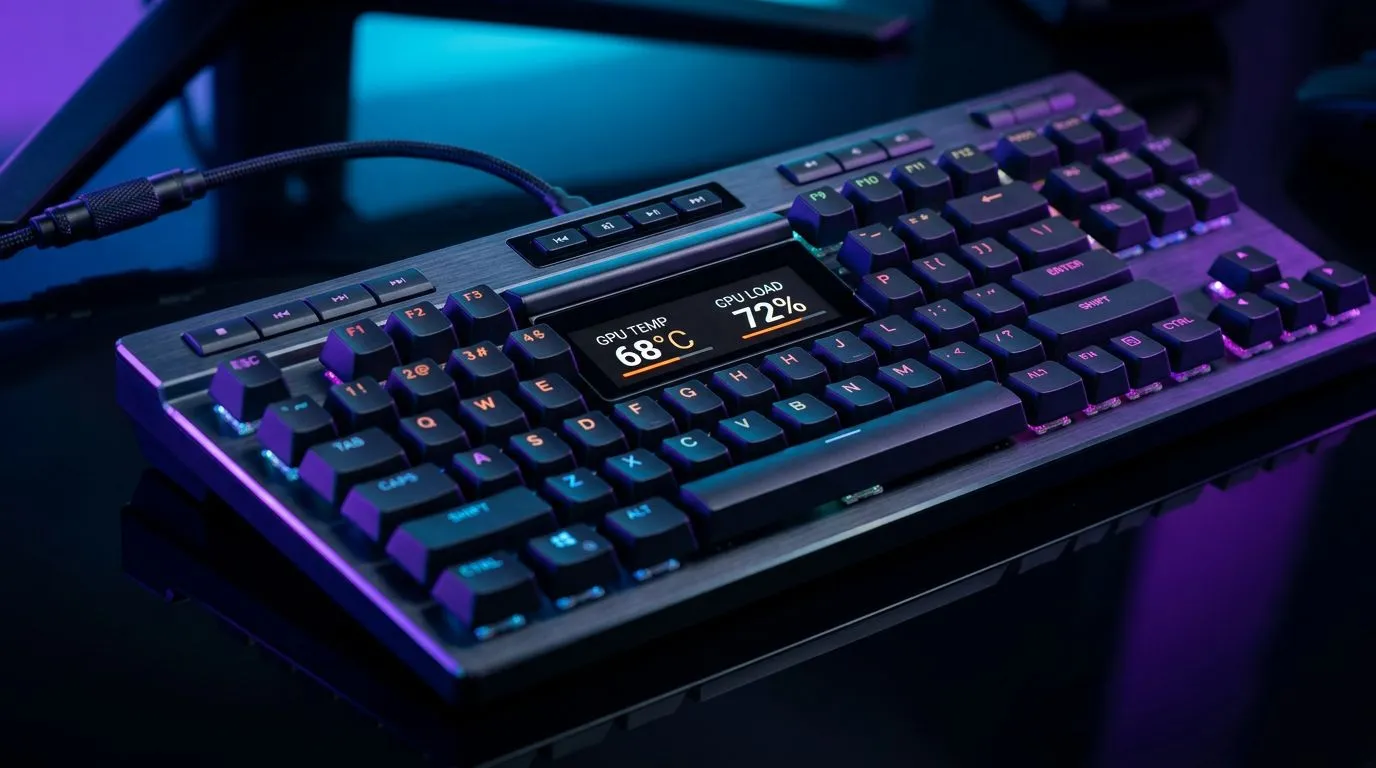
If you’ve ever stared at a keyboard that looks stunning and wondered if it actually helps you play… you’re not alone. South African gamers build rigs for FPS precision, but we also care how our setups feel at night. OLED screens on gaming keyboards promise slick visuals, quick stats, and custom effects. The big question is: does an OLED display make a big difference on a gaming keyboard, or is it mostly style?
In this Gear Review, we’ll break down what OLED brings to gameplay, what it doesn’t, and how to choose one without overspending. ✨
OLED (organic light-emitting diode) displays are different from typical RGB lighting. Instead of only glowing colours, OLED can show crisp text, icons, and simple animations. That matters when you want in-game info without alt-tabbing.
Here’s where OLED can help, depending on the keyboard model and software support:
OLED is not a magic aiming upgrade. It won’t improve input latency by itself. What you feel in-game comes from the switches, polling rate, stabilisers, and overall build quality.
Also, OLED features depend heavily on:
Before you obsess over screens, get the basics right. Latency, stability, and setup convenience can matter more than visuals.
If your main goal is reliable performance and minimal fuss, many gamers prefer wired. Wireless can be great too, but you should pick it for the right reason: a cleaner desk and freedom of movement.
For keyboard options across connectivity styles, explore:
And if you’re browsing deals to fit your budget, these guides are a solid starting point:
So… does OLED actually make a big difference on a gaming keyboard?
For most players: it’s a noticeable convenience, not a performance requirement. If the OLED display shows useful info you’ll rely on (profiles, media controls, macro reminders), it can make your gaming flow smoother. ⚡ If you only want effects and aesthetics, you can get a similar “wow” feel with RGB while saving money.
Ask yourself:
Even the best display can’t fix a mushy switch feel or weak stabilisers. Your fingers feel the switches every match, not the screen. That’s why you’ll often get better satisfaction by upgrading the core keyboard experience before chasing extra display features.
OLED keyboards vary a lot. Here’s what to prioritise so you don’t get stuck with pretty but useless features. 🚀
Some displays shine in RPGs or strategy games where you rely on macros and settings. In fast FPS, the display helps only if it shows quick information you actually need.
If the keyboard software is clunky, the OLED becomes more of a hassle than a help. Look for software that allows profiles to save and load properly.
High-quality stabilisers make gaming and typing feel better immediately. This is the stuff you’ll notice every day.
If your setup is static, wired is simple and reliable. If you move around, wireless can be worth it.
For full desk setups, consider combo buying to streamline your upgrade:
On Windows, set up a consistent keyboard profile for each game and bind the OLED to show “active profile” at a glance. It reduces mistakes during scrims, practice sessions, and ranked queues, especially when you tweak macros or DPI settings between matches.
The best buys usually balance enjoyment and value. The OLED screen should add something you’ll notice after week one, not just on day one.
Ready to Find Your Perfect Match? The Mac vs Windows debate is complex, but for maximum power, choice, and value in South Africa, Windows is hard to beat. Explore our massive range of laptop specials and find the perfect machine to conquer your world.
Usually, OLED screens deliver deeper contrast and better blacks than LCD, making indicators easier to read during gameplay.
An OLED display typically does not reduce key input lag; keyboard switches and firmware matter far more than the screen.
OLED displays shine for quick status checks, profile switching, macros, timers, and richer per-key or per-mode customization.
It can be worth it if you value customization and at-a-glance info, but it won’t replace better switches, build quality, or software.
OLED generally stays readable with strong contrast in dark rooms, though brightness control and font design still matter.
Power use depends on content and brightness; OLED can consume less for darker screens, but it is not a free upgrade.
Many models support custom animations, images, and telemetry-style stats, but capability varies by brand and companion software.
OLED burn-in risk exists, especially with static content; using dynamic screens and adjusting brightness helps reduce long-term risk.
Fortnite Settings on RTX 5060 Ti: Performance. Real-world benchmark data, FPS numbers & performance analysis. What SA gamers can actually expect.
Read more
Top Aftermarket RX 7900 XTX Cards: AIB Partner picks evaluated on performance, value & SA availability with current Rand pricing from Evetech.
Read more
Top Case for RTX 5060: Airflow & Size Compatibility picks evaluated on performance, value & SA availability with current Rand pricing from Evetech.
Read more
Complete ATX Case Size Guide: Interior Dimensions. Best deals curated with real SA discounts, price history & tips on getting genuine value.

What GPU Do You Need for AI & Machine Learning. Hardware requirements breakdown with recommended specs & SA pricing for each tier.

Top Settings for RTX 4060 at Ultrawide 1440p picks evaluated on performance, value & SA availability with current Rand pricing from Evetech.

Head-to-head comparison of FreeSync vs G-Sync Explained: Which Should Gamers for SA gamers. Performance benchmarks, Rand pricing & which delivers better value.

Every spec on PCIe 5.0 explained in plain English. What matters for gaming and creator work in 2026, what's marketing fluff, and how each number translates to real-world performance.

Every spec on bios explained in plain English. What matters for gaming and creator work in 2026, what's marketing fluff, and how each number translates to real-world performance.

Every spec on gaming setups explained in plain English. What matters for gaming and creator work in 2026, what's marketing fluff, and how each number translates to real-world performance.

Every spec on cooling systems explained in plain English. What matters for gaming and creator work in 2026, what's marketing fluff, and how each number translates to real-world performance.

Every spec on understanding how much vram is needed explained in plain English. What matters for gaming and creator work in 2026, what's marketing fluff, and how each number translates to real-world.

How to pick the right PCIe 5.0 for your build in 2026: the features worth paying for, ZAR value tiers, and the trade-offs between budget, mid-range and flagship picks.

Every spec on gpu explained in plain English. What matters for gaming and creator work in 2026, what's marketing fluff, and how each number translates to real-world performance.

Every spec on gpu explained in plain English. What matters for gaming and creator work in 2026, what's marketing fluff, and how each number translates to real-world performance for SA buyers.