


Dedicated Media Keys for Streamers: Improve Workflow Fast
Dedicated media keys give streamers one-touch control to mute, switch scenes, clip highlights, and adjust audio — cutting task time and boosting consistency 🎛️⚡
Read more- Audit DualSense on PC features; - Recommend top PlayStation controllers for Windows; - Offer setup, settings & buying tips 🎮📌 DualSense on PC compatibility, haptic feedback, adaptive triggers, pairing, and top 2025 picks.
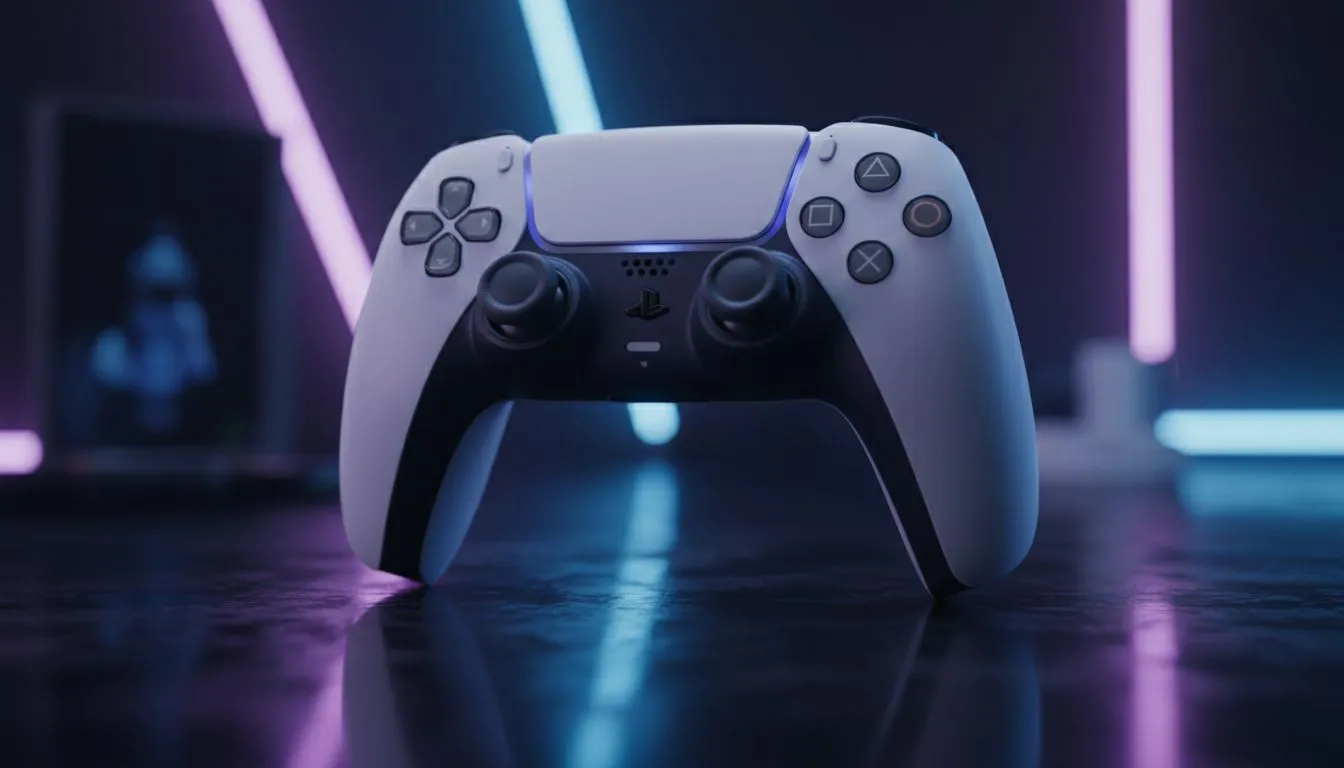
Gone are the days when PC gaming meant strictly mouse and keyboard. With Sony porting massive titles like God of War and Spider-Man to Windows, the line between console and rig has blurred. For South African gamers wanting that premium haptic feedback without buying a console, using a DualSense on PC is the ultimate power move in 2025. Here is how to elevate your setup. 🚀
Why choose a PlayStation controller for your rig? It comes down to immersion. The DualSense offers adaptive triggers and nuanced vibrations that standard controllers just can't match. While a high-end gaming mouse offers unmatched precision for competitive shooters like Valorant, the DualSense reigns supreme for racing sims, RPGs, and third-person action games. Feeling the tension of a bowstring or the gravel under your tyres changes the experience entirely.
In 2025, you have two main choices: the standard DualSense or the DualSense Edge. The standard model offers incredible value, usually sitting around the ZAR 1,500 mark. However, if you are a competitive player looking for back paddles and replaceable stick modules, the Edge is the premium choice.
If you opt for the standard controller to save cash, you might have budget left over to upgrade other critical components. For instance, installing games on fast solid state drives ensures textures load instantly, keeping up with the fast-paced movement these controllers allow.
Using a controller on a PC allows you to sit back and relax, but your visual experience needs to match that comfort. To truly appreciate the 4K textures of modern ports, pairing your rig with high-refresh-rate PC monitors that support HDR is essential.
Even with a controller in hand, you cannot fully abandon the desk. You will still need a board for typing in Discord or navigating Windows. You don't need to overspend here; simply find the cheapest gaming keyboard in South Africa that is reliable enough for chat and system shortcuts, saving your budget for the controller itself.
The DualSense features a built-in microphone and speaker, which is a neat party trick, but for serious gaming, it falls short. To get the spatial audio cues necessary for survival games, dedicated headphone headsets are non-negotiable.
Furthermore, if you are looking to become the next big local content creator, you need to look beyond the controller's mic. Investing in proper streaming essentials like capture cards and lighting will set you apart. Most importantly, clear audio is king; standalone microphones will ensure your commentary is crisp, far outperforming the tiny mic inside the gamepad.
You do not need a PS5 console to keep your controller updated. Sony offers a dedicated 'Firmware updater for DualSense wireless controller' app for Windows 10 and 11. Download it to ensure your adaptive triggers work perfectly with the latest PC game ports.
Connecting is simple via USB-C or Bluetooth. Steam Input handles the drivers automatically for most games, making it nearly plug-and-play. However, for non-Steam games, you might need software like DS4Windows to emulate an Xbox input.
Ready to make the switch? Whether you want the standard white, Midnight Black, or the pro-grade Edge, we have stock ready to ship. Browse our extensive range of gaming controllers to find the perfect fit for your hands and your playstyle. ✨
Level Up Your Control Precision, comfort, and immersion are just a click away. Whether you need the haptic magic of a DualSense or a robust Xbox pad for native Windows compatibility, we have the gear. Shop our full range of Gaming Controllers and take command of your game today.
Yes. DualSense on PC works via USB, Bluetooth, or Steam; advanced haptics depend on game and Steam Input or vendor drivers.
Enable haptics through Steam Input for supported titles or use specific game patches; some features need Windows drivers or third-party tools.
Adaptive triggers work in PC games that expose the feature or when running through Steam with game support and proper controller mapping.
Top picks combine native Windows support, Bluetooth stability and full haptic/trigger integration—see models that support DualSense on PC for 2025.
Yes, via Bluetooth pairing or the official wireless adapter; Bluetooth may limit advanced haptics unless the game or driver supports it.
Basic input works without extra drivers, but Steam, vendor drivers or tools like DS4Windows may unlock full DualSense features on Windows.
Adjust Steam Input controller configs, tweak haptic intensity in-game, and update firmware for best DualSense on PC performance.
Dedicated media keys give streamers one-touch control to mute, switch scenes, clip highlights, and adjust audio — cutting task time and boosting consistency 🎛️⚡
Read more
PBT vs ABS keycaps: Clear, local guide for South African gamers—compare feel, sound, durability and where to buy. Find the best material for your budget and playstyle 🎮🇿🇦
Read more
- Multi-Function Digital Dial: define benefits - Show gamer setups and macros - Offer buying and setup tips Multi-Function Digital Dial puts programmable control at your fingertips for faster actions and smoother streaming. 🎮⚙️
Read more
- Explain benefits; - Show the science; - Compare options; - Recommend picks. Magnetic wrist rest for gaming cuts wrist strain and boosts comfort during long sessions 🕹️✨
Read more
best gaming keyboard South Africa: Learn how to pick a low-latency mechanical keyboard, choose switches, layout and budget for competitive play 🎮⚡
Read more
Best wireless keyboard and mouse combo for small desks — curated, space-saving picks that boost comfort and productivity in tight setups. Find low-profile layouts, compact mice, and reliable range to fit your compact workstation. 🖱️⌨️
Read more
Discover webcams that automatically adjust light and color for crystal-clear video calls 🎥✨. Boost your streaming quality today!
Read more
Discover webcams that blend into your workflow 🎯 Capture moments while you work, stream, or create. Upgrade your setup with smart, multitasking tech!
Read more Dedicated media keys give streamers one-touch control to mute, switch scenes, clip highlights, and adjust audio — cutting task time and boosting consistency 🎛️⚡
Read more PBT vs ABS keycaps: Clear, local guide for South African gamers—compare feel, sound, durability and where to buy. Find the best material for your budget and playstyle 🎮🇿🇦
Read more - Multi-Function Digital Dial: define benefits - Show gamer setups and macros - Offer buying and setup tips Multi-Function Digital Dial puts programmable control at your fingertips for faster actions and smoother streaming. 🎮⚙️
Read more - Explain benefits; - Show the science; - Compare options; - Recommend picks. Magnetic wrist rest for gaming cuts wrist strain and boosts comfort during long sessions 🕹️✨
Read more