Using the HyperX QuadCast 2 on PC and PS5: What You Need to Know ⚡
South African gamers and streamers often wonder if the HyperX QuadCast 2 works seamlessly on both PC and PS5. This versatile microphone promises clear audio, but compatibility matters. Whether you're gaming on a powerful desktop or next-gen console, understanding how to connect and optimise the QuadCast 2 can take your streams to the next level. Let’s dive into how this popular mic performs across platforms and how you can get the best out of it.
HyperX QuadCast 2 Compatibility with PC and PS5
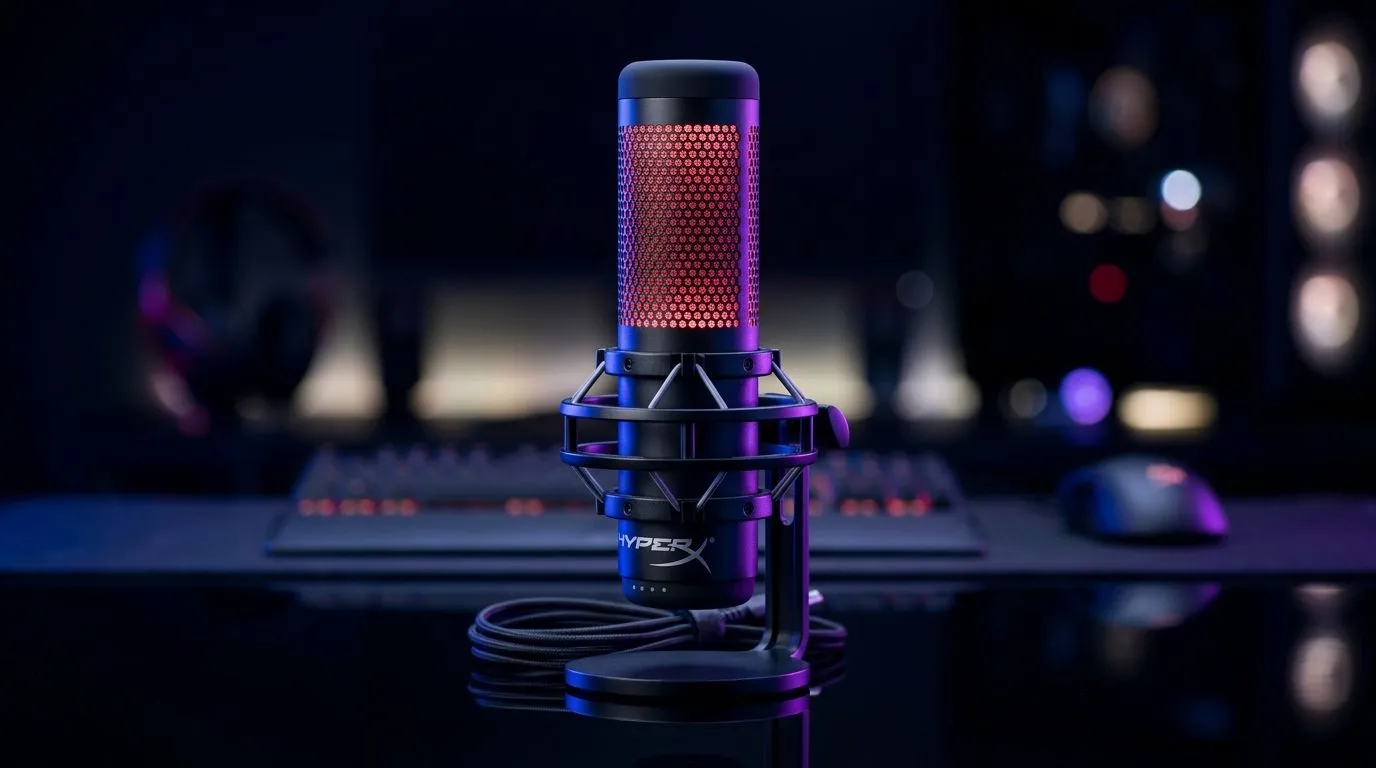
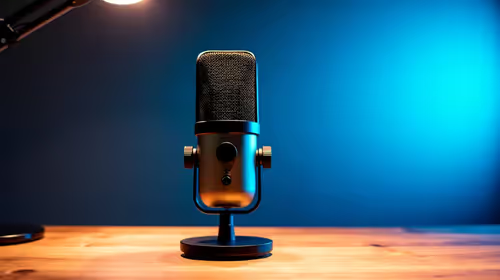
The HyperX QuadCast 2 is designed as a plug-and-play USB microphone. That means on your PC, just plug it in and select it as the input device with ease. For PS5 users, it’s just as straightforward. The PS5 supports USB microphones, and the QuadCast 2 works flawlessly without extra drivers or software.
South African gamers appreciate this simplicity—no fuss, no complicated setups. The microphone’s built-in shock mount and gain control knob let you fine-tune your voice quality without software tweaks. Plus, the adjustable RGB lighting adds a slick look to your setup, whether streaming on PC or PS5.
How to Connect the QuadCast 2 to Your PS5 and PC
Connecting on PC is a matter of plugging the mic into any USB port. Open your sound settings, select HyperX QuadCast 2 as the input, and you’re set. On PS5, plug in, then navigate to Settings > Sound > Microphone. Select the HyperX QuadCast 2, and your voice will route through automatically.
If you want pro-level video to match your crisp audio, consider checking out Evetech’s webcam collection. They stock quality options ranging from budget-friendly to premium, ideal for pairing with your mic setup.
Why the HyperX QuadCast 2 Stands Out in Streaming Essentials 🎤🔧
Streamers want reliable gear, and the QuadCast 2 consistently delivers clean, clear sound crucial for engaging viewers. It cuts background noise well, thanks to its four polar patterns—ideal if you do solo streams or podcasts with guests. South African streamers also find its durability a boon when moving setups between LAN events or gaming cafés.
For those building or upgrading their streaming rigs, exploring the full range of streaming essentials at Evetech can help you kit yourself out professionally. From mics to capture cards and lighting kits like those by Cololight, there’s gear to enhance your stream's quality.
Configuration Tips for the Best Audio on PS5 and PC
To squeeze the best quality from your QuadCast 2, lower ambient noise in your room. Using a pop filter or soft wall hangings can dampen echoes. On PC, use software like OBS Studio to tweak gain levels without distortion. On PS5, set your mic monitoring volume via the settings to hear your voice clearly while streaming or chatting.
Pro Tip: Monitor Your Audio Live
Using your headphones to monitor mic input live on PC or PS5 helps you catch unwanted noise before your audience does.
The QuadCast 2 and Other Streaming Essentials for South African Gamers
The QuadCast 2 pairs perfectly with a solid streaming kit. South African gamers can optimize internet stability by prioritising fibre connections and adding a streaming-focused PC or laptop. Brands like CORSAIR offer complementary gear worth browsing through their dedicated section at Evetech: CORSAIR streaming gear.
By integrating all these tools, you upgrade not just your sound but your entire streaming experience — more viewers, clearer communication, and less technical hassle.
Elevate Your Streaming Setup
Ready to stream like a pro with gear that works across PC and PS5? Shop now at Evetech for performance that leaves lag in the dust.