

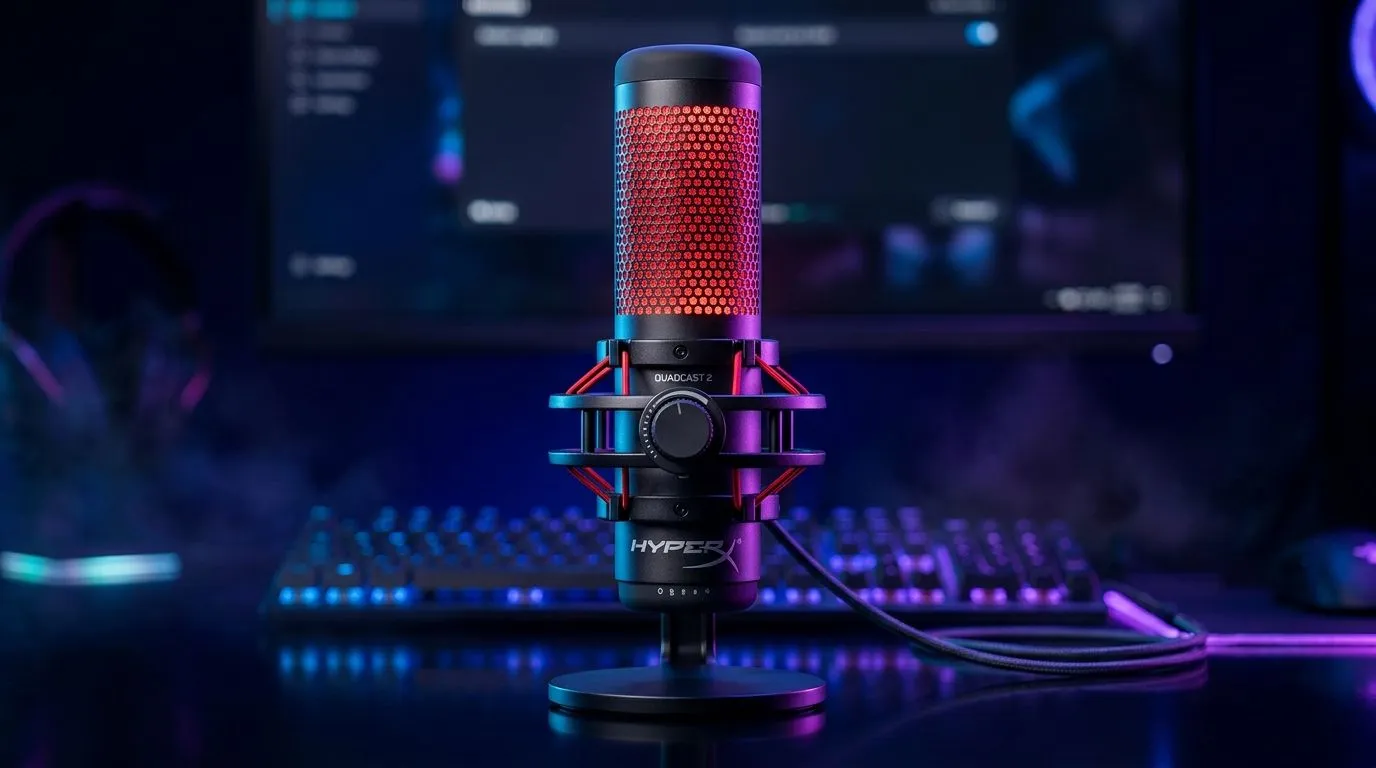
If your Discord calls sound like you’re recording from the scullery, it’s time to level up. The HyperX QuadCast 2 USB Microphone Features Guide for Every Day is exactly the kind of gear South African gamers, streamers, and remote workers look at when they want cleaner voice, less desk clutter, and a setup that feels properly polished. Whether you’re calling shots in Warzone or joining a work meeting after load shedding, a solid USB mic can make you sound far more professional 🔧
HyperX QuadCast 2 USB microphone features guide for every day use
The appeal of the HyperX QuadCast 2 is simple... it is built for people who want decent audio without a technical headache. USB microphones are popular because they plug straight into a PC or laptop, and that makes them easier to set up than traditional XLR models. HyperX positions the QuadCast line as a streaming and content-creation microphone, with a focus on convenience and strong everyday voice capture. For product details, always check the official HyperX specifications before buying.
For everyday use, that matters more than most people think. A good mic can improve team chat, voice notes, online teaching, and streaming overlays all at once. If you are building a creator desk, it helps to think beyond the microphone itself. Pairing it with the right streaming essentials can make the whole setup feel intentional, not cobbled together.
Why South African buyers should care
In South Africa, value matters. You want gear that earns its space on the desk. A microphone like this is useful because it can serve more than one role... gaming, meetings, podcasts, and content recording. That flexibility often makes the price easier to justify, especially when you compare it with buying separate headsets or upgrading your laptop’s built-in mic.
If you are also upgrading your camera setup, it is worth looking at webcams for sale so your voice and video feel matched. Clean audio next to a blurry picture looks unfinished. A decent webcam helps round out the setup, especially for Twitch, YouTube Shorts, and everyday Zoom calls. For webcams, check the product pages and spec lists directly before deciding.
What to look for in a USB mic
Not every microphone suits every desk. Before you buy, consider these practical points:
- Pickup pattern... This affects how much of your room noise gets picked up.
- Mute control... Handy for sudden interruptions, especially at home.
- Mounting stability... A solid stand reduces desk thumps and vibrations.
- Gain control... Useful when you want to adjust how loud your voice sounds.
- Headphone monitoring... Helpful if you want to hear yourself in real time.
These features matter because most South Africans do not have perfectly quiet rooms. There may be fans, street noise, or the neighbour’s gate motor going off at the worst moment. A microphone that gives you control helps more than one that simply looks flashy.
Audio Setup Pro Tip ⚡
On Windows, test your mic in the Sound settings before your first stream or call. Set input levels gradually, then speak at your normal volume. If the meter spikes too easily, lower the gain a little. It is the quickest way to avoid clipped audio and awkward re-records.
Building a better desk without overspending
A microphone is only one part of the puzzle. If you want your setup to look clean and feel premium, browse matching accessories from the same category range. You may find useful extras by checking the CORSAIR streaming essentials selection, especially if you want to keep your desk aesthetic consistent. Small upgrades can make a surprisingly big difference to how your setup feels day to day.
You can also add some personality with lighting. Subtle ambient lighting helps webcam footage look warmer and more balanced, especially in a room with harsh daylight or warm bulb lighting. If that sounds like your space, take a look at Cololight streaming essentials for accent lighting ideas that can lift the entire vibe.
Everyday use beats spec-sheet obsession
It is easy to get stuck reading specs. But the real question is simple... does the mic make your life easier? For most users, the answer should be yes. A good USB microphone should let you plug in, adjust quickly, and get on with your day. That is the real value of a product like the HyperX QuadCast 2... practical convenience with creator-friendly features.
If your current headset mic makes you sound distant or compressed, upgrading can be immediately noticeable. Friends hear you more clearly. Clients hear you more clearly. And yes, your squad hears callouts more clearly too 🚀
HyperX QuadCast 2 USB microphone features guide for every day buying advice
When shopping in South Africa, focus on compatibility, desk space, and actual use cases. Ask yourself:
Who is it for?
- Gamers who want cleaner comms
- Streamers who need reliable voice pickup
- Remote workers who want a more professional sound
- Students and creators who record often
What should you compare?
Look at microphone controls, included accessories, and whether the mic suits your recording space. Also check whether you already own the right stand, boom arm, or pop filter. Buying the mic is the start... not the whole setup.
What is the smartest next step?
Start with the gear that affects your voice and image the most. Audio first, then video, then desk presentation. That order usually gives the best return on your money.
If you are shopping for a broader setup, the best move is to compare related categories together. That way you avoid buying one premium part and leaving the rest of the setup behind.
HyperX QuadCast 2 USB microphone features guide for every day wrap-up
The HyperX QuadCast 2 USB Microphone Features Guide for Every Day comes down to one thing... reliable, easy voice quality for people who actually use their gear daily. If you stream, game, work, or create from home, a good USB mic is one of the most satisfying upgrades you can make. It saves time, improves clarity, and makes your whole setup feel more put together ✨
Before you decide, check the full product details, compare accessories, and think about how the mic fits into your broader desk setup. That is how you buy smart, not just fast.
Ready to Find Your Perfect Match? The Mac vs Windows debate is complex, but for maximum power, choice, and value in South Africa, Windows is hard to beat. Explore our massive range of laptop specials and find the perfect machine to conquer your world.








