

Comparing the Logitech MX Keys vs Signature K650 for Productivity
South African desks are evolving. Whether you are dodging load shedding in a Sandton office or grinding from a home setup in Cape Town, your keyboard matters. Choosing between the Logitech MX Keys vs Signature K650 isn't just about technical specs. It is about how you work every day. Let's find out which one belongs on your desk... and which one saves your Rands. ⚡
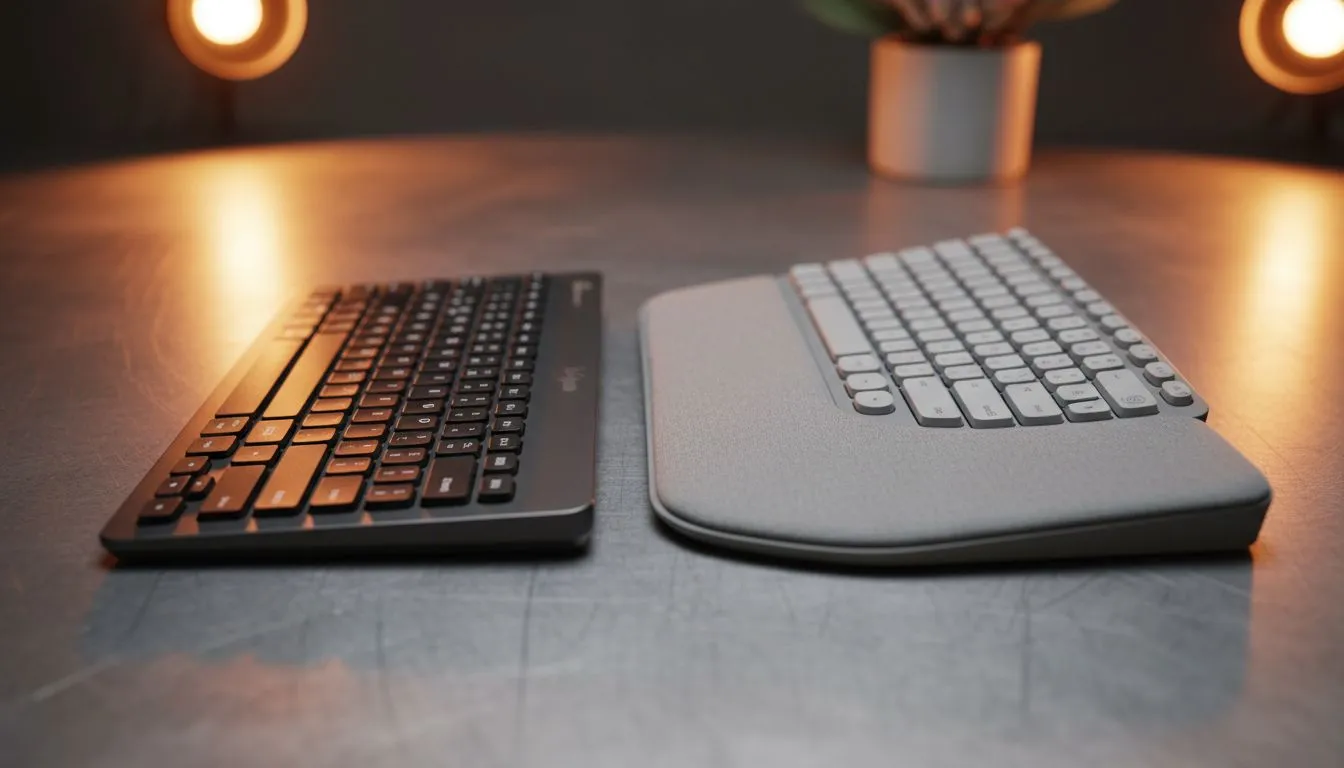
The Logitech MX Keys is a premium powerhouse designed for creators. It features a heavy, stable metal plate and spherically dished keys. These keys match the shape of your fingertips. This makes typing feel incredibly precise. If you often find yourself hunting for the cheapest gaming keyboard in South Africa for work, the MX Keys might feel like a massive step up in build quality.
On the other hand, the Signature K650 focuses on daily comfort. It includes a built-in soft-touch palm rest. This is a lifesaver for long shifts. The keys are deeper and more traditional than the low-profile MX Keys. While it lacks the metal finish, it feels sturdy enough for any busy workspace.
Connectivity and Battery Life in the South African Context
Both keyboards offer excellent battery life, which is vital when you cannot rely on consistent power. The MX Keys is rechargeable via USB-C. It lasts about 10 days with the backlighting on... or up to five months with it off. If you prefer a Wireless setup without the clutter, the MX Keys is a sleek choice.
The Signature K650 uses AA batteries. This might seem old-fashioned, but it provides up to 36 months of power. For many South Africans, not having to worry about charging another device is a huge plus. If you are a purist who prefers Wired reliability for zero-latency input, you might look elsewhere, but for office work, these wireless options are king.
="Productivity Pro Tip ⚡" , On Windows, use the Logi Options+ software to customise the F-row keys. You can set specific shortcuts for Microsoft Teams or Excel. It allows you to toggle your microphone or start a screen recording with a single tap, which is perfect for remote meetings.
Ergonomics and Daily Comfort ✨
The MX Keys is slim and minimalist. It looks beautiful on a modern desk. However, it does not come with a palm rest included in the standard box. The K650 is designed for the "everyday" user. Its integrated palm rest helps reduce wrist strain during those long report-writing sessions.
If you are looking to refresh your entire setup, you might consider a keyboard mouse combo. This often provides better value than buying items separately. The K650 often pairs well with the Signature M650 mouse for a unified aesthetic.
Which One Should You Buy?
Your choice depends on your budget and your typing style. The MX Keys is an investment for those who value premium materials and smart backlighting. It is the professional's choice. The Signature K650 is for the practical worker who wants comfort and long battery life without a high price tag. 🔧
Before you decide, check out the best gaming keyboard deals to see if there are high-performance alternatives that fit your lifestyle. Both Logitech options will serve you well, but the MX Keys remains the gold standard for pure typing feel.
Ready to Find Your Perfect Match? The Logitech MX Keys vs Signature K650 debate comes down to your personal workflow and comfort needs. Whether you want premium precision or everyday ergonomic support, we have the stock ready for you. Explore our massive range of keyboard specials and find the perfect machine to conquer your world.








