

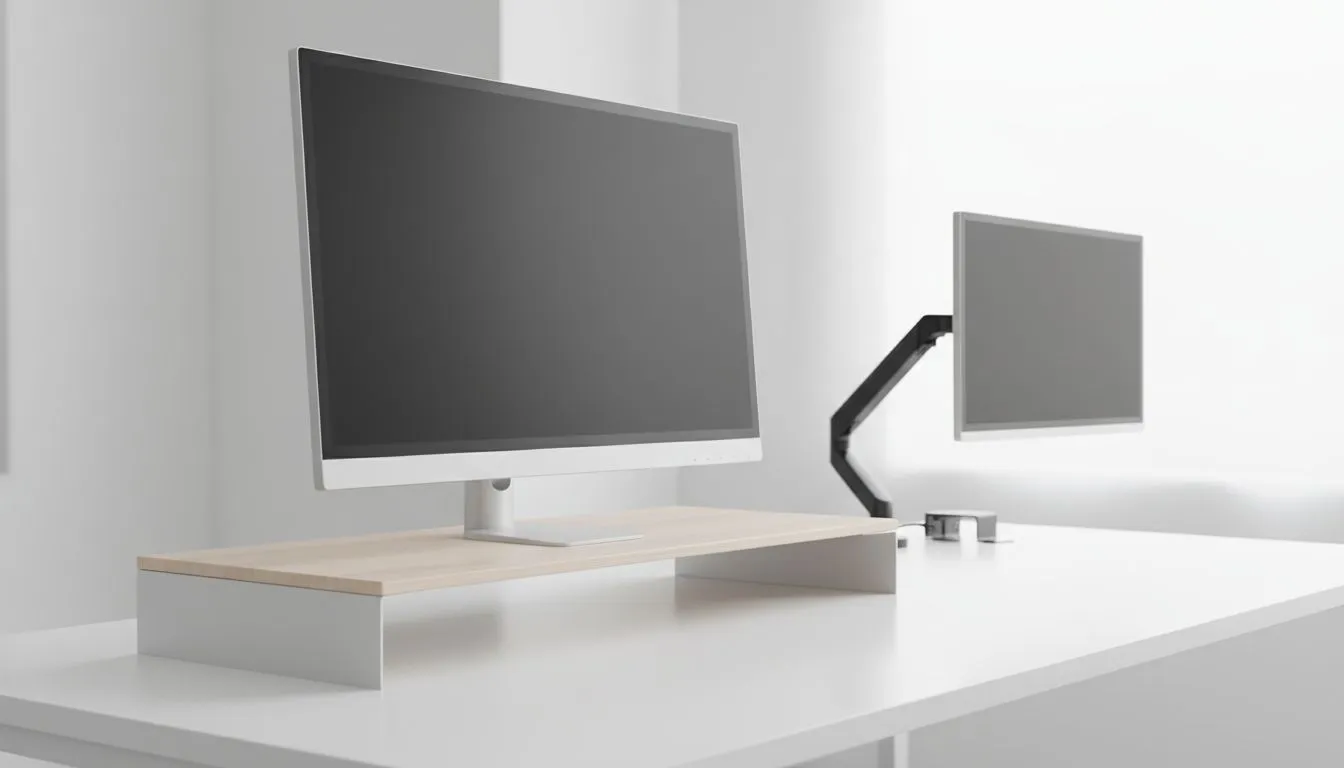
Monitor Riser vs VESA Mount: Quick verdict for South African desks 🔧
Gamers from Cape Town to Jozi, tired of neck pain and messy cables? Monitor Riser vs VESA Mount: Which Fits Your Desk Best is the question every small-room battlestation owner asks. This quick hook lays it out: risers are simple and budget-friendly; VESA mounts free desk space and unlock ergonomic adjustability. Read on for practical tips, local buying cues, and exactly where to shop in South Africa. 🚀
Monitor Riser vs VESA Mount: Desk fit factors
Choosing between a monitor riser and a VESA mount depends on desk depth, monitor size, and whether you share your workspace. A riser gives instant lift and under-stand storage; VESA arms give height, tilt and swivel for multi-monitor setups. If your desk is shallow or you use an ultrawide, a VESA mount often wins on space. For accessories and options, check Evetech's selection of monitor accessories to compare stands and mounts in one place: Monitor accessories at Evetech.
Monitor Riser vs VESA Mount: Build, weight and compatibility
Before you buy, measure your monitor's VESA hole pattern and weight. Most modern monitors use 75x75mm or 100x100mm patterns, but always confirm the manual. If you prefer brand-specific solutions, Evetech lists products by brand so you can match style and specs—browse Orico options here: Orico monitor accessories. That guide helps you avoid buying a mount that doesn't fit.
Monitor Riser vs VESA Mount: Budget and value
A basic riser costs less upfront and needs no installation tools. VESA mounts require a bracket and sometimes a grommet or clamp, but they repay you with improved posture and desk real estate. If you're value-shopping or comparing price ceilings, see Evetech’s filtered range to find mounts under your target price: Shop by price at Evetech. Remember: South African prices and availability change often, so use filters to lock in the right fit.
Productivity Pro Tip ⚡
On Windows, use the PowerToys FancyZones utility to create custom snap layouts for your windows. It's a lifesaver for managing multiple apps on an ultrawide monitor, letting you organise your timeline, preview window, and asset folders perfectly for video editing.
Monitor Riser vs VESA Mount: Setup tips and micro‑story
I recently helped a friend in Pretoria who swapped from a bulky wooden riser to a dual-arm VESA setup and suddenly had space for a second keyboard and his racing wheel. Small changes matter: route cables through the arm channel, attach a quick-release VESA plate for fast swaps, and use a mat to protect painted desks when clamping. If you prefer pre-assembled or branded stands, Evetech's WINX range offers neatly bundled options: WINX monitor accessories on Evetech.
Monitor Riser vs VESA Mount: Final checklist for buyers
Before checkout:
- Measure VESA pattern and monitor weight.
- Check desk thickness for clamp or grommet compatibility.
- Decide if under-riser storage matters more than full adjustability. For product specs and stock, always review the Evetech product page linked above to confirm compatibility and warranty information.
Ready to Find Your Perfect Match? The Mac vs Windows debate is complex, but for maximum power, choice, and value in South Africa, Windows is hard to beat. Explore our massive range of laptop specials and find the perfect machine to conquer your world.








