

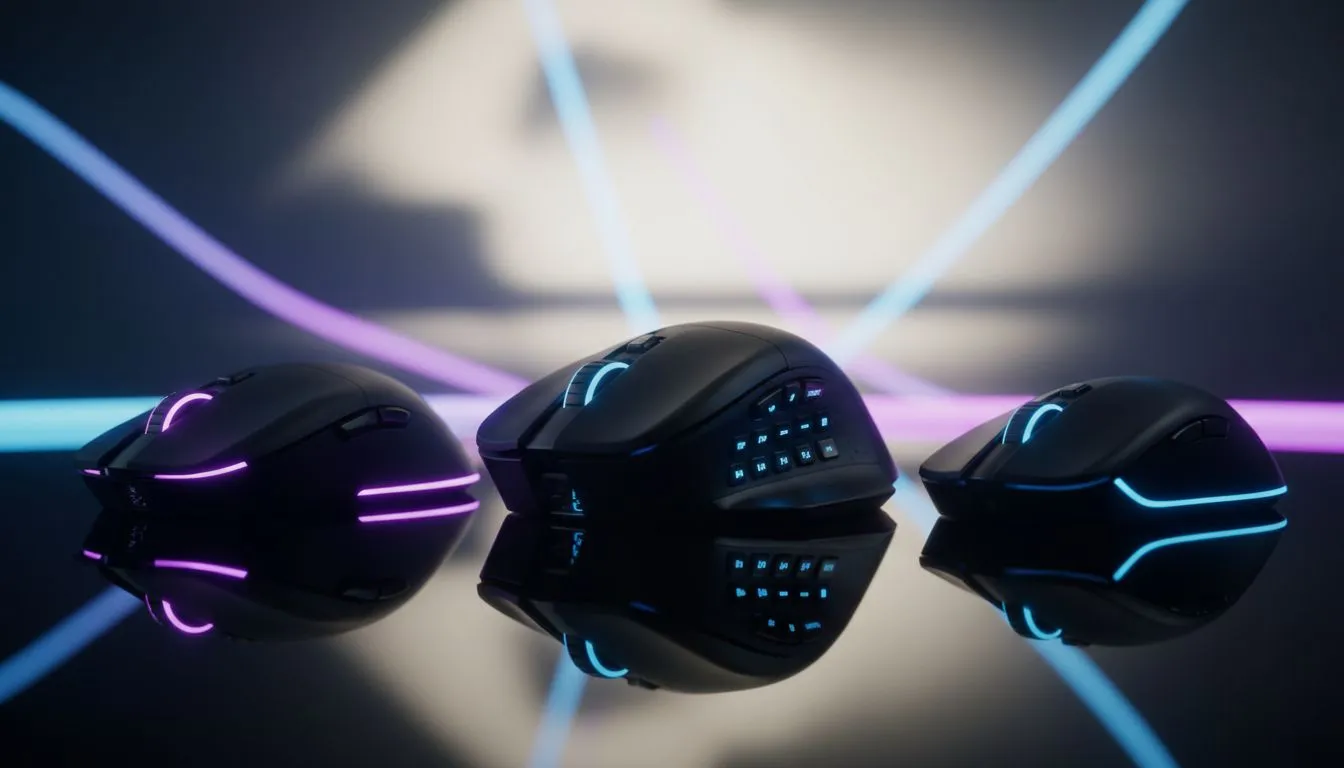
Choosing Mouse Button Configuration for Your Playstyle
Start here: are you a Cape Town FPS player who wants a lightning‑fast 2‑button clutch, or a Pretoria MMO raider craving a 12‑button macro deck? In South Africa, the right mouse button setup can shave milliseconds, reduce clutter, or turn complex rotations into one‑press wins. This guide breaks down mouse button configuration: 2, 6 or 12 buttons for your playstyle, with practical tips and links to gear that fits your budget and technique. 🔧⚡
Why mouse button configuration matters
Button count affects ergonomics, macros and reaction time. A simple 2‑button plus scroll wheel layout keeps movements minimal for flick shots and casual use. Mid‑range 6‑button mice add side buttons for quick binds without overloading your thumb. Twelve‑button mice give MMO and RTS players a keypad on the mouse — perfect for long rotations. For a quick browse of the overall selection, check Evetech’s gaming mice range: gaming mice range.
2 buttons: speed and simplicity
Two main buttons plus wheel favour raw aim and low fuss. Pros: fast target acquisition and minimal accidental presses. Cons: you’ll use keyboard combos more. If low latency and wired stability matter, compare models in Evetech’s wired mouse collection to see sensor and polling specs: wired mice. For many CS:GO and Valorant players, this is the sweet spot.
6 buttons: balance and accessibility
Six‑button mice are the most versatile. Extra side buttons let you map grenades, weapon swaps or quick macros without moving your hand. They’re great for MOBA players and streamers who need quick shortcuts. Look for programmable software and good side ergonomics. Right now you can find targeted offers in Evetech’s best deals page to score one at a sharp price: best gaming mouse deals. 🚀
Mapping Tip ⚡
Use discrete profiles for each game genre. For shooters, keep only two thumb binds to avoid mispresses. For MMOs, create a profile with radial macros and lock the DPI lower for consistent turns.
12 buttons: power users and MMOs
A 12‑button mouse is essentially a one‑handed keypad. If you raid in FFXIV or grind MOBAs with many abilities, the learning curve pays off. Look for tactile, well‑spaced keys and robust macro software. Wireless convenience can help in long sessions; Evetech’s wireless mice selection shows battery and connectivity options if you prefer cable‑free setups: wireless mice.
Accessories, grip and tweaks
Button count isn’t everything. Swappable side grips, PTFE feet and extra mouse switches change feel and longevity. If you’re modding or replacing parts, browse Evetech’s accessories for extra buttons, replacement skates and cable upgrades: mouse accessories. ✨
How to pick for your playstyle
- If you prioritise flicks and aim: 2‑button with a good sensor.
- If you need quick binds without the keyboard: 6‑button.
- If you require many macros: 12‑button, with careful key mapping. Try profiles for a week each before committing. If possible, test at a friend’s rig or local LAN to feel the side buttons in action.
Ready to Find Your Perfect Match? Choosing the right mouse button configuration changes how you play. Explore our wide range of gaming mice and deals at Evetech and pick a model that fits your budget and playstyle.











