

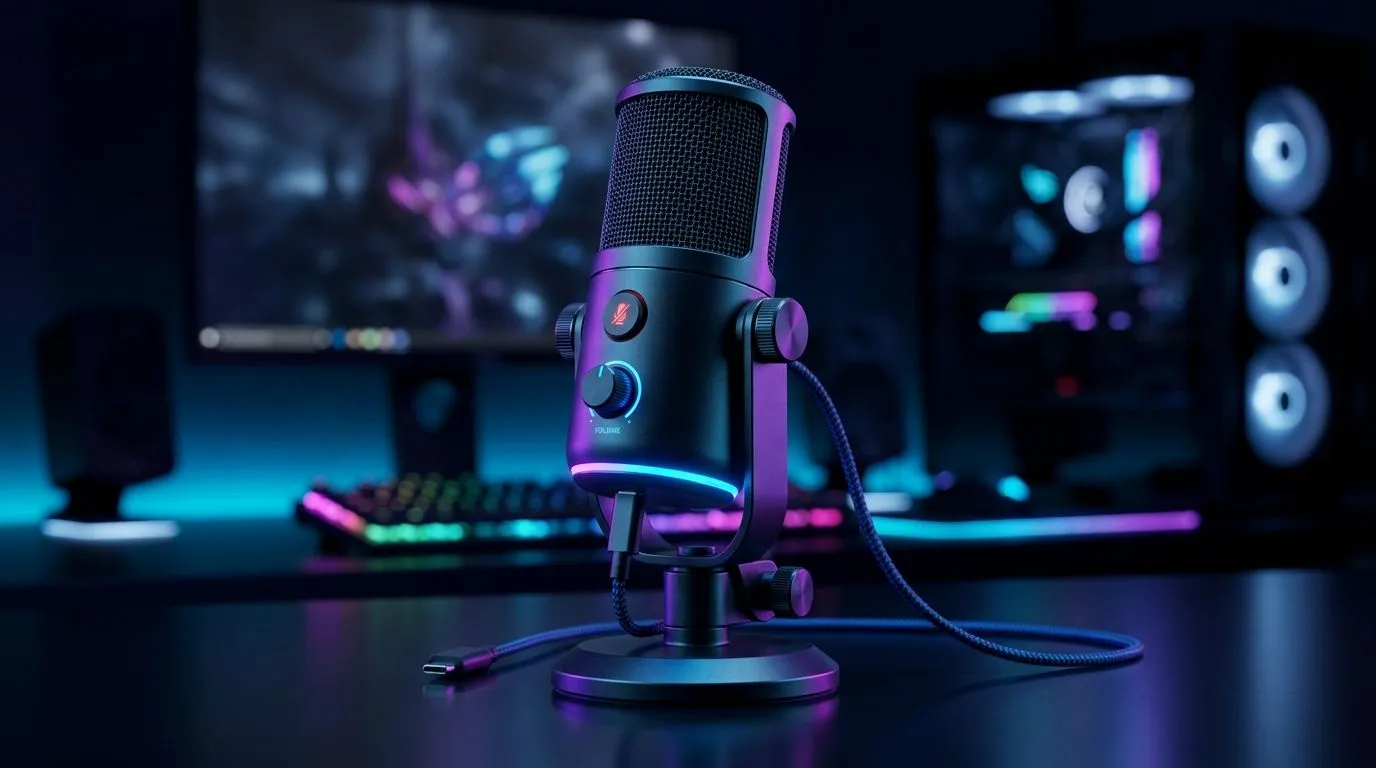
Plug-and-Play Mic Features for PC and Console Gaming
If you’ve ever muted yourself mid-clutch because your mic acted up, you already know the pain. South African gamers don’t need more faff... they need a plug-and-play setup that works first time, every time. Whether you’re raiding on PC, chatting on PlayStation, or jumping into late-night Discord calls, the right mic should feel simple, clean, and reliable 🔧
Plug-and-play mic features for PC and console gaming that matter most
The best plug-and-play mic features for PC and console gaming are the ones that remove friction. No driver hunting. No complicated software. No “why can’t my teammates hear me?” panic.
Look for these essentials:
- USB or USB-C connectivity for straightforward setup
- Cardioid pickup patterns to focus on your voice and cut background noise
- Mute controls on the mic itself for quick privacy
- Gain adjustment so you can fine-tune your volume without diving into menus
- Monitor ports or sidetone support if you like hearing your own voice while speaking
For streamers and chat-heavy players, Evetech’s streaming essentials range is a smart place to start. It keeps your upgrade path simple and gives you a cleaner way to build a proper desk setup around your mic. See the current options here: streaming essentials at Evetech.
Why console and PC gamers need different mic priorities
A mic that works beautifully on a gaming PC may still need a little thought on console. On PC, software control is a bonus. On console, simplicity wins.
For console gamers, check whether the mic is genuinely plug-and-play via USB and whether it supports your platform without extra adapters. That matters if you’re hopping between a PS5 and a laptop in the same week. For PC users, a well-designed mic with software support can unlock extra control, but the core experience should still be usable straight out of the box.
If you’re building a clean creator desk, it’s also worth pairing your mic with the right accessories and lighting. Evetech’s streaming essentials section includes tools that help your audio and camera setup feel more polished. A good example is the CORSAIR-filtered collection here: CORSAIR streaming essentials.
Small features that make a big difference 🔥
Microphone specs can look impressive, but everyday comfort wins the long game. These small details matter more than most buyers expect:
1. One-touch mute
A physical mute button is brilliant when life interrupts. It’s quicker than alt-tabbing, and far less awkward.
2. LED status indicators
A visible light tells you if you’re live, muted, or ready. That tiny detail prevents embarrassing moments.
3. Stable desk stand
A good stand reduces wobble and accidental bumps. It also makes the desk feel less cluttered.
4. Optional boom arm support
If you want better positioning, choose a mic that mounts easily to a boom arm later.
5. Clean cable routing
Short, tidy cabling keeps your setup neat. That matters in small rooms and shared spaces.
Audio Setup Pro Tip ⚡
For the cleanest voice quality, place your mic about a fist’s length from your mouth and slightly off to the side. It helps reduce plosives, keeps breathing noise down, and usually sounds better than pointing the mic straight at your lips.
Building a smarter setup around your mic
A good mic is only part of the picture. If you’re upgrading for calls, streaming, or content creation, think about the whole workspace. A webcam can lift the quality of your stream or Discord camera check-ins, while lighting makes even budget gear look more professional.
If you want to compare cameras and desktop add-ons in one place, browse Evetech’s webcam selection here: webcams at Evetech. It’s a practical next step if you’re moving from “just audio” to a more complete setup.
You can also explore more creative desk gear, including compact lighting and ambience products from brands like Cololight. That kind of detail helps a setup feel intentional, not cobbled together. Take a look here: Cololight streaming essentials.
What South African gamers should watch for before buying
Locally, value matters. A mic that saves you R300 but needs extra adapters, software, or replacement stands can end up costing more in the long run. Before you buy, ask yourself:
- Will it work with both my PC and console?
- Is the setup genuinely simple?
- Does it include the controls I’ll use most?
- Can I expand the setup later without replacing everything?
That last point is important. Many buyers start with a basic mic, then add a webcam, lighting, and mount later. Choosing a mic with room to grow saves time and cash.
Final thoughts on plug-and-play mic features for PC and console gaming
The smartest plug-and-play mic features for PC and console gaming are the ones that make your life easier from day one. Clean voice pickup. Simple controls. Fast setup. No drama.
If you’re building a new battle station, start with the gear that removes friction. Then layer in the extras as your setup grows. That’s how you get better sound without wasting money.
Ready to Find Your Perfect Match? The Mac vs Windows debate is complex, but for maximum power, choice, and value in South Africa, Windows is hard to beat. Explore our massive range of laptop specials and find the perfect machine to conquer your world.











