

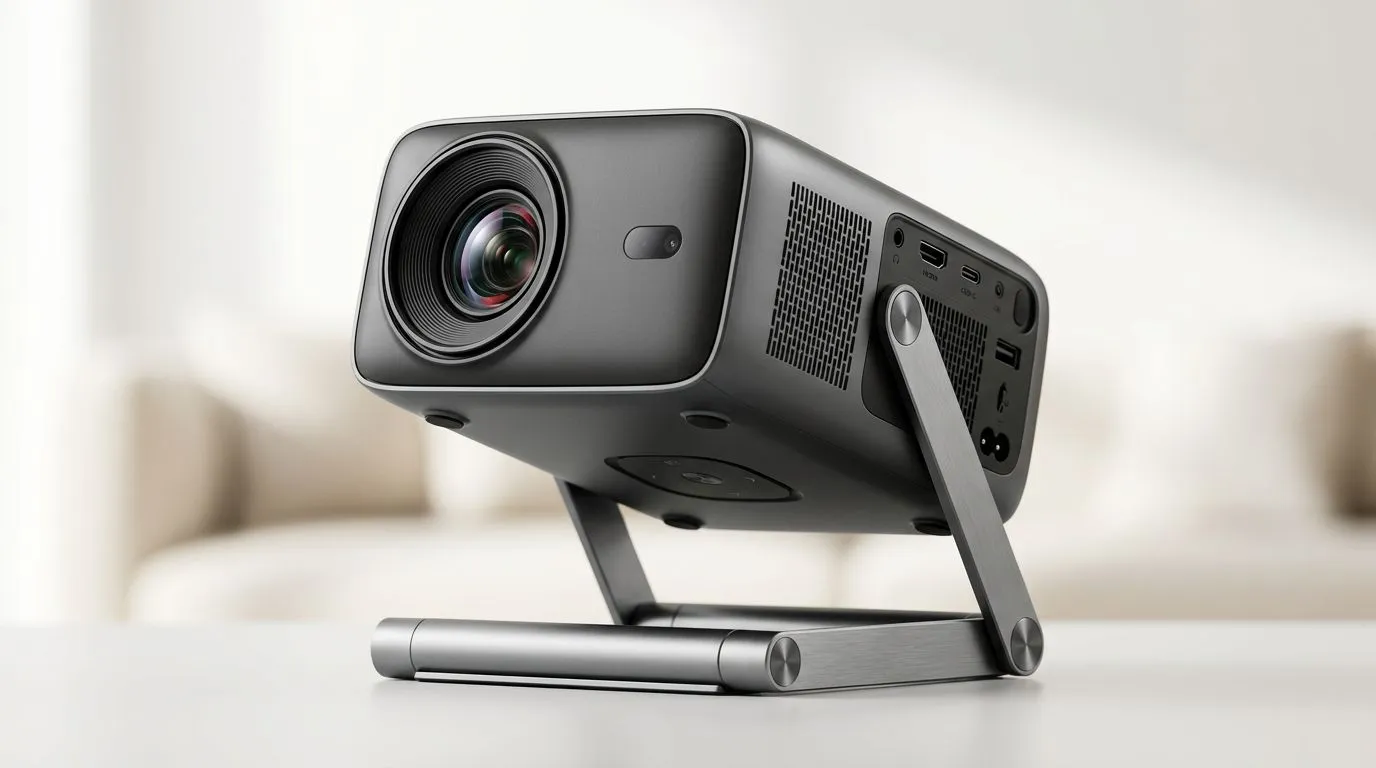
Portable Projector With Smart Stand: Creative Ways to Use 360 Projection for LAN Nights, Movie Marathons, and More ✨
If your gaming setup needs a bit more “wow” without going full home-theatre, a portable projector with a smart stand can seriously upgrade your nights in. In South Africa, space is often the real boss fight… so being able to throw a big image wherever you are is a win. And with 360 projection, you can set the vibe for FIFA, a Warzone viewing party, or even a last-minute birthday speech. Want ideas that actually work, not just marketing fluff? Let’s do this.
Portable Projector With Smart Stand: What 360 Projection Really Helps You Do 🔄
A 360 projection setup is all about flexibility. Instead of feeling stuck with one fixed “screen direction”, you can reframe your space depending on the room layout. In practical terms, that means:
- More freedom for seating: people can gather without always facing the same wall.
- Cleaner setup for quick events: you can reposition for a LAN session, braai meet-up, or casual watch party.
- Smoother content sharing: show photos, gameplay clips, or slides without complicated angles.
Now, specs vary by model, so always check the product details before buying. If you’re in the market and want to compare options within your budget, browse Evetech’s projector range here: Projectors from Evetech.
Portable Projector With Smart Stand: Creative Use Cases for South African Homes 🕹️
1) Turn Your Lounge Into a “Game Night Theatre”
Set the projector up on the smart stand, then project a big screen for a movie between matches. It’s perfect for those “one more match” weekends where everyone wants to watch clips. If you’re hosting, you can also rotate the projection so the best view isn’t blocked by couches.
2) Capture “Braai to Best Moments” (Photo + Video Loop)
After braais, people always ask for photos. Instead of scrolling on your phone, play a loop of your best shots and short clips. With a 360-friendly setup, you can keep the projector positioned so guests don’t crowd around one corner.
3) Do Homework… but Make It Less Miserable 📚
For students, a portable projector is underrated. Use it to display worksheets during study sessions, or turn online lessons into a shared “classroom” at home. A smart stand helps you align the projection without fiddling for ages.
4) Make Your Room “Rotation-Ready” for Stream Viewers
If you stream or create content, you know the struggle: lights, backdrops, and where people stand. With flexible projection, you can keep your background consistent while the projected content moves where it needs to.
Setup Pro Tip 🔧
It's tempting to place the projector first, then adjust everything else. Instead, do a quick 30-second “room sweep”: sit where the audience will be, then aim for a straight, stable projection line. After that, use the smart stand to fine-tune height. You'll get a sharper picture faster and waste less time before game night.
Portable Projector With Smart Stand: How to Choose One That Fits Your Budget in ZAR 💸
Here’s a simple approach. Start with your target spend, then narrow by brand and use case.
If you want to stay under R7 000, you can browse options like this: Projectors under R7 000.
If brand matters to you, try a quick shortlist by brand. For example:
Finally, compare across the full range to see what matches your room size and typical lighting conditions. Use the full listing as your “final check” before pulling the trigger: All projectors at Evetech.
Portable Projector With Smart Stand: Placement Tips for 360 Projection That Look Clean 🚀
360 projection is fun, but it still needs good placement. Here are the practical things that make a difference:
- Distance matters: closer setups can look sharper but may require careful positioning. If the image feels “soft”, adjust distance before touching brightness.
- Keep the stand stable: the smartest projection still looks messy if the unit is slightly angled.
- Control ambient light: South Africa’s sunlight is beautiful… and brutal on projectors. Use curtains or project after sunset.
- Avoid busy backgrounds: walls with textures or patterns can mess with contrast. Smooth surfaces usually look better.
If you’re going to host often, build a “default spot” in your home. Put the stand in a consistent area and aim for the same audience seating every time. Your setup will get faster each weekend.
Portable Projector With Smart Stand: Quick Checklist Before You Buy ✅
Before committing, check these items for the model you like:
- 360 projection support (confirm the feature in the specs)
- Smart stand stability and adjustability
- Brightness for your usual lighting (especially if you watch during the day)
- Resolution and supported input sources for consoles, laptops, and streaming devices
Not sure what’s best? Use the Evetech projector listings to compare models quickly and choose what fits your budget and room.
Ready to Find Your Perfect Match? If you’re building a setup that can handle game nights, movies, and everything in between, now’s the time to pick the right projector for your space. Explore our massive range of projectors and deals and get something that feels tailored to your home in South Africa.











