

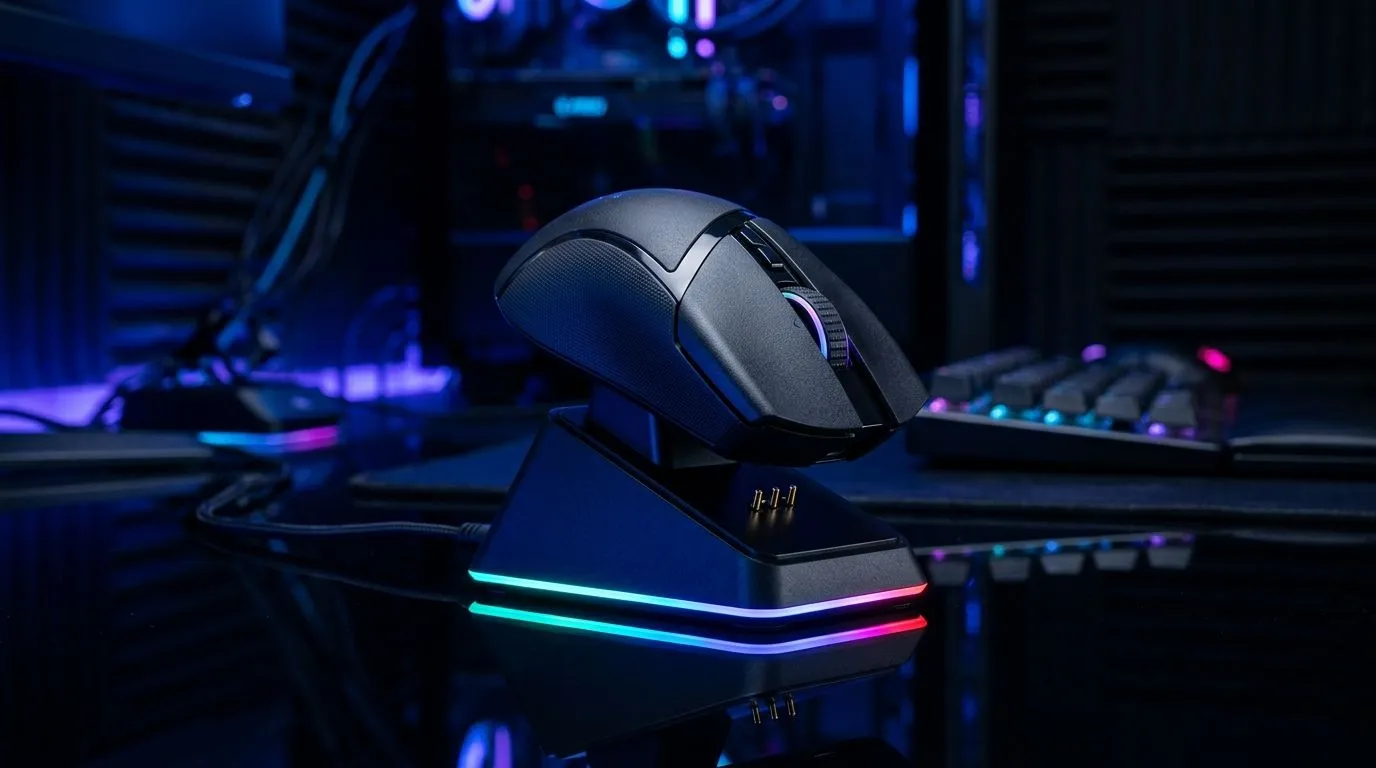
RGB Charging Dock Gaming Mouse: Better for Daily Use?
If you game after work, you know the pain. A dead mouse on your desk… while ranked is about to start. 😅 A charging dock promises the fix: drop it, light it up, and keep moving. But does an RGB charging dock gaming mouse actually help your day-to-day routine, or is it just extra bling?
Let’s break down the real-world benefits, who it’s for, and what to watch before you buy in South Africa… especially if you’re pairing it with a new setup.
RGB Charging Dock Gaming Mouse: What changes in daily use?
A charging dock mainly improves three things: consistency, desk organisation, and “always ready” charging. ⚡ Unlike cables you forget to plug in, a dock encourages a habit. You place the mouse back every session, so charging becomes automatic.
That said, RGB is not the point, but it affects the experience. More lighting modes can be distracting for some players in dark rooms. If the dock’s lighting is controllable or dimmable, that’s a win. If it isn’t, you might end up turning it down or living with it.
In practical terms, a dock is also friendlier for teams who run multiple peripherals. Think: headset, mouse, and maybe a wireless controller on the same desk. One base point reduces cable clutter and desk chaos.
RGB Charging Dock Gaming Mouse: Wired vs wireless vs accessories?
Whether a dock makes sense depends on your mouse connection type.
If you want maximum reliability for aim-heavy sessions, a wired mouse is hard to beat. For those hunting options that fit their style, browse Evetech’s wired range here: wired gaming mouse picks. 🎯
If you’re going wireless for freedom, choose the charging experience carefully. This is where the dock can help you stay consistent. Explore Evetech’s wireless options here: wireless gaming mouse options.
And if you’re building a cleaner desk around your current mouse setup, check mouse accessories here: mouse accessories at Evetech. ✨ Sometimes you don’t need a whole new mouse. A better dock and cable management can do more than you’d expect.
RGB Charging Dock Gaming Mouse: What to look for before buying?
Here’s the checklist I’d use before spending ZAR. 🔧
- Battery and real charging time: Look for a mouse that reaches full charge quickly enough for your routine.
- Dock stability: A wobbly dock is annoying during desk cleaning, or when you bump it.
- RGB control: Ideally you can switch it off or reduce brightness for late-night grinding.
- Grip comfort: Charging features don’t matter if the mouse shape fights your hand.
For deal-hunters, start with the price angle. You’ll often find bundles or discounted models that make the dock worth it. See current options in best gaming mouse deals.
Also, compare specs across sensor and weight categories within the same family. You can filter based on what matters most to you using Evetech’s gaming mouse category.
Productivity Pro Tip ⚡
a docked setup, keep a consistent charging habit: after every session, place the mouse on the dock even if the battery isn’t empty. This prevents “deep discharge” patterns and helps you avoid mid-game surprises during load-shedding, travel, or busy evenings.
RGB Charging Dock Gaming Mouse: So… is it better for daily use?
For many South African gamers, yes. Especially if you:
- forget to plug in cables,
- share a desk with other devices,
- switch between work and gaming often,
- and want a tidy, repeatable routine.
If you hate RGB distraction, choose models with easy lighting controls. If you’re competitive and constantly on the edge of precision, don’t sacrifice sensor feel for a pretty dock.
The “better” question is really about friction. A charging dock reduces friction. RGB just makes the dock noticeable.
Ready to Find Your Perfect Match? The Mac vs Windows debate is complex, but for maximum power, choice, and value in South Africa, Windows is hard to beat. Explore our massive range of laptop specials and find the perfect machine to conquer your world.











