

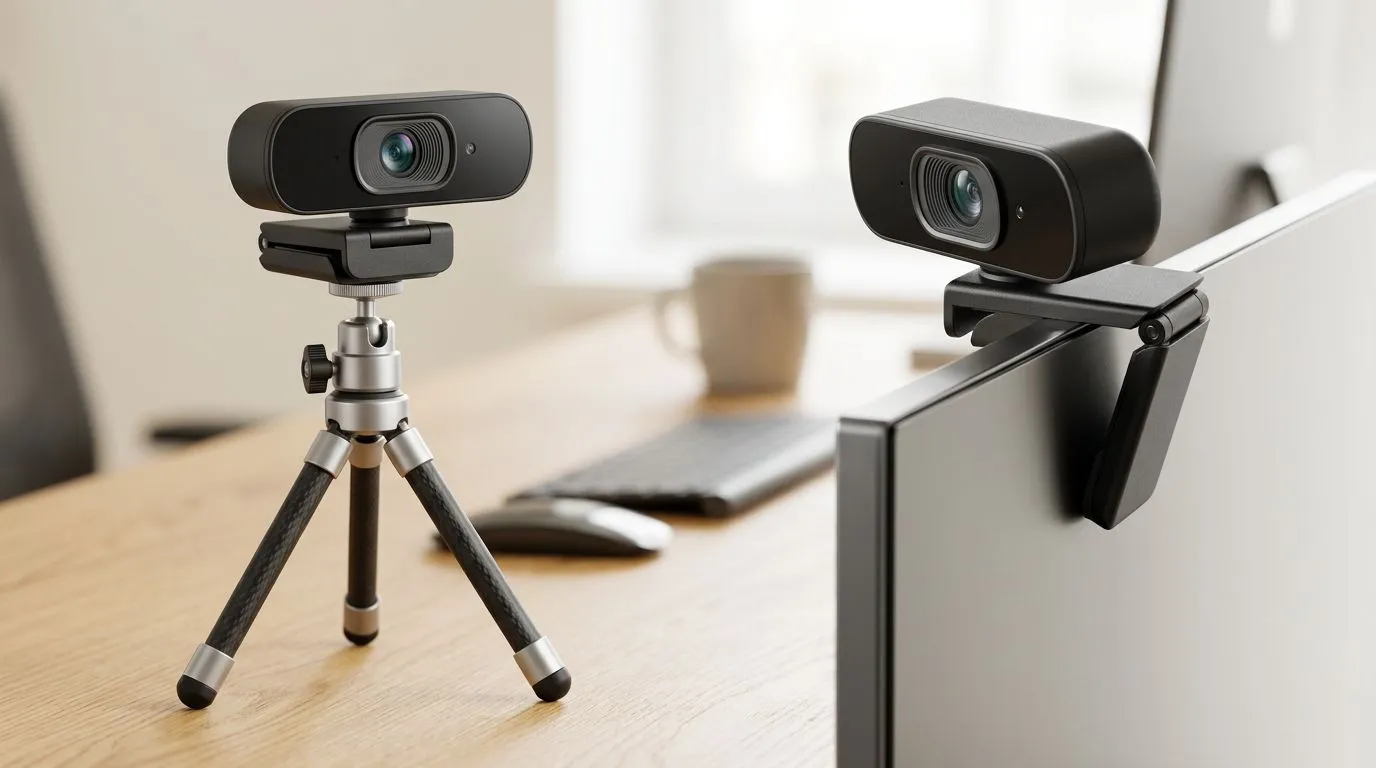
Tripod vs Monitor Webcam: Find the Best Angle for Your Stream
South African streamers, want a pro look without re-mortgaging your flat? Tripod vs monitor webcam placement is the single change that fixes bad framing, odd shadows and awkward chin angles. Whether you play SA ranked lobbies or host late-night chat streams, this guide helps you pick the mount and angle that actually improves viewer engagement. 🎥🔧
Tripod vs Monitor Webcam: Why angle matters for your stream
Angle controls how your face reads on camera. A webcam sitting low on a monitor can create double chins and awkward lighting. A tripod lets you lift the camera, tilt it slightly down, and match eye level for a natural look. Want to shop first? Check Evetech’s main webcam selection to compare mounts and models: browse webcams on Evetech.
Tripod advantages
Tripods offer height and flexibility. Move the camera off-axis for better lighting or to frame two people in one shot. They’re great for creative layouts and desktop setups that need occasional repositioning. Looking for budget-friendly options? See webcams and mounts listed for under R1,000 here: webcams under R1,000.
Monitor mount advantages
Monitor-mounted webcams are tidy and stable. They save desk real estate and keep your camera consistently aligned with your screen. If your desk is small or you stream at a fixed setup, a monitor mount reduces fuss. For those wanting better sensors and mic quality without breaking the bank, consider the mid-range selection: mid-range webcams ~R2,000.
Tripod vs Monitor Webcam: How to find the best angle
Start with eye level. Your camera should be either at or slightly above eye height. Tilt the webcam downward less than 10 degrees to avoid looking stern. Use soft frontal lighting to reduce shadows. If you share the frame with a guest, place the camera slightly to the side and widen the field of view.
Micro‑story: I once coached a Cape Town streamer who had 2,000 followers but low watch time. Moving a cheap webcam from the monitor to a small tripod and lifting the lens two centimetres increased chat activity within two streams. The change was simple; the viewers noticed the better framing.
Stream Angle Tip ⚡
When testing placements, record short clips from each angle and review them full screen. Your webcam may look fine at normal size but shift when stretched to 1920×1080. Use a tripod for quick A B comparisons — it saves time and gives you a repeatable setup.
Tripod vs Monitor Webcam: Picking the right price band in South Africa
Budget options often cover basic 720p or 1080p needs. If you want sharper image quality, explore premium models and features. Evetech lists premium webcams and accessories if you’re ready to upgrade your stream kit: premium webcams up to R3,000. Prices on these pages help you compare models and decide whether to invest in a better lens, microphone, or lighting.
Quick checklist before you buy
- Set your ideal camera height and note the mounting type you need.
- Test framing with a friend or a recorded clip.
- Prioritise stable mounts over novelty gadgets.
- Consider upgrading lighting before paying more for a camera.
Wrap-up: the tripod vs monitor webcam decision isn’t only about convenience. It’s about control: control of angle, light and viewer perception. Make small changes, measure watch-time and chat reaction, then iterate.
Ready to Find Your Perfect Match? Choosing the right mount and webcam makes your stream pop. Browse our wide webcam selection and lock in the angle that fits your setup.











