

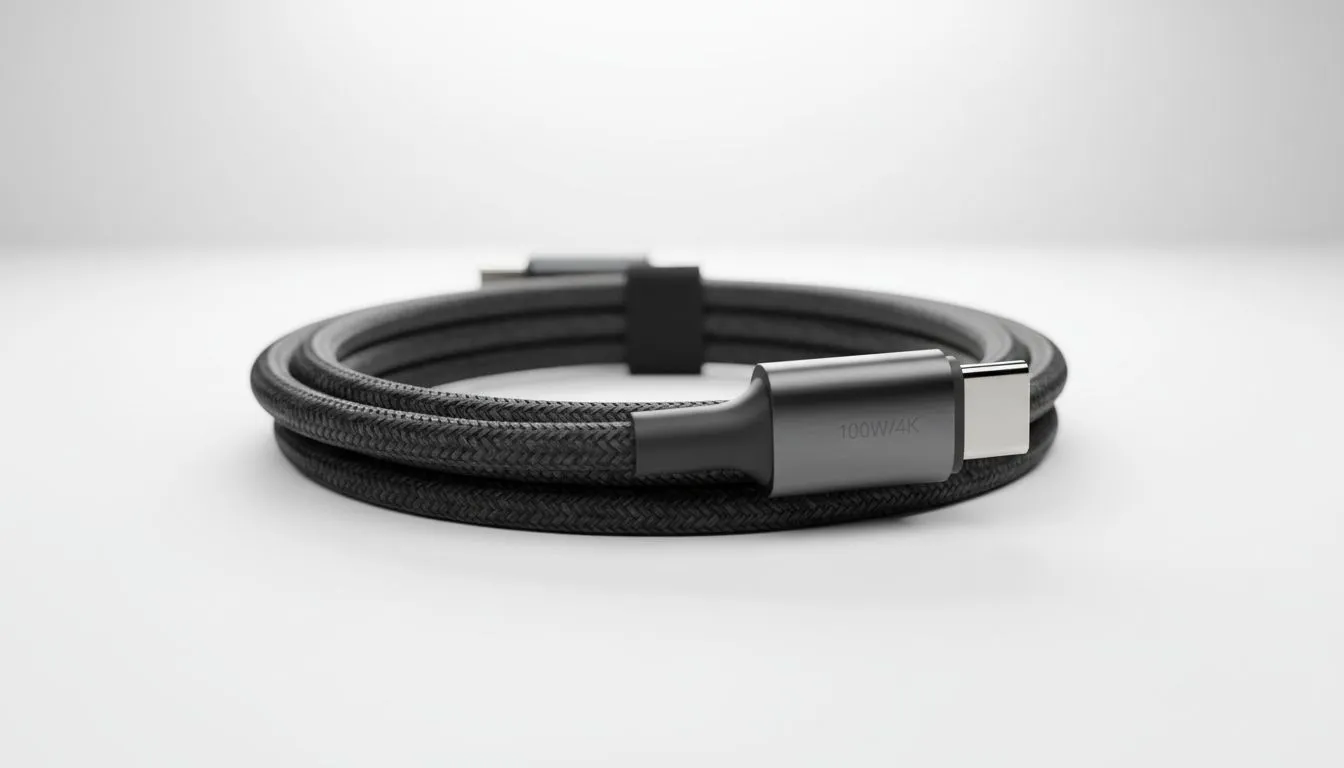
Power Up Your Setup: Finding the Best USB-C Cable for 4K and 100W Charging
Struggling with slow charging or blurry external monitors? You're not alone. Many South African tech enthusiasts overlook the humble cable, but it's often the unsung hero of a seamless setup. If you're pushing 4K visuals and need rapid 100W charging for your laptop, smartphone, or gaming handheld, a standard USB-C cable simply won't cut it. Getting the right one can transform your workflow and gaming experience without breaking the bank. Let's dive into smart budget picks.
Why Your USB-C Cable Matters for 4K Displays and 100W Power Delivery
Think of your USB-C cable as a digital highway. A cheap, narrow lane can't handle the traffic of 4K video data and 100 watts of power simultaneously. Many cables are designed for basic charging or data transfer, not the demanding needs of modern peripherals. For crisp 4K resolution at 60Hz and rapid charging, you need a cable specifically engineered for these high-bandwidth, high-power tasks. Ignoring this can lead to screen flickering, slow charging times, or even compatibility issues with your favourite gear.
Decoding the Specs: What to Look For
When hunting for a reliable USB-C cable for 4K and 100W charging, pay close attention to these key indicators:
- USB Power Delivery (PD) 3.0/3.1: This ensures the cable can handle up to 100W (or even 240W with PD 3.1 Extended Power Range). Look for "PD" or "Power Delivery" clearly marked.
- DisplayPort Alternate Mode (Alt Mode): For 4K video output, the cable must support DisplayPort Alt Mode. Often, cables supporting Thunderbolt 3 or 4 will inherently support this, offering even better performance.
- Data Transfer Speed: While not directly for 4K/100W, higher data speeds (e.g., 10Gbps or 20Gbps) indicate a more robust cable built for heavy loads. Thunderbolt cables offer 40Gbps, providing ultimate versatility.
- E-Marker Chip: High-power and high-speed USB-C cables typically contain an "E-Marker" chip. This chip communicates the cable's capabilities to connected devices, ensuring safe and efficient power delivery and data transfer.
Choosing a cable with these specifications means you’re investing in future-proofing your setup and ensuring optimal performance across all your devices.
Smart Budget Picks for South African Techies ⚡
Finding a quality USB-C cable for 4K and 100W charging doesn't always mean spending a fortune. The trick is to focus on certified cables from reputable brands. While no-name cables might tempt you with their low prices, they often lack the necessary shielding and internal wiring to safely deliver high power or maintain stable 4K video.
Look for brands like Promate, UGREEN, or Anker, which often offer excellent value for money without compromising on quality. A good quality 1-metre cable supporting these specs typically ranges from R250 to R500 in South Africa, depending on the brand and specific features like braiding or right-angle connectors.
Cable Management Pro Tip 🛠️
Invest in a few reusable cable ties or Velcro straps. Neatly bundling your USB-C cables not only looks better but also prevents tangles and reduces strain on ports, extending the life of your gear. Plus, it makes your desk look like a pro setup!
These versatile cables are essential for modern setups, especially when connecting to a powerful docking station. Whether you're eyeing a compact solution for your workspace or a more comprehensive hub, a robust USB-C cable is the backbone. You might be looking for something to pair with an affordable solution like the range of mid-range docking stations under R1000, or perhaps you’re upgrading to premium docking stations for serious setups that demand maximum bandwidth.
The Docking Station Connection: Unleashing Your Cable's Potential ✨
A high-quality USB-C cable truly shines when paired with a versatile docking station. Imagine connecting a single cable to your laptop and instantly having access to a 4K monitor, external hard drives, Ethernet, and charging – all at once. This is the magic of a powerful USB-C setup.
Many gamers and content creators in South Africa rely on docking stations to expand their laptop's capabilities. A reliable USB-C cable for 4K and 100W charging ensures that your external display runs smoothly, your peripherals connect without lag, and your laptop stays topped up, even under heavy load. If you're looking to explore options, you can browse our full selection of docking stations right here at Evetech. Brands like Promate are known for their robust and feature-rich options; you can even explore Promate docking stations directly to find one that fits your needs perfectly.
Avoiding Common Cable Catastrophes
Don't fall for the trap of extremely cheap, unbranded cables. While they might claim 4K and 100W support, they often fail to deliver, leading to frustrating issues like:
- Intermittent connectivity: Your monitor might flicker or drop out.
- Slow charging: Your device takes ages to charge, or worse, drains while plugged in.
- Overheating: Poor quality cables can generate excessive heat, posing a risk to your devices.
Always check for certifications like USB-IF (USB Implementers Forum) to ensure the cable meets industry standards. A little research goes a long way in preventing headaches and protecting your valuable tech.
Final Thoughts: Invest Smart, Play Hard 🚀
Choosing the right USB-C cable for 4K and 100W charging is a small investment that yields massive returns in performance, reliability, and convenience. It's about ensuring your powerful devices can communicate and charge at their full potential. Don't let a subpar cable bottleneck your setup. Prioritise quality, check those specs, and enjoy a truly seamless tech experience.
Ready to Find Your Perfect Match? A premium USB-C cable is the backbone of any modern tech setup, especially when paired with a powerful hub. Explore our massive range of laptop specials and find the perfect machine to conquer your world, along with all the essential accessories.











