

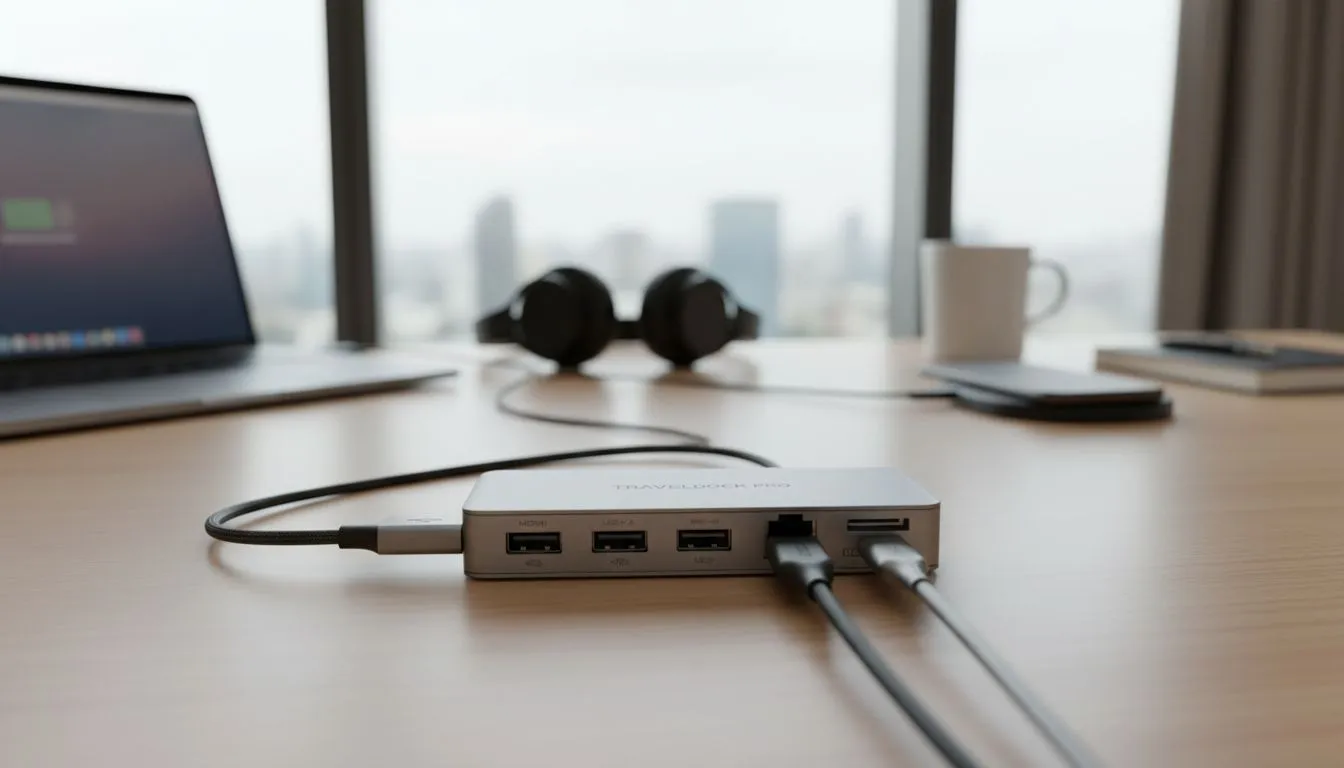
Stuck in a bland hotel room with just your laptop? Ever wished you could transform that tiny desk into a productive workstation or even a mini gaming den? For South African professionals and digital nomads, staying connected and efficient on the road is crucial. Modern laptops, while sleek, often lack the ports needed for true productivity. This is where a versatile USB-C hub for travel becomes your ultimate secret weapon.
Why a USB-C Hub is Your Travel Essential ✨
Picture this: You're on a business trip to Durban, needing to connect your laptop to the hotel's TV for a presentation, plug in an external hard drive, and still charge your phone. Your ultra-slim ultrabook, with its two USB-C ports, suddenly feels inadequate. Sound familiar? Most modern laptops, especially the sleek, lightweight models we love, have sacrificed traditional ports for design. This creates a real challenge when you're away from your home setup.
A high-quality USB-C hub for travel is the compact solution to this modern dilemma. It’s not just an adapter; it’s a portable connectivity powerhouse, allowing you to expand your laptop’s capabilities exponentially. Think of it as a pocket-sized upgrade for your mobile office, ensuring you're never caught without the right port again.
Unpacking the Power of a Portable USB-C Hub 🚀
What exactly can one of these compact marvels do? Imagine having instant access to multiple USB-A ports for your mouse, keyboard, or external drives, an HDMI or DisplayPort for an external monitor, an Ethernet port for stable internet, and even an SD card reader for quick photo transfers. All this, from a single USB-C connection to your laptop. It's about bringing your familiar desktop experience on the road, no matter where your journey takes you across Mzansi.
Whether you’re editing video footage after a safari, preparing a crucial presentation from a hotel in Sandton, or simply wanting to game with a larger display, a robust portable USB-C hub makes it possible. You can explore a wide range of options to suit various needs, from basic port expansion to full-blown docking stations that truly replicate a desktop setup.
Productivity Pro Tip ⚡
When setting up your travel workstation, always position your USB-C hub where cables can route neatly. Use cable ties or Velcro straps to keep things tidy. A cluttered desk leads to a cluttered mind, especially in a small hotel space.
Building Your Mobile Command Centre: Key Features to Look For
When choosing your ideal travel USB-C hub, consider these essential features to maximise your mobile productivity:
- Power Delivery (PD): This is crucial. A hub with PD allows you to charge your laptop through the hub itself, meaning you only need one power brick for both your laptop and all connected peripherals. Look for at least 60W, but 100W is better for more powerful machines.
- Video Output: For external monitors or projectors, HDMI 2.0 (or higher) and DisplayPort are key. Ensure it supports the resolution and refresh rate you need, especially if you plan on some light gaming.
- Data Ports: Multiple USB-A 3.0 or 3.1 ports are essential for legacy devices. USB-C data ports are a bonus for newer accessories.
- Ethernet Port: Wi-Fi can be unreliable in hotels. A Gigabit Ethernet port provides a stable, fast internet connection for crucial video calls, large downloads, or competitive online gaming.
- Card Readers: If you're a photographer or videographer, integrated SD and microSD card slots are indispensable.
For those who value reliability and a strong brand presence, consider trusted names like Promate, known for their durable and feature-rich docking stations.
Choosing the Right USB-C Hub for Your Adventures 🔧
Your perfect hub depends on your specific needs and budget. If you're a casual traveller needing just a few extra ports and perhaps an HDMI out, you might find a great solution among docking stations under R1000. These are often compact and focus on core functionality.
However, if you're a power user who needs a full suite of ports, high-speed data transfer, and robust power delivery, investing in a more comprehensive unit is wise. You can find excellent docking stations up to R2000 that offer advanced features like multiple display outputs, faster Ethernet, and higher wattage Power Delivery. Always weigh your requirements against the investment to ensure you get the best value for your Rand.
Ultimately, a USB-C hub for travel isn't just another gadget; it's an investment in your productivity and peace of mind while away from home. It ensures that any hotel desk, coffee shop table, or even airport lounge can become your fully functional office or entertainment hub. Don't let limited laptop ports limit your potential.
Ready to Elevate Your Travel Productivity? Don't let a lack of ports hold you back on your next journey. Explore Evetech's extensive range of USB-C hubs and docking stations today and turn any space into your personal command centre. Find your perfect travel companion here!








