


Dedicated Media Keys for Streamers: Improve Workflow Fast
Dedicated media keys give streamers one-touch control to mute, switch scenes, clip highlights, and adjust audio — cutting task time and boosting consistency 🎛️⚡
Read morePicking a USB headset for work calls, online classes, and remote teams? Focus on mic clarity, comfort, and easy USB plug-and-play ✅. Here’s what matters most 🎧.
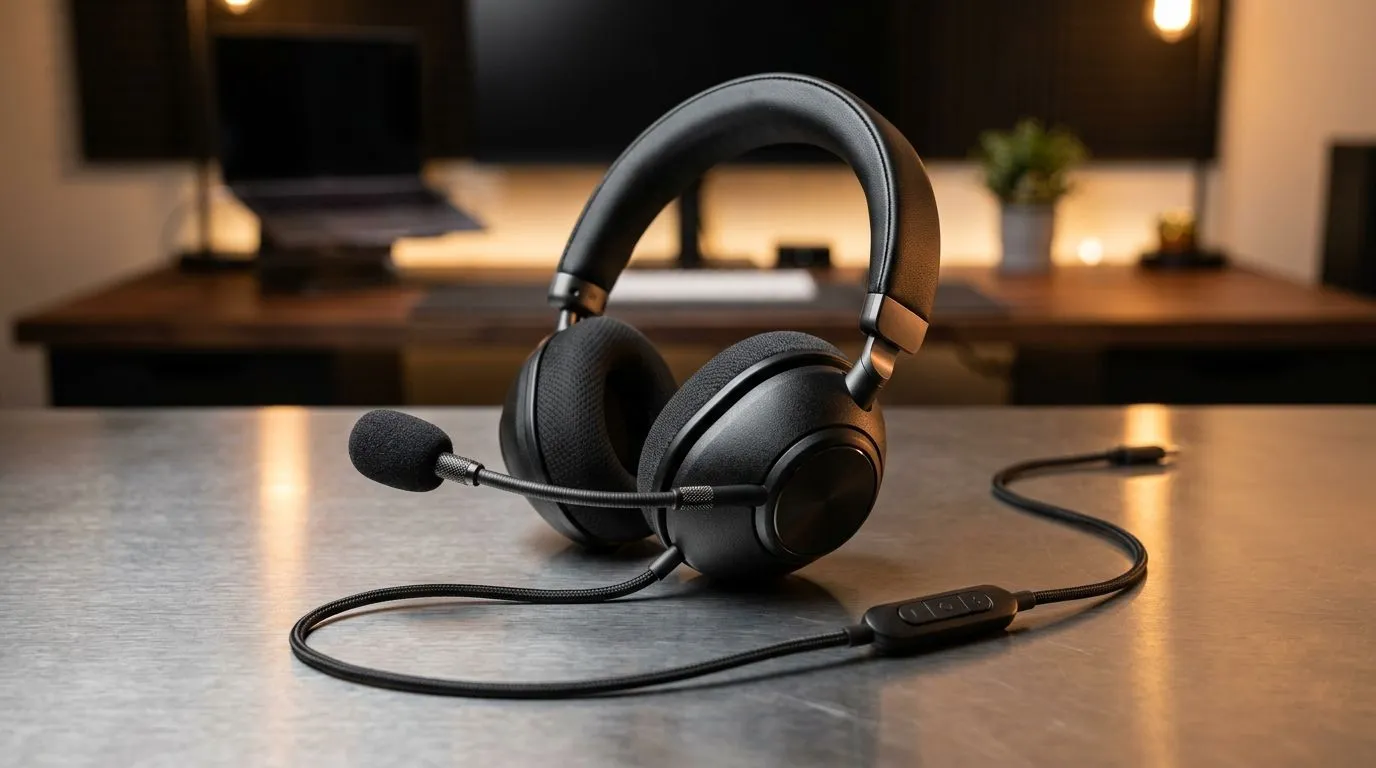
If your work calls sound like they’re coming from a tin can, you already know the pain. One minute you’re trying to sound professional... the next, you’re repeating “sorry, can you hear me?” for the third time. A solid USB headset fixes that fast. For South African home offices, hybrid workers, and gamers who also live in Teams or Zoom, the right choice saves time, stress, and your ears 🔧
The microphone matters more than flashy branding. For calls, you want clear voice pickup, low background noise, and consistent volume. That’s especially important if you’re working near kids, street noise, a fan, or a mechanical keyboard. A good boom mic usually beats a tiny inline mic because it sits closer to your mouth and isolates your voice better.
Look for words like:
If you take meetings all day, clarity is worth paying for. It helps you sound sharp without sounding strained.
A headset that feels fine for 20 minutes can become miserable by 3 pm. Clamp force, ear pad material, and weight all matter. Leatherette pads can seal well, while fabric feels cooler over long sessions. If you wear glasses, softer memory foam often helps reduce pressure.
This is where many buyers get it wrong. They chase sound quality alone, then regret it after week two. Comfort is not a luxury. It’s what makes the headset usable every day.
For long meetings, choose a headset with a lightweight frame and a swivel boom mic. It keeps the headset comfortable and makes it easier to mute yourself quickly when the courier arrives or the braai starts early.
USB headsets are popular because they’re simple. Plug them in, and they usually work without extra setup. That’s ideal if you move between a laptop, desktop, or docking station. It also reduces the chance of dodgy Bluetooth pairing issues or a drained battery mid-call.
If you want fewer interruptions, USB is the safer bet. It’s especially practical for people who work from home and need something reliable every morning.
For buyers comparing models, Evetech’s range of Razer headphones and headsets is a good place to start if you want a more premium feel. If you want to browse broader options, check the full headphone and headset selection. Both make it easier to compare features before you spend.
You don’t need booming bass for spreadsheets. For calls, balanced audio is better. It helps you hear voices clearly without fatigue. If you also use the headset for music or light gaming after hours, look for decent stereo separation and a clean midrange.
Some models add virtual surround or software tuning. Nice to have, but not essential for work. Clear speech and comfort come first. Everything else is a bonus.
If you want something with a bit more versatility, the Razer Barracuda X Chroma Wireless Headset is worth a look, especially if you’re after a headset that can move between work and play more easily. Check the product page for current pricing in ZAR and live availability.
A few extras can make a big difference:
These little details save time. They also reduce friction, which matters when you’re in back-to-back meetings and trying to stay sane.
In South Africa, value counts. You want something durable enough for daily use, simple enough for hybrid work, and comfortable enough for long load-shedding-era meetings on a backup setup. That means picking a headset that fits your real routine, not just the spec sheet.
Ask yourself:
Answer those honestly, and the right headset gets much easier to spot.
If your main priority is clear meetings, choose a headset with a strong mic, dependable USB connection, and lightweight comfort. If you want one device for work and downtime, pay attention to sound quality and build durability too. The best choice is the one you can wear for hours without thinking about it.
That’s the real test. Not hype. Not fancy packaging. Just a headset that helps you get through the day without fuss ✨
Ready to Find Your Perfect Match? The Mac vs Windows debate is complex, but for maximum power, choice, and value in South Africa, Windows is hard to beat. Explore our massive range of laptop specials and find the perfect machine to conquer your world.
Prioritize mic clarity, noise cancelling, comfortable fit, and simple USB plug-and-play. Also check compatibility with your OS and call apps.
Not always, but it helps in busy rooms or shared spaces. A noise cancelling mic improves intelligibility for work calls and online classes.
USB often provides more reliable digital audio and fewer driver headaches. For many users, it delivers consistent mic performance across calls.
Look for a cardioid mic, good frequency response, and active noise reduction. These features help your voice stay clear on calls.
Most modern USB headsets are plug-and-play. Still, confirm compatibility and make sure the mic and headset are selectable in settings.
Pick lightweight over-ear or well-padded on-ear designs, adjustable headbands, and breathable materials. Comfort matters for hours of calls.
Stereo can help with audio cues, but mono can reduce confusion during calls. Choose based on your conferencing app and call needs.
Many USB headsets work without extra drivers. If you need advanced EQ or controls, check whether the manufacturer offers software.
Dedicated media keys give streamers one-touch control to mute, switch scenes, clip highlights, and adjust audio — cutting task time and boosting consistency 🎛️⚡
Read more
PBT vs ABS keycaps: Clear, local guide for South African gamers—compare feel, sound, durability and where to buy. Find the best material for your budget and playstyle 🎮🇿🇦
Read more
- Multi-Function Digital Dial: define benefits - Show gamer setups and macros - Offer buying and setup tips Multi-Function Digital Dial puts programmable control at your fingertips for faster actions and smoother streaming. 🎮⚙️
Read more
- Explain benefits; - Show the science; - Compare options; - Recommend picks. Magnetic wrist rest for gaming cuts wrist strain and boosts comfort during long sessions 🕹️✨
Read more
best gaming keyboard South Africa: Learn how to pick a low-latency mechanical keyboard, choose switches, layout and budget for competitive play 🎮⚡
Read more
Best wireless keyboard and mouse combo for small desks — curated, space-saving picks that boost comfort and productivity in tight setups. Find low-profile layouts, compact mice, and reliable range to fit your compact workstation. 🖱️⌨️
Read more
Discover webcams that automatically adjust light and color for crystal-clear video calls 🎥✨. Boost your streaming quality today!

Discover webcams that blend into your workflow 🎯 Capture moments while you work, stream, or create. Upgrade your setup with smart, multitasking tech!
Dedicated media keys give streamers one-touch control to mute, switch scenes, clip highlights, and adjust audio — cutting task time and boosting consistency 🎛️⚡
PBT vs ABS keycaps: Clear, local guide for South African gamers—compare feel, sound, durability and where to buy. Find the best material for your budget and playstyle 🎮🇿🇦
- Multi-Function Digital Dial: define benefits - Show gamer setups and macros - Offer buying and setup tips Multi-Function Digital Dial puts programmable control at your fingertips for faster actions and smoother streaming. 🎮⚙️
- Explain benefits; - Show the science; - Compare options; - Recommend picks. Magnetic wrist rest for gaming cuts wrist strain and boosts comfort during long sessions 🕹️✨