

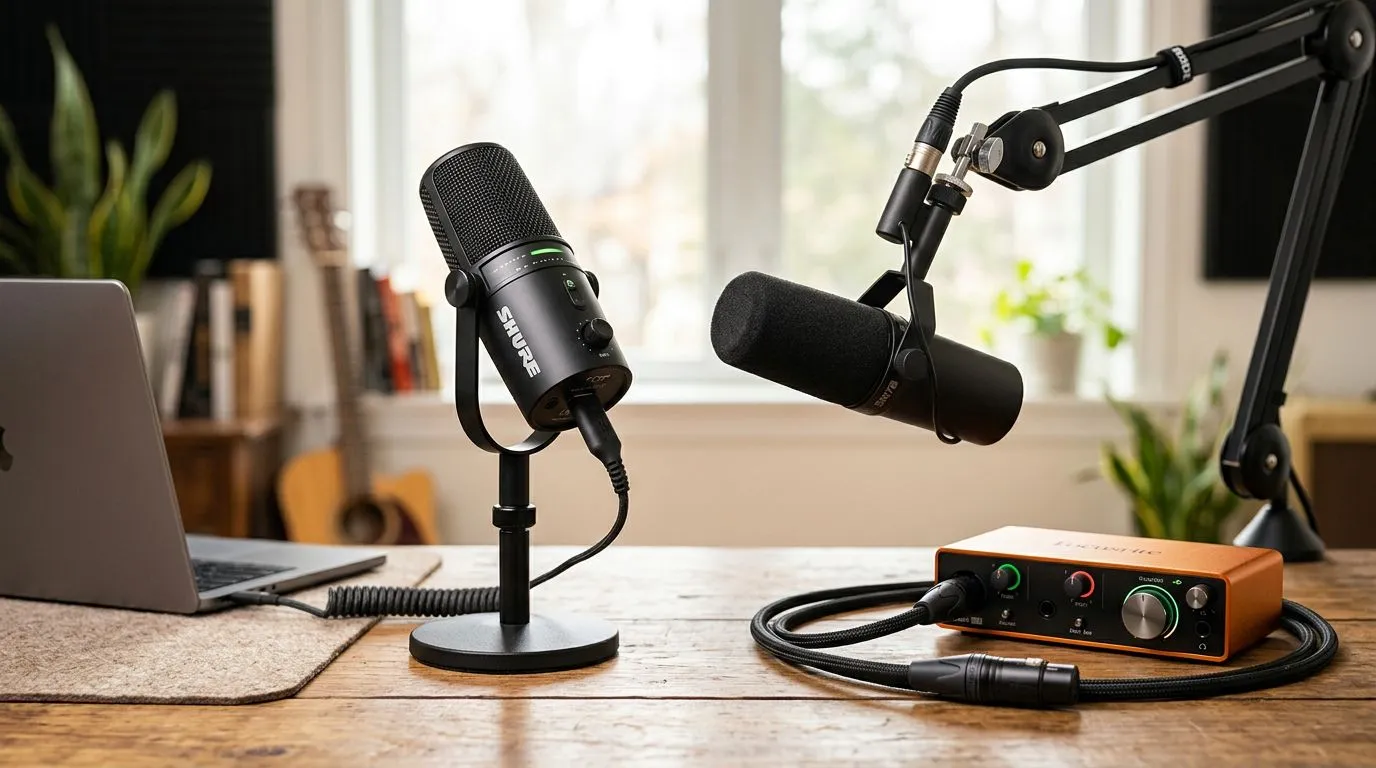
USB vs XLR microphones: Quick hook for South African streamers 🎙️
Choosing between USB vs XLR microphones can feel like deciding whether to buy a new GPU or wait for the next drop. If you're starting a Twitch stream or recording YouTube in Mzansi, this guide cuts the noise. I’ll show the practical differences, costs in ZAR, and simple build paths so you can sound better this weekend — not next year. 🚀
USB vs XLR microphones — the core difference
USB mics convert audio inside the mic and plug straight into your PC. XLR mics output an analogue signal that needs an audio interface or mixer to convert it to digital. For many beginners, that single detail explains price, complexity, and flexibility. For a quick shopping reference and local stock, check Evetech’s streaming essentials hub buy streaming essentials.
According to product listings on Evetech, entry-level USB mics often start lower in price than complete XLR setups, which include an interface cost. See current options and brand filters on Evetech for live pricing and availability Corsair streaming gear.
USB vs XLR — pros and cons for beginner streamers
USB pros
- Plug-and-play: great for single-PC setups and mobile streamers.
- Lower upfront cost for a usable rig.
- Works without extra drivers in most cases.
USB cons
- Less upgradeable; if you improve other parts of your chain, you might outgrow the mic.
XLR pros
- Better long-term flexibility and generally higher headroom for pro sound.
- You can pair mic capsules with stronger preamps later.
XLR cons
- Higher initial cost: expect to add an audio interface or mixer. See Evetech’s webcam and accessory pages for related kit ideas webcams and more.
- More cables and learning curve.
A practical price comparison on Evetech shows USB mics often usable from roughly R1,200, while entry-level XLR rigs (mic + interface) frequently start around R3,000+ depending on brand and bundle choices streaming essentials with Cololight.
Mic Setup Tip 🔧
Position your mic 15–30 cm from your mouth with a pop filter. For USB mics, use a boom arm to reduce desk noise. For XLR rigs, set gain conservatively to avoid clipping; aim for peaks around -6 dB.
Best choice for beginner streamers — quick decision tree
Ask yourself:
- Want simplicity and low cost? USB is likely the right move.
- Want upgradeability and pro sound later? Start with XLR if budget allows.
If you stream casually from a bedroom in Cape Town or Joburg and prioritise speed, go USB. If you plan podcasting, multi-guest setups, or live instruments, XLR pays off over time.
Micro-story: I helped a mate start a small stream with a plug-and-play USB mic and a cheap arm. He hit partner-relevant audio quality in weeks and upgraded to an XLR setup only after audience growth justified the expense. Small wins first.
Getting started — recommended builds and next steps ✨
Starter USB build (fast): USB mic + boom arm + pop filter. Great for R1,200–R2,500 depending on model; check Evetech’s streaming essentials to compare real stock and ZAR pricing compare streaming essentials.
Starter XLR build (scalable): XLR mic + basic audio interface + stand + pop filter. Expect to spend R3,000+; shop brand filters to find bundled deals Cololight and more.
Final tip: measure your room’s sound. A cheap rug, soft furnishings, and mic placement cut reflections way more than mic price alone.
Ready to Find Your Perfect Match? The Mac vs Windows debate is complex, but for maximum power, choice, and value in South Africa, Windows is hard to beat. Explore our massive range of laptop specials and find the perfect machine to conquer your world.











