


What Cooling Solution Works Best with 144Hz monitor in SA Climate?
What Cooling Solution Works Best with 144Hz monitor in SA Climate Detailed answer with SA data, expert analysis & practical recommendations for local buyers.
Read moreWhat Game Settings Work on 240Hz monitor. Tested & verified settings for best FPS and visual quality on SA hardware budgets.

South African gamers know the thrill of ultra-smooth motion on a 240Hz monitor ⚡. But squeezing the most out of these lightning-fast refresh rates means fine-tuning your game settings to match. Which tweaks unlock buttery smooth gameplay without sacrificing visuals or responsiveness? Whether you’re grinding in competitive eSports or exploring expansive worlds, understanding what game settings work best on a 240Hz monitor puts you ahead of the pack.
A 240Hz refresh rate updates the screen 240 times per second. That's four times faster than your average 60Hz display 🚀. This speed reduces motion blur and input lag, delivering crisp frames and rock-solid accuracy.
But high refresh rates also require powerful hardware. Running games at 240 FPS consistently ensures you get the full benefit. Otherwise, you may face tearing or judder, which defeats the purpose.
If you need South African options for monitors that hit these specs, check out Evetech’s wide selection of monitors. They stock models tailored for gamers chasing top-tier performance at competitive prices.
Always cap your frame rate at 240 FPS or just above. This stabilises performance and keeps latency low. Turning off V-Sync prevents input lag but may cause screen tearing. Alternatively, use adaptive sync tech like G-SYNC or FreeSync if supported.
To hit 240 FPS, dial down resource-heavy effects like shadows, reflections, and anti-aliasing. Prioritise clarity over eye candy here. Many pros use medium or low settings while keeping a native resolution for sharp visuals.
These post-processing effects add realism but blur fast movement. For 240Hz, disable them to keep images crisp during rapid actions.
Reduce mouse polling rates or increase sensitivity gradually. A 240Hz monitor complements precise mouse tracking but only if your settings are balanced.
For players who want a complete system upgrade to support maxed-out 240Hz gameplay, explore Evetech’s best gaming PC deals and pre-built PC deals. These rigs bundle performance and reliability.
Even small FPS dips can feel jarring at 240Hz. Close background apps and check your cooling to maintain consistent frame delivery.
Don't overlook peripherals and mobile setups. South African gamers are increasingly opting for gaming laptops with panels supporting 144Hz to 240Hz, balancing portability with speed. Evetech offers a variety of gaming notebooks featuring high refresh rate displays ideal for on-the-go competitive play.
Also, keep an eye on Evetech specials for discounts on the latest gear — perfect timing if you're building a 240Hz-optimised setup without breaking the bank!
With the right tweaks and hardware, your 240Hz monitor can visibly reduce motion blur and improve reaction times. The result? Smoother gameplay, faster reflexes, and that competitive edge all South African gamers crave.
Ready for Groundbreaking Clarity and Speed? Elevate your rig’s performance—Shop now at Evetech for monitors and gear that bring every frame to life.
What Game Settings Work Best on 240Hz mo available at Evetech.co.za with local warranty and fast delivery.
What Game Settings Work Best on 240Hz mo - check Evetech for latest stock and SA pricing.
Depends on your use case. What Game Settings Work Best o offers good value at current Rand pricing.
What Cooling Solution Works Best with 144Hz monitor in SA Climate Detailed answer with SA data, expert analysis & practical recommendations for local buyers.
Read more
What Monitor Pairs Best with 240Hz monitor for Gaming in SA Detailed answer with SA data, expert analysis & practical recommendations for local buyers.
Read more
What Monitor Pairs Best with 1440p monitor for Gaming in SA Detailed answer with SA data, expert analysis & practical recommendations for local buyers.
Read moreWhat Monitor Pairs Best with 1440p monitor for Gaming Detailed answer with SA data, expert analysis & practical recommendations for local buyers.
Read more
the 144Hz monitor for student. Plain-English explanation of what it means, why it matters & how it affects your buying decisions in SA.
Read more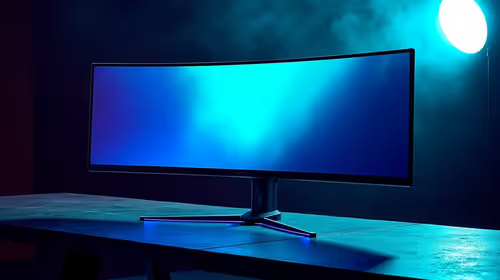
Top Budget Monitor picks evaluated on performance, value & SA availability with current Rand pricing from Evetech.
Read more
Every spec on PCIe 5.0 explained in plain English. What matters for gaming and creator work in 2026, what's marketing fluff, and how each number translates to real-world performance.

A head-to-head look at WiFi 7: real-world performance, ZAR pricing and which option delivers better value for SA builders. The clear answer — no fluff.

Everything you need to set up and tune PCIe 5.0 properly: the prep work, the settings that actually matter, and the mistakes to skip. Written for SA builders in 2026.

Everything you need to set up and tune X870E Motherboard properly: the prep work, the settings that actually matter, and the mistakes to skip. Written for SA builders in 2026.

Wondering what a 512GB SSD capacity really holds? This guide breaks down how many games, photos, and documents fit on 512GB, with real-world ranges 📦💾

Every spec on vrm explained in plain English. What matters for gaming and creator work in 2026, what's marketing fluff, and how each number translates to real-world performance.

Every spec on motherboard explained in plain English. What matters for gaming and creator work in 2026, what's marketing fluff, and how each number translates to real-world performance.

Premium vs Midrange Motherboards in South Africa: real-world performance, SA pricing, power draw and which one delivers better value for your build for SA buyers. The clear answer — without the fluff.
Wondering what a 512GB SSD capacity really holds? This guide breaks down how many games, photos, and documents fit on 512GB, with real-world ranges 📦💾
Every spec on PCIe 5.0 explained in plain English. What matters for gaming and creator work in 2026, what's marketing fluff, and how each number translates to real-world performance.
A head-to-head look at WiFi 7: real-world performance, ZAR pricing and which option delivers better value for SA builders. The clear answer — no fluff.

Every spec on USB4 explained in plain English. What matters for gaming and creator work in 2026, what's marketing fluff, and how each number translates to real-world performance.