


Dedicated Media Keys for Streamers: Improve Workflow Fast
Dedicated media keys give streamers one-touch control to mute, switch scenes, clip highlights, and adjust audio — cutting task time and boosting consistency 🎛️⚡
Read moreUse this wireless gaming controller for PC and mobile feature checklist to spot the best fit for latency, comfort, and connectivity. Choose confidently with the right specs. 🎮📱
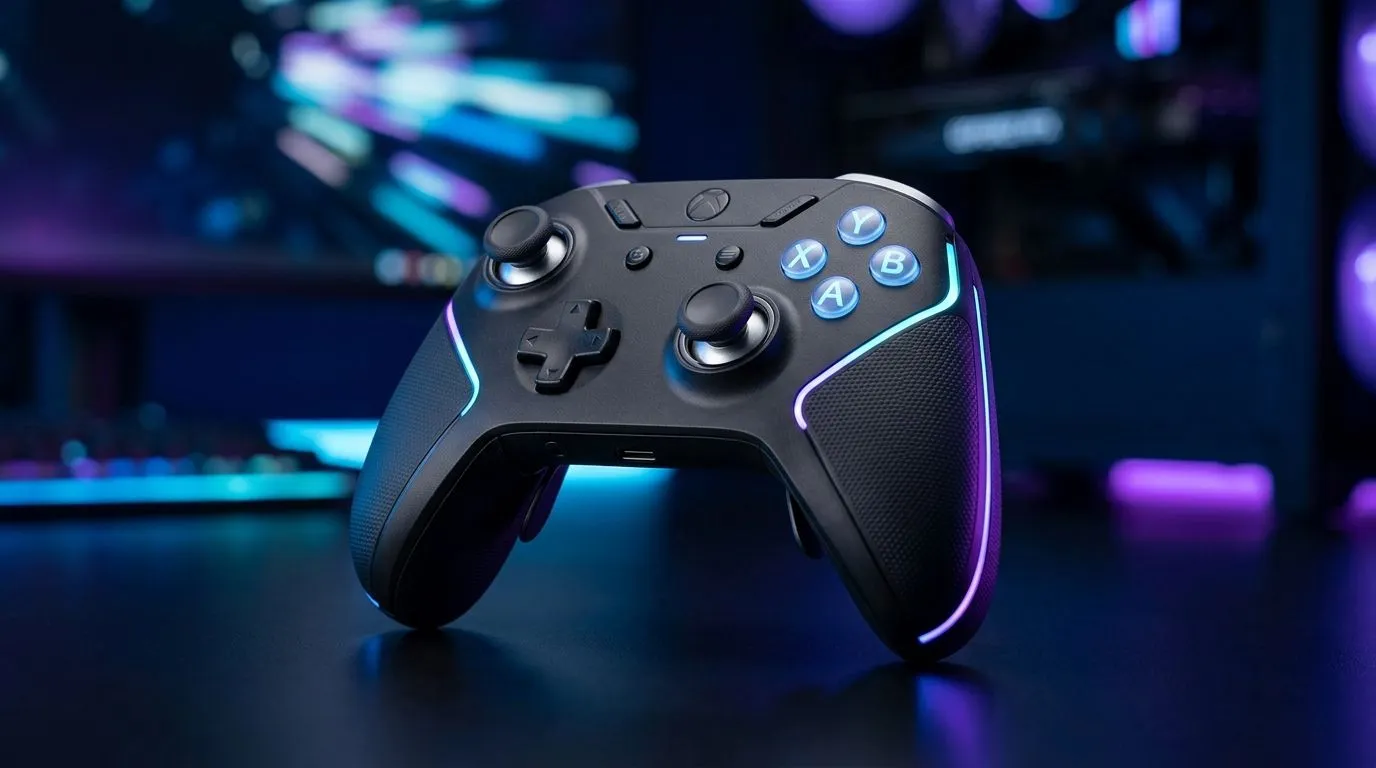
If you game on PC but still take your phone to the lounge, a wireless controller feels like the best of both worlds. No fiddling with cables before ranked. No charging headaches every night. And when you’re hunting deals in South Africa, getting the right features matters just as much as the price in ZAR.
This checklist focuses on the stuff you’ll actually feel during gameplay… from latency to button layout. Let’s make your next purchase smarter.
Not all “wireless” controllers behave the same. Here’s what to confirm before you buy.
You don’t need a lab setup… but you do need predictable responsiveness. Look for controllers that explicitly target low-latency wireless use, or reputable spec sheets from the manufacturer.
For long sessions, comfort wins. Check:
If you’re comparing models, grab a controller that matches your main genres. FPS players often prefer tighter stick control, while action games benefit from comfortable thumb rests.
A “good” controller should match how you play:
Mobile gaming support isn’t only about connecting. You also want:
Before checkout, do this 3-step check:
committing, decide where you’ll use it most: PC, mobile, or both equally. If PC is primary, prioritise 2.4G stability. If mobile is frequent, prioritise Bluetooth compatibility and reliable remapping support.
If you mainly play on PC with a stable desk setup, a tournament-style controller can feel sharper. For example, consider the Razer Wolverine V3 Tournament Edition (8K) for a feature-rich, PC-focused direction:
If you want to compare options fast, start here for broader controller selection on Evetech:
And if you’re leaning Razer specifically, this brand-filter page helps narrow the shortlist without wasting time:
If you want one controller that truly covers PC and mobile, prioritise:
Then shop with intent. South African pricing can swing with availability, so checking multiple listings helps you land better value in ZAR.
Ready to Find Your Perfect Match? The Mac vs Windows debate is complex, but for maximum power, choice, and value in South Africa, Windows is hard to beat. Explore our massive range of laptop specials and find the perfect machine to conquer your world.
Prioritize low latency, strong PC and mobile compatibility, reliable wireless range, comfortable ergonomics, and a battery that lasts through long sessions.
Look for explicit support for Windows and your mobile OS (Android or iOS), plus pairing methods like Bluetooth or USB connection options.
Bluetooth can work well, but for lowest latency check for features like low-latency wireless modes, stable pairing, and consistent input response.
Choose controllers that advertise low-latency wireless, check connection stability specs, and confirm your PC and mobile settings for best performance.
Aim for a battery life rating that matches your play style, and verify charging method options so you can quickly recharge between sessions.
Hall effect sticks can help reduce drift and improve stick longevity, which is valuable for competitive play on both PC and mobile.
Many higher-end models offer button mapping and sensitivity controls, so look for customization to fit your preferred layout and games.
Wireless range varies by connection type; choose a controller with strong range claims and ensure line-of-sight or minimal interference for stable inputs.
Dedicated media keys give streamers one-touch control to mute, switch scenes, clip highlights, and adjust audio — cutting task time and boosting consistency 🎛️⚡
Read more
PBT vs ABS keycaps: Clear, local guide for South African gamers—compare feel, sound, durability and where to buy. Find the best material for your budget and playstyle 🎮🇿🇦
Read more
- Multi-Function Digital Dial: define benefits - Show gamer setups and macros - Offer buying and setup tips Multi-Function Digital Dial puts programmable control at your fingertips for faster actions and smoother streaming. 🎮⚙️
Read more
- Explain benefits; - Show the science; - Compare options; - Recommend picks. Magnetic wrist rest for gaming cuts wrist strain and boosts comfort during long sessions 🕹️✨
Read more
best gaming keyboard South Africa: Learn how to pick a low-latency mechanical keyboard, choose switches, layout and budget for competitive play 🎮⚡
Read more
Best wireless keyboard and mouse combo for small desks — curated, space-saving picks that boost comfort and productivity in tight setups. Find low-profile layouts, compact mice, and reliable range to fit your compact workstation. 🖱️⌨️
Read more
Discover webcams that automatically adjust light and color for crystal-clear video calls 🎥✨. Boost your streaming quality today!

Discover webcams that blend into your workflow 🎯 Capture moments while you work, stream, or create. Upgrade your setup with smart, multitasking tech!
Dedicated media keys give streamers one-touch control to mute, switch scenes, clip highlights, and adjust audio — cutting task time and boosting consistency 🎛️⚡
PBT vs ABS keycaps: Clear, local guide for South African gamers—compare feel, sound, durability and where to buy. Find the best material for your budget and playstyle 🎮🇿🇦
- Multi-Function Digital Dial: define benefits - Show gamer setups and macros - Offer buying and setup tips Multi-Function Digital Dial puts programmable control at your fingertips for faster actions and smoother streaming. 🎮⚙️
- Explain benefits; - Show the science; - Compare options; - Recommend picks. Magnetic wrist rest for gaming cuts wrist strain and boosts comfort during long sessions 🕹️✨