USB-C vs HDMI for Projectors: Choosing the Right Connection for Your Setup ⚡
Setting up a projector for movie nights, gaming battles, or presentations? Knowing whether USB-C or HDMI for projectors serves your needs best can save you headaches. South African gamers and tech buyers often ask: which connection type delivers the clearest visuals and the most reliable signal? Let’s break down the pros and cons, so you get the best out of your viewing or gaming experience.
Understanding HDMI for Projectors: The Trusted Classic
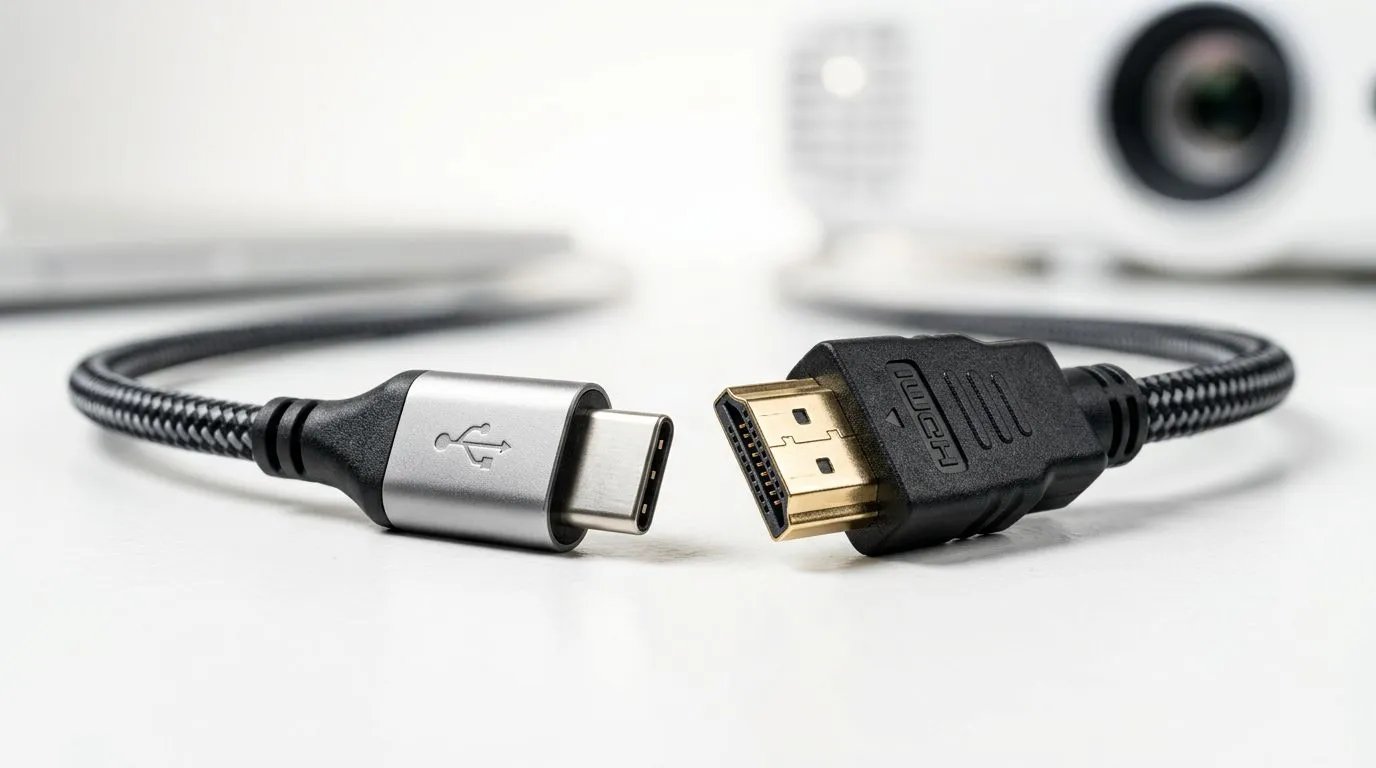
HDMI remains the go-to connection for projectors. It handles high-definition video and audio in a single cable, making it simple and efficient. Most projectors available at Evetech, including top brands like Viewsonic projectors, come equipped with HDMI ports. This compatibility means plugging in your laptop, console, or media player is often straightforward without needing adapters.
Why HDMI is Still Popular
- Supports Full HD and 4K resolutions
- Audio and video transmitted simultaneously
- Widely compatible across devices
If you’re buying a projector under R7000, many models catered to gamers and casual cinephiles rely on HDMI’s consistent performance and widespread support. Browse Evetech’s range of projectors under R7000 to see affordable options with solid HDMI functionality.
The Rising Contender: USB-C Connection for Projectors 🚀
USB-C is more than just a charging port. Modern laptops and some projectors support video transfer via USB-C, allowing for sleeker cables and faster data transmission. It’s gaining traction especially among ultrabook and Mac users, who value the convenience of a single port for video, audio, and power.
Benefits of USB-C Connections
- Reversible, smaller connector for easy plugging in
- Can support high-definition video and rapid data transfer
- Potential for charging the device through the same cable
Brands like Promate projectors have started integrating USB-C ports, offering a neat alternative for a wire clutter-free setup. But if you depend on your older consoles or PCs, HDMI remains more universally compatible.
Pro Tip for Your Projector Setup
Opt for USB-C if your devices support it — fewer accessories needed and cleaner desk space. For the ultimate plug-and-play experience, HDMI’s broader compatibility makes it ideal for mixed device environments.
Making the Right Choice: What Matters Most?
Consider these factors when choosing between USB-C vs HDMI for projectors:
- Device compatibility: Check if your laptop, console, or media player supports USB-C video output.
- Resolution and refresh rate needs: HDMI often guarantees stable 4K at 60Hz, while USB-C capabilities depend on the spec version.
- Cable length and flexibility: HDMI cables tend to come longer, while USB-C is generally shorter but can carry power.
- Budget and future-proofing: If upgrading devices regularly, USB-C could be more versatile long-term.
Looking for an extensive selection of projectors with diverse connectivity options? Visit our general projector collection to compare specs and find the perfect fit.
Wrapping Up: USB-C vs HDMI for Projectors 🔧
While HDMI offers time-tested reliability and compatibility, USB-C injects fresh convenience and future-ready promise into projector connections. Your ideal pick depends on what devices you connect and how you use your projector – gaming, streaming, work presentations or all of the above. Remember, neat cable management and stable signal matter as much as the specs.
Explore the best projectors in South Africa, tailored for real user needs, on Evetech. Whether you lean towards USB-C’s compact elegance or HDMI’s classic robustness, the right connection awaits.
Projectors Ready for Every Connection
Find your perfect projector today from Evetech’s carefully curated range. Shop now at Evetech and enjoy crisp, lag-free viewing or gaming.