

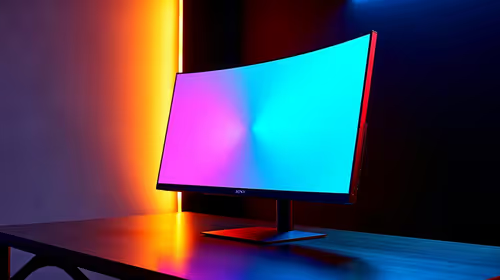
144Hz monitor vs 27-inch monitor: Which Should SA Gamers Buy in 2026?
Head-to-head comparison of 144Hz monitor vs 27-inch monitor: Which Should for SA gamers. Performance benchmarks, Rand pricing & which delivers better value.
Read moreHead-to-head comparison of 1000R vs 1500R vs 1800R Curve Explained: Which for SA gamers. Performance benchmarks, Rand pricing & which delivers better value.

Picking the perfect curved monitor can seriously boost your gaming immersion ⚡. If you’re in South Africa and wondering about the different curve options—1000R, 1500R, or 1800R—you’re in the right place. Each curve radius changes how the display wraps around your field of view, impacting comfort and performance. Let’s break down what each means and how you can choose the ideal one for your setup.
The “R” in 1000R or 1800R stands for radius, measured in millimetres. A 1000R curve means the screen is bent along a circle with a 1000-mm radius, which is quite tight, while 1800R is a gentler curve. Here’s how that translates for gamers:
Choosing your curve radius depends on how close you sit to the monitor and your gaming genres. Racing and simulation gamers often prefer tighter curves like 1000R for cockpit-like immersion.
South African gamers typically game from desks with limited space. A 1000R curved ultra-wide can feel like a cockpit in tight spaces, boosting immersion but taking some adjustment. If you use your monitor for work or casual browsing, the 1800R might be less taxing on your eyes while still enhancing game visuals.
Check out the latest pre-built gaming PC deals to pair your curved monitor with rigs that can handle high frame rates and ultra-wide resolutions without a hitch.
Curved screens reduce eye strain by matching the eye's natural curve, which can help keep you gaming comfortably during those marathon sessions. But not all curves are equal: the tighter 1000R curve demands more from your neck as it fills your full field of vision, while 1800R is lighter on movement.
If you game competitively, consider how the curve impacts peripheral vision and reaction times. Rapid eye movements on tighter curves might need a brief adaptation period but often result in enhanced focus once you’re used to it.
Ready to combine your monitor with killer performance? Evetech also offers powerful graphics cards to handle ultra-wide gaming and the latest 3D effects.
Consider the distance from your eyes to your screen before choosing a curve radius. Sit closer? Go 1000R. Prefer some buffer? 1500R or 1800R will ease eye strain.
Prices for curved monitors vary widely, so balancing budget with your preferred curve radius is key. Evetech’s range of notebooks and laptops lets you game on the go with access to external curved displays, while the specially curated specials section can help you snag great deals on powerful gear and monitors.
Test your gaming setup before settling; if you can, visit local retailers to experience each curve in person. This hands-on approach saves you from buyer’s remorse, ensuring the immersive comfort you want.
Discover Your Perfect Curve Today Elevate your gaming experience with gear tailored to your visual style and budget. Shop now at Evetech for performance that leaves lag in the dust.
1000R vs 1500R vs 1800R Curve Explained: available at Evetech.co.za with local warranty and fast delivery.
1000R vs 1500R vs 1800R Curve Explained: - check Evetech for latest stock and SA pricing.
Depends on your use case. 1000R vs 1500R vs 1800R Curve offers good value at current Rand pricing.
Head-to-head comparison of 144Hz monitor vs 27-inch monitor: Which Should for SA gamers. Performance benchmarks, Rand pricing & which delivers better value.
Read more
Head-to-head comparison of ultrawide monitor vs gaming monitor: Which Should for SA gamers. Performance benchmarks, Rand pricing & which delivers better value.
Read more
Head-to-head comparison of Rand vs Dollar: How Exchange Rate Affects Monitor for SA gamers. Performance benchmarks, Rand pricing & which delivers better value.
Read more
Is the 27-inch monitor Worth Buying in South Africa Detailed answer with SA data, expert analysis & practical recommendations for local buyers.
Read more
Head-to-head comparison of Curved Monitor vs Flat Monitor: Which Should for SA gamers. Performance benchmarks, Rand pricing & which delivers better value.
Read more
Head-to-head comparison of IPS vs VA vs TN Panel Explained: Which Should for SA gamers. Performance benchmarks, Rand pricing & which delivers better value.
Read more
Every spec on PCIe 5.0 explained in plain English. What matters for gaming and creator work in 2026, what's marketing fluff, and how each number translates to real-world performance.

A head-to-head look at WiFi 7: real-world performance, ZAR pricing and which option delivers better value for SA builders. The clear answer — no fluff.

Everything you need to set up and tune PCIe 5.0 properly: the prep work, the settings that actually matter, and the mistakes to skip. Written for SA builders in 2026.

Everything you need to set up and tune X870E Motherboard properly: the prep work, the settings that actually matter, and the mistakes to skip. Written for SA builders in 2026.

Wondering what a 512GB SSD capacity really holds? This guide breaks down how many games, photos, and documents fit on 512GB, with real-world ranges 📦💾

Every spec on vrm explained in plain English. What matters for gaming and creator work in 2026, what's marketing fluff, and how each number translates to real-world performance.

Every spec on motherboard explained in plain English. What matters for gaming and creator work in 2026, what's marketing fluff, and how each number translates to real-world performance.

Premium vs Midrange Motherboards in South Africa: real-world performance, SA pricing, power draw and which one delivers better value for your build for SA buyers. The clear answer — without the fluff.
Wondering what a 512GB SSD capacity really holds? This guide breaks down how many games, photos, and documents fit on 512GB, with real-world ranges 📦💾
Every spec on PCIe 5.0 explained in plain English. What matters for gaming and creator work in 2026, what's marketing fluff, and how each number translates to real-world performance.
A head-to-head look at WiFi 7: real-world performance, ZAR pricing and which option delivers better value for SA builders. The clear answer — no fluff.

Every spec on USB4 explained in plain English. What matters for gaming and creator work in 2026, what's marketing fluff, and how each number translates to real-world performance.