

RTX 5060 Ti vs RX 9070: Gaming Performance Compared in South Africa 2026
Head-to-head comparison of RTX 5060 Ti vs RX 9070: Gaming Performance for SA gamers. Performance benchmarks, Rand pricing & which delivers better value.
Read moreWondering if a 2200RPM case fan too loud? Learn noise limits, RPM tuning, and airflow tradeoffs for high-performance builds—so you get cool temps without constant fan noise. 🎧❄️
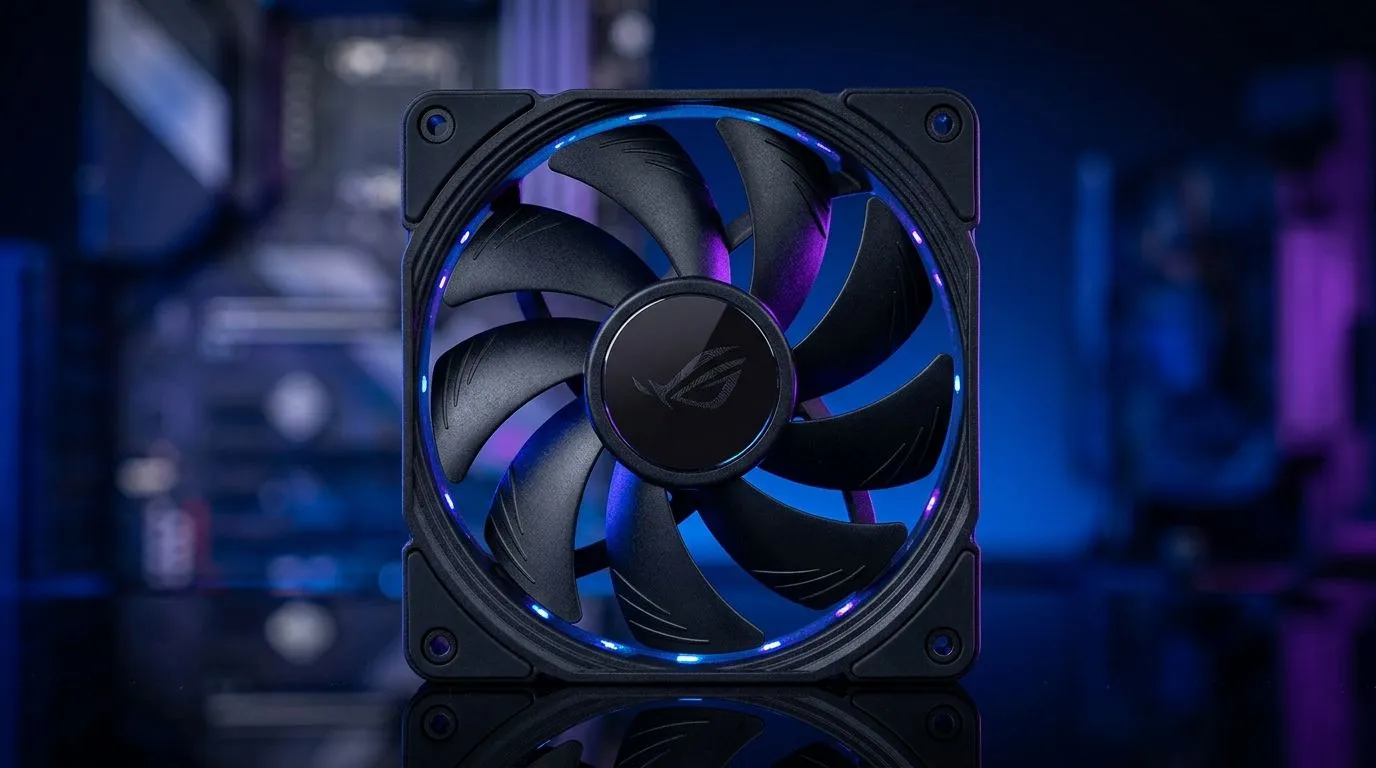
If you’re building a rig in a small room in Joburg or a shared space in Cape Town, fan noise matters as much as FPS. 😅 You’ve probably seen “2200RPM” on case fans and wondered: is that too loud… or does it actually help temps?
In this guide, we’ll break down what 2200RPM means in real life, when it’s ideal for high-performance builds, and how to dial your system in so it’s cool without sounding like a jet taking off. 🔧
A “2200RPM” rating is the maximum speed the fan can spin under ideal conditions. Actual behaviour depends on a few things:
Even with the same RPM, the sound profile can differ a lot. A higher RPM at low PWM duty cycle may barely spin up. But a poorly set fan curve can keep your fans pinned, especially during spikes in gaming.
For a practical approach: think “airflow management” rather than chasing a specific number.
2200RPM can be ideal when you need extra cooling headroom. Common scenarios:
If your system runs slightly warm under load, 2200RPM fans often reduce the chance of throttling by keeping intake temps steadier. The key is controlling them so they don’t ramp instantly at every minor spike.
Start with fan size and your case’s layout. Evetech lists multiple options, including 120mm and 140mm fans, which typically balance airflow and noise differently depending on your setup.
If you’re chasing steady temps while keeping desk noise low, matching your fan size to your case is step one. Check Evetech’s case fan listings to compare options quickly:
And if your build has a specific aesthetic:
On your first gaming night, don’t guess fan curves. Set a conservative PWM curve in BIOS or your motherboard software, then test one full session. If the noise spikes during small temperature bumps, adjust your fan curve to ramp slower and hold steady under 70–75°C. This keeps 2200RPM fans from constantly “hunting” while still protecting temps under heavy loads.
Think of fan tuning like setting your sensitivity… small changes, big feel.
Use this fast decision guide:
If you’re building in SA and want reliable cooling that doesn’t dominate your room with noise, the safest move is picking the right fan size and features for your exact case and then tuning your curve.
Ready to Find Your Perfect Match? The Mac vs Windows debate is complex, but for maximum power, choice, and value in South Africa, Windows is hard to beat. Explore our massive range of laptop specials and find the perfect machine to conquer your world.
A 2200RPM case fan can be loud if run at full speed. Use PWM fan curves and good mounts to keep noise under control.
Noise depends on the model and fan size. Check the fan’s dBA at 2200RPM, then compare it to your tolerance and room acoustics.
It can, especially with strong airflow or static pressure. But thermals also depend on fan placement and radiator/case design.
Many builds aim for a balanced mid-range RPM with a PWM curve. Prioritize stable temps over keeping every fan at 2200RPM.
Set PWM fan curves, avoid vibration by using proper screws, and ensure clean airflow paths so fans don’t need maximum RPM.
Airflow-focused fans suit open cases; static pressure fans suit radiators and restrictive filters. Look at the spec, not only the RPM.
Yes. Smart fan curves ramp gradually based on CPU/GPU temps, so the 2200RPM case fan only hits high speed when needed.
Pick a model with better dBA at your target RPM, consider PWM control, and match static pressure to your cooling components.
Head-to-head comparison of RTX 5060 Ti vs RX 9070: Gaming Performance for SA gamers. Performance benchmarks, Rand pricing & which delivers better value.
Read more
RTX 5090 Star Wars Outlaws at 1440p: FPS. Real-world benchmark data, FPS numbers & performance analysis. What SA gamers can actually expect.
Read more
RTX 5060 Star Wars Outlaws at 4K: FPS Benchmark. Real-world benchmark data, FPS numbers & performance analysis. What SA gamers can actually expect.
Read more
Head-to-head comparison of RTX 5060 vs RX 7700 XT: Price-to-Performance for SA gamers. Performance benchmarks, Rand pricing & which delivers better value.
Read more
RTX 3060 Red Dead Redemption 2 FPS: Performance. Real-world benchmark data, FPS numbers & performance analysis. What SA gamers can actually expect.
Read more
Head-to-head comparison of RTX 5060 Benchmarks vs Real Gaming Performance for SA gamers. Performance benchmarks, Rand pricing & which delivers better value.
Read more
When Will the RTX 6090 Launch in South Africa Detailed answer with SA data, expert analysis & practical recommendations for local buyers.

Top Valorant Settings for RTX 5070: FPS Optimisation picks evaluated on performance, value & SA availability with current Rand pricing from Evetech.

RDNA 3.5 Graphics in Ryzen AI 400? Can You Game. Plain-English explanation of what it means, why it matters & how it affects your buying decisions in SA.

GPU Price Index : December Report. Current stock data & price tracking for SA buyers. See what is available and where prices are heading.

Core i5-14600K + B760 + RTX 5060 Build Under. Full parts list, Rand pricing & expected performance. Build confidently with SA-available components.

RX 7600 Apex Legends at 4K: FPS Benchmark. Real-world benchmark data, FPS numbers & performance analysis. What SA gamers can actually expect.

RX 7900 XTX GTA 6 at 4K: FPS Benchmark & Optimal. Real-world benchmark data, FPS numbers & performance analysis. What SA gamers can actually expect.

Head-to-head comparison of RTX 5070 vs RX 9070 XT: Gaming Performance for SA gamers. Performance benchmarks, Rand pricing & which delivers better value.

GPU Setup Guide Gamers. Clear setup instructions with SA-specific considerations, troubleshooting tips & recommended components.

Top RTX 5090 Under R12000 picks evaluated on performance, value & SA availability with current Rand pricing from Evetech.

Call of Duty Warzone 2 Settings on RX 7600. Real-world benchmark data, FPS numbers & performance analysis. What SA gamers can actually expect.

GTA 6 Settings on RTX 5070 Ti: Performance. Real-world benchmark data, FPS numbers & performance analysis. What SA gamers can actually expect.