

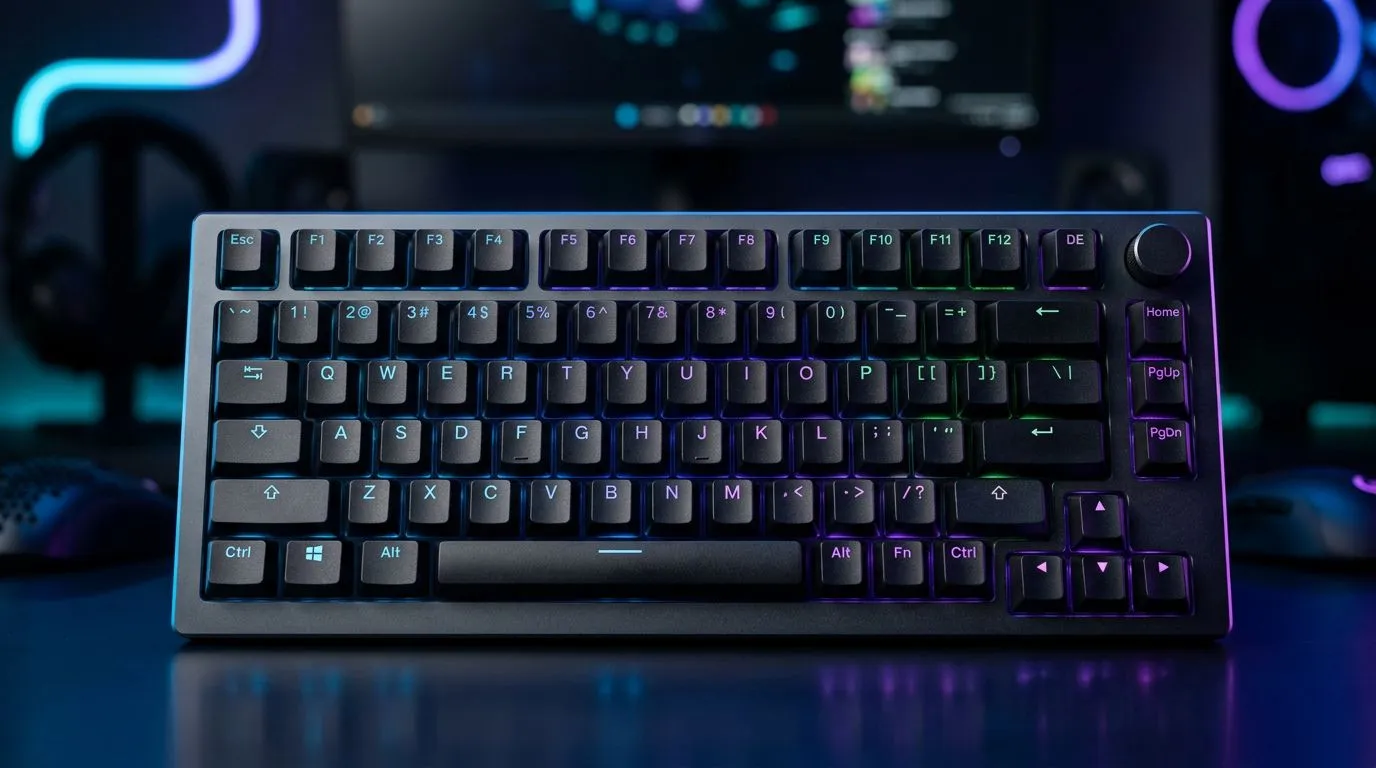
75% Wireless Mechanical Keyboard Battery Life Explained: What “75%” Really Means for Gamers ⚡
If your wireless mechanical keyboard feels great… then suddenly starts dropping responsiveness, you’re not alone. In South African homes with load shedding, Wi-Fi congestion, and busy desks, battery life gets complicated fast. And when a spec sheet says “up to 75%,” it can mean very different things depending on polling rate, backlighting, and how often you actually game.
Let’s break it down clearly, so you can buy with confidence and avoid “why is it dying already?” moments. 🚀
75% Wireless Mechanical Keyboard Battery Life Explained: The Battery % Myths That Cost You Money 🔧
Battery life “percent” claims usually come from one of these situations:
- Marketing shorthand for “up to X days” under specific conditions
- A relative improvement (for example, “75% longer than before”)
- An internal test scenario that assumes certain settings, like minimal RGB
The key idea: your actual battery life will vary based on usage.
Evetech’s buying guides focus on choosing the right keyboard for your setup, including connectivity and practical features. If you’re trying to game on the move (or keep your desk clean), wireless is awesome… but you still need to match the keyboard’s connectivity to your environment.
Battery drains you should expect (and control)
Even without opening a spreadsheet, you can often improve real-world battery life just by changing these:
- RGB lighting (brightness, effects, animations)
- Polling rate / performance mode (higher = more power)
- Connection behaviour (Bluetooth vs 2.4GHz)
- Key travel and actuation frequency (heavy typing drains faster)
If you want a “set and forget” experience, your best friend is reduced lighting + a sane performance mode.
75% Wireless Mechanical Keyboard Battery Life Explained: What Changes Battery Life the Most? ⚡
Wireless keyboards typically spend power in three places:
- Wireless link maintenance
- LEDs and effects (if any)
- Higher-frequency input reporting
So, if you see “75%” on a listing, treat it like an estimate anchored to a test profile. If your keyboard runs brighter RGB at a high performance setting while you marathon ranked games… you will not match that profile.
For South Africans, that’s even more true when your workspace power fluctuates or you’re on battery-backup. The keyboard isn’t “running from the load shed”… but your overall system may cause more reconnections and background activity, which can influence perceived performance and how often you tweak settings.
75% Wireless Mechanical Keyboard Battery Life Explained: Practical Buying Tips Before You Click Buy ✅
Here’s how to get the best real-world outcome without guesswork.
Choose connectivity based on your desk setup
- Wired: most consistent input, no battery anxiety
- Wireless: flexibility, cleaner desk, but you manage power settings
If you’re deciding between wired and wireless, Evetech has options for both connectivity styles, depending on how you want to play.
- If you want a quick way to compare wireless gaming boards, start with this selection: Find a great keyboard deal.
- If you want to target the best value in SA right now: Buy the cheapest gaming keyboard in South Africa.
And if you already know you want wired or wireless, narrow it down directly:
- Wired boards: Cheapest gaming keyboards (Wired)
- Wireless boards: Cheapest gaming keyboards (Wireless)
If you also want mouse synergy for consistent latency and fewer “what USB port is this?” moments, a combo can simplify your setup: Buy a keyboard + mouse combo.
Productivity Pro Tip ⚡
Set expectations for “75%” claims
When you buy, assume the “75%” figure is not a guarantee. It’s a snapshot based on test assumptions. Your goal is matching the keyboard’s power profile to your real habits.
A quick rule of thumb:
- If you run full RGB + high performance, battery life drops faster.
- If you run low/none RGB + balanced mode, battery life becomes predictable.
75% Wireless Mechanical Keyboard Battery Life Explained: How to Stretch Battery Without Sacrificing Feel ✨
Want a practical workflow that works during busy weekdays?
- Charge habits: top up before it hits “low battery.” Many wireless keyboards feel worse right before they go into aggressive power saving.
- Lighting strategy: use static or a low brightness profile for gaming, switch to effects only for desk vibes.
- Keep firmware updated: manufacturers sometimes improve power efficiency after release.
- Reduce unnecessary toggles: swapping devices or re-pairing too often wastes power.
And if you’ve ever had a keyboard feel “off” mid-game, check the basics first: battery level, wireless connection distance, and whether the keyboard switched into a different mode.
75% Wireless Mechanical Keyboard Battery Life Explained: When Wired Might Actually Be the Smarter Choice 🚀
Wireless doesn’t always mean “better”. For competitive players, input consistency matters. If you’re often near a PC and don’t mind a tidy cable, wired can remove battery anxiety completely.
That’s why many SA gamers keep one “ranked-ready” setup and one “living room flex” setup. The ranked-ready board tends to be wired or wireless with very disciplined power settings.
Ready to buy? Start by filtering on connectivity and features that match your playstyle, not just the marketing number.
Ready to Find Your Perfect Match? The Mac vs Windows debate is complex, but for maximum power, choice, and value in South Africa, Windows is hard to beat. Explore our massive range of laptop specials and find the perfect machine to conquer your world.











