

RTX 5070 Cyberpunk 2077 at 1440p: FPS Benchmark & Optimal Settings
RTX 5070 Cyberpunk 2077 at 1440p: FPS Benchmark. Real-world benchmark data, FPS numbers & performance analysis. What SA gamers can actually expect.
Read moreAnti-resonance fan design reduces vibration at the source and improves system stability for quieter, smoother performance. Expect steadier temps, fewer annoying harmonics, and a more reliable build. 🔧🌬️
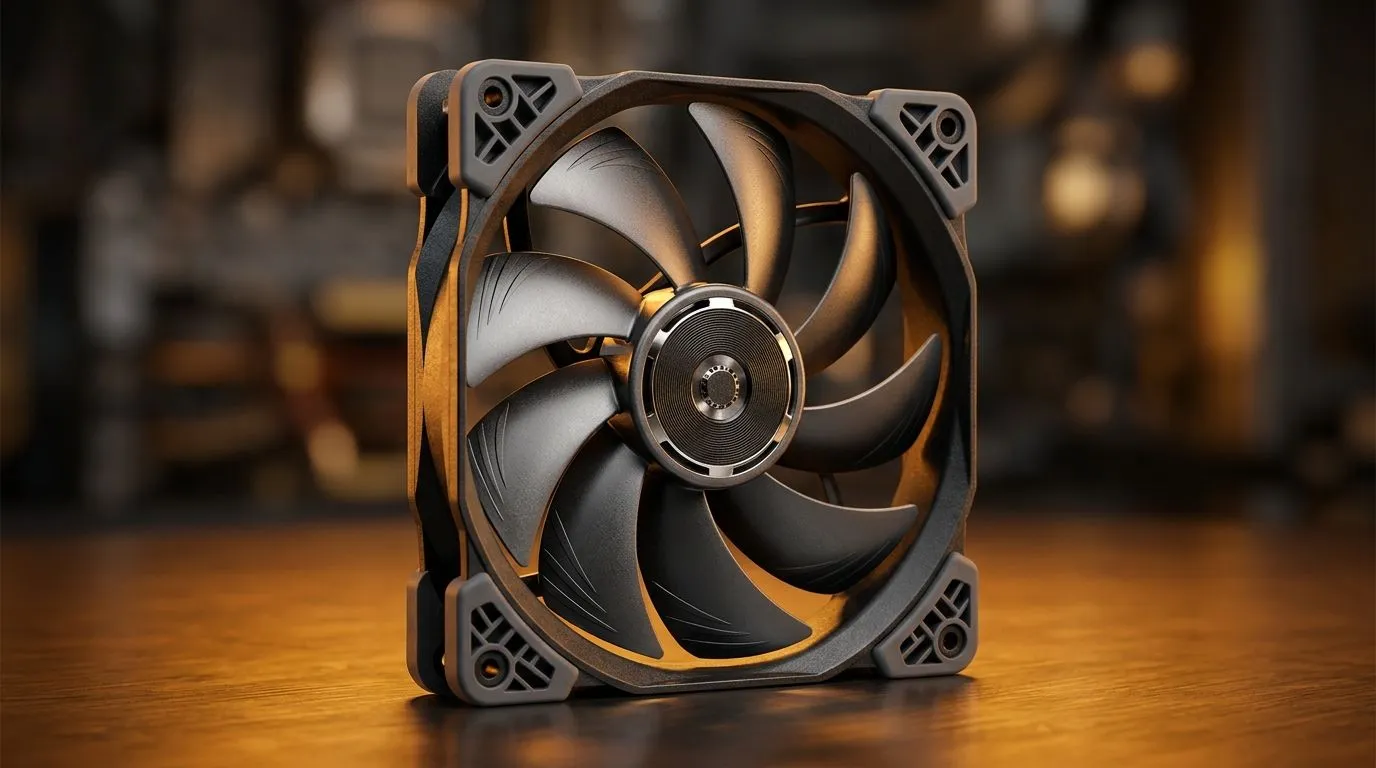
If your PC sounds like it’s auditioning for a tyre factory… it’s usually not the GPU. 🌀 It’s often case airflow plus fan vibration harmonics. For South African gamers running long Counter-Strike rounds, Warzone grinds, or productivity alongside streaming, stability matters as much as raw FPS. Anti-resonance fan design targets those unwanted “buzz” vibrations, helping your build feel calmer and run more consistently. Let’s break down what it is, why it matters, and how to choose the right fans for your setup in the Evetech range.
Anti-resonance fan design is built to reduce vibration transmission from the fan to the case. In practice, that means:
Why should you care? Because a stable cooling setup helps maintain predictable temperatures. And predictable temperatures make your fan curves and boost behaviour less “spiky” during intense gaming. ⚡
Most players notice it as:
This can be worse in mid-tower cases with minimal damping, or when fans are mounted loosely (or with mismatched screw pressure). Good anti-vibration design helps, but installation still matters.
On a typical case fan install, tighten mounting screws in a cross pattern (a few turns each) instead of fully tightening one side first. It reduces blade wobble and helps the anti-resonance mounting work as intended, especially on 120mm and 140mm fans.
When you’re shopping, match the fan to your case airflow strategy:
Here are a few useful places to browse as you decide.
Explore Evetech’s case fan selection to compare different builds and specs: case fans.
If you’re already committed to a brand ecosystem, check out CORSAIR case fans here: CORSAIR fans at Evetech.
Prefer Deepcool options for your cooling plan? Browse the Deepcool lineup: Deepcool case fans.
Want to keep your build clean and quiet without extra lighting? Start with fans that don’t lean on RGB: Non-RGB case fans.
Or, if you’re building a themed battlestation, you can filter by RGB effects: RGB case fans. ✨
For common airflow upgrades, consider the 120mm bracket of options: 120mm case fans.
And if you’ve got the clearance for bigger blades, shop 140mm: 140mm case fans. 🚀
Use this simple layout, especially if you’re chasing “less vibration, more stability”:
Then, set a conservative fan curve in your motherboard BIOS or fan controller. The goal is to avoid constant “RPM chasing” during gameplay. When your case fans ramp predictably, you usually hear less tonal noise too.
Finally… don’t ignore mounting pressure. If your fans wobble when you touch the frame, you’ve found the source of part of the problem.
After installing new fans, test them under a light load first (like a game menu or background tasks) and then gradually ramp to a full gaming session. If the noise jumps suddenly at one RPM range, adjust the curve to smooth that transition.
Anti-resonance fan design is about comfort as much as cooling. Less vibration means fewer distractions, steadier thermals, and a build that feels more “finished” when you sit down for a long session. If you’re upgrading on a budget (in ZAR), start by choosing the right size for your case, then prioritise mounting quality and noise behaviour over flash.
Ready to Find Your Perfect Match? The Mac vs Windows debate is complex, but for maximum power, choice, and value in South Africa, Windows is hard to beat. Explore our massive range of laptop specials and find the perfect machine to conquer your world.
Anti-resonance fan design uses tuned blade geometry and damping choices to counter resonant oscillations, reducing fan vibration for calmer operation.
It disrupts resonance paths by managing blade/airflow harmonics and balancing forces, which lowers vibration transfer into the PC chassis.
Often yes. By reducing vibration and harmonics, anti-resonance fan design helps lower noise caused by resonance, not just raw airflow level.
Yes. Lower vibration can reduce micro-movement in mounts and components, helping maintain consistent cooling performance and system steadiness.
No. Even moderate RPM fans can create harmonics. Anti-resonance fan design targets vibration mechanisms that show up at specific speeds.
Look for audible tonal whine at certain speeds, chassis buzzing, or rhythmic changes in noise when you adjust fan curves or RPM.
They can. Reducing vibration may lessen stress on fan bearings, mounts, and hardware connections, supporting more consistent long-term behavior.
RTX 5070 Cyberpunk 2077 at 1440p: FPS Benchmark. Real-world benchmark data, FPS numbers & performance analysis. What SA gamers can actually expect.
Read more
RTX 3060 Crimson Desert at 1080p: FPS Benchmark. Real-world benchmark data, FPS numbers & performance analysis. What SA gamers can actually expect.
Read more
RTX 5060 Ti Starfield at 1080p: FPS Benchmark. Real-world benchmark data, FPS numbers & performance analysis. What SA gamers can actually expect.
Read more
Intel Arc B580 Assassins Creed Shadows at 1440p. Real-world benchmark data, FPS numbers & performance analysis. What SA gamers can actually expect.
Read more
RX 9070 Avowed at 4K: FPS Benchmark & Optimal. Real-world benchmark data, FPS numbers & performance analysis. What SA gamers can actually expect.
Read more
RX 9070 XT Linux Support: Benchmark & Real-World. Real-world benchmark data, FPS numbers & performance analysis. What SA gamers can actually expect.
Read more
Top Valorant Settings for RTX 5070: FPS Optimisation picks evaluated on performance, value & SA availability with current Rand pricing from Evetech.

RDNA 3.5 Graphics in Ryzen AI 400? Can You Game. Plain-English explanation of what it means, why it matters & how it affects your buying decisions in SA.

GPU Price Index : December Report. Current stock data & price tracking for SA buyers. See what is available and where prices are heading.

RX 9070 XT Elden Ring Nightreign at 4K: FPS. Real-world benchmark data, FPS numbers & performance analysis. What SA gamers can actually expect.

Core i5-14600K + B760 + RTX 5060 Build Under. Full parts list, Rand pricing & expected performance. Build confidently with SA-available components.

RX 7600 Apex Legends at 4K: FPS Benchmark. Real-world benchmark data, FPS numbers & performance analysis. What SA gamers can actually expect.

RX 7900 XTX GTA 6 at 4K: FPS Benchmark & Optimal. Real-world benchmark data, FPS numbers & performance analysis. What SA gamers can actually expect.

Head-to-head comparison of RTX 5070 vs RX 9070 XT: Gaming Performance for SA gamers. Performance benchmarks, Rand pricing & which delivers better value.

Top RTX 5070 Under R25,000 picks evaluated on performance, value & SA availability with current Rand pricing from Evetech.
Core i5-14600K + B760 + RTX 5060 Build Under. Full parts list, Rand pricing & expected performance. Build confidently with SA-available components.

Top Monitor for RX 9070: Resolution & Refresh Rate picks evaluated on performance, value & SA availability with current Rand pricing from Evetech.

Valorant Settings on RX 9060 XT: Performance. Real-world benchmark data, FPS numbers & performance analysis. What SA gamers can actually expect.