

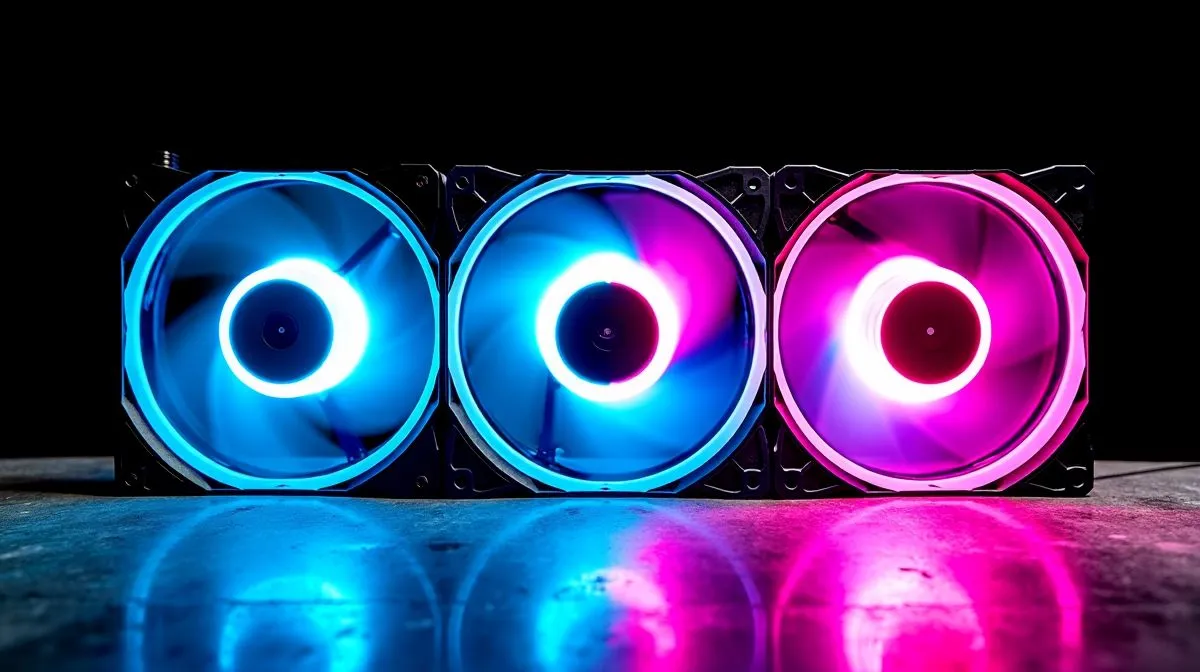
ARGB Fan Setups vs Standard Fans: why your PC sounds different from the start
South Africa’s summer power cuts already stress a lot of rigs… so why add extra heat and noise? If you’ve ever heard your tower spin up like a small engine under load, you’re not imagining it. Fans aren’t just about looks. They’re about how efficiently your CPU stays cool and how your system behaves during long gaming sessions.
In this test-focused guide, we compare ARGB Fan Setups vs Standard Fans: Cooling and Noise Tested so you can choose what actually improves performance. 🔧
ARGB Fan Setups vs Standard Fans: Cooling basics that decide everything
Fans move air. The cooling outcome depends on:
- Fan RPM and airflow (CFM) under similar control settings
- Static pressure, which matters for dense heatsinks and radiator fins
- Airflow path in your case (front-to-back is usually best)
- Fan curve in BIOS (how aggressively it ramps when temps rise)
Here’s the important bit: in most builds, the fan model and curve impact temps more than the RGB controller does. ARGB lighting adds a small electrical load, but typically not enough to change cooling performance on its own.
For CPU cooling options, you can browse Evetech’s current selection here, then match cooling type to your workload: air or liquid (AIO). 🔥
ARGB Fan Setups vs Standard Fans: what about noise?
Noise mostly comes from:
- RPM (higher RPM = louder, usually noticeable)
- Bearing quality (better bearings tend to last longer and stay smoother)
- Vibration (loose mounting or fan interference can amplify sound)
- Control method (PWM gives finer control than older DC-style setups)
Tip: if your “standard fan” setup is set to run hotter with a flatter fan curve, it may still end up loud. Meanwhile, an ARGB fan setup with good PWM control can be calmer.
ARGB Fan Setups vs Standard Fans: the fan-curve method that keeps things quiet
Set your BIOS fan curve to avoid constant ramping (that “stutter” noise gamers hate during matchmaking). Use temperature targets that match your CPU’s behaviour under gaming loads.
- Start with a gentle ramp up to mid temps
- Add more ramp only as temps approach throttling territory
- Test in a game you know stresses CPU, not just synthetic benchmarks
Build Quiet First, Then Add the Lights ✨
On Windows, use Windows Power Management settings to keep your gaming performance consistent while you test temperatures and fan curves. Avoid switching to “Balanced” mid-test if you can, because CPU boosts can change heat output and make your noise results misleading.
ARGB Fan Setups vs Standard Fans: when AIOs change the equation
If you’re testing cooling, you need to consider radiator size and cooler type. A larger radiator can reduce how hard fans must work, especially at higher ambient temperatures.
Check Evetech’s CPU cooler range:
- Air coolers first if you want simple reliability and usually lower pump complexity. Explore options here: https://www.evetech.co.za/PC-Components/cpu-coolers-84
- If you’re leaning toward an AIO, start with the full liquid selection here: https://www.evetech.co.za/PC-Components/cpu-coolers-84?attributes-coolertype=Liquid+Cooler+%28AIO%29
- Want to narrow it to a brand tier? Here’s CORSAIR AIO stock to compare models directly: https://www.evetech.co.za/PC-Components/cpu-coolers-84?attributes-coolertype=Liquid+Cooler+%28AIO%29&brands=CORSAIR
- Deepcool AIO models are also worth comparing for value and build options: https://www.evetech.co.za/PC-Components/cpu-coolers-84?attributes-coolertype=Liquid+Cooler+%28AIO%29&brands=Deepcool
- For bigger radiators, 360mm systems can let fans spin slower under load: https://www.evetech.co.za/PC-Components/cpu-coolers-84?attributes-coolertype=Liquid+Cooler+%28AIO%29&attributes-coolingsize=360mm+Radiator
- And if your case supports it, 240mm AIOs are a common balance point: https://www.evetech.co.za/PC-Components/cpu-coolers-84?attributes-coolertype=Liquid+Cooler+%28AIO%29&attributes-coolingsize=240mm+Radiator
ARGB Fan Setups vs Standard Fans: practical buying advice for South African gamers ⚡
Here’s the best way to decide:
- Pick your cooling class first (air vs AIO). That choice drives the bigger temperature differences.
- If you go ARGB, treat it as an enhancement. Look for PWM support and good fan specs.
- Prioritise fan quantity and layout over RGB alone. Balanced intake and exhaust matters more than colour.
- If you’re on a tighter budget, standard fans with an excellent fan curve can beat expensive RGB fans in real noise tests.
Want quieter gaming nights? Start with fan curve tuning and airflow, then add ARGB only once cooling is stable. 🚀
Ready to Find Your Perfect Match? The Mac vs Windows debate is complex, but for maximum power, choice, and value in South Africa, Windows is hard to beat. Explore our massive range of laptop specials and find the perfect machine to conquer your world.











