

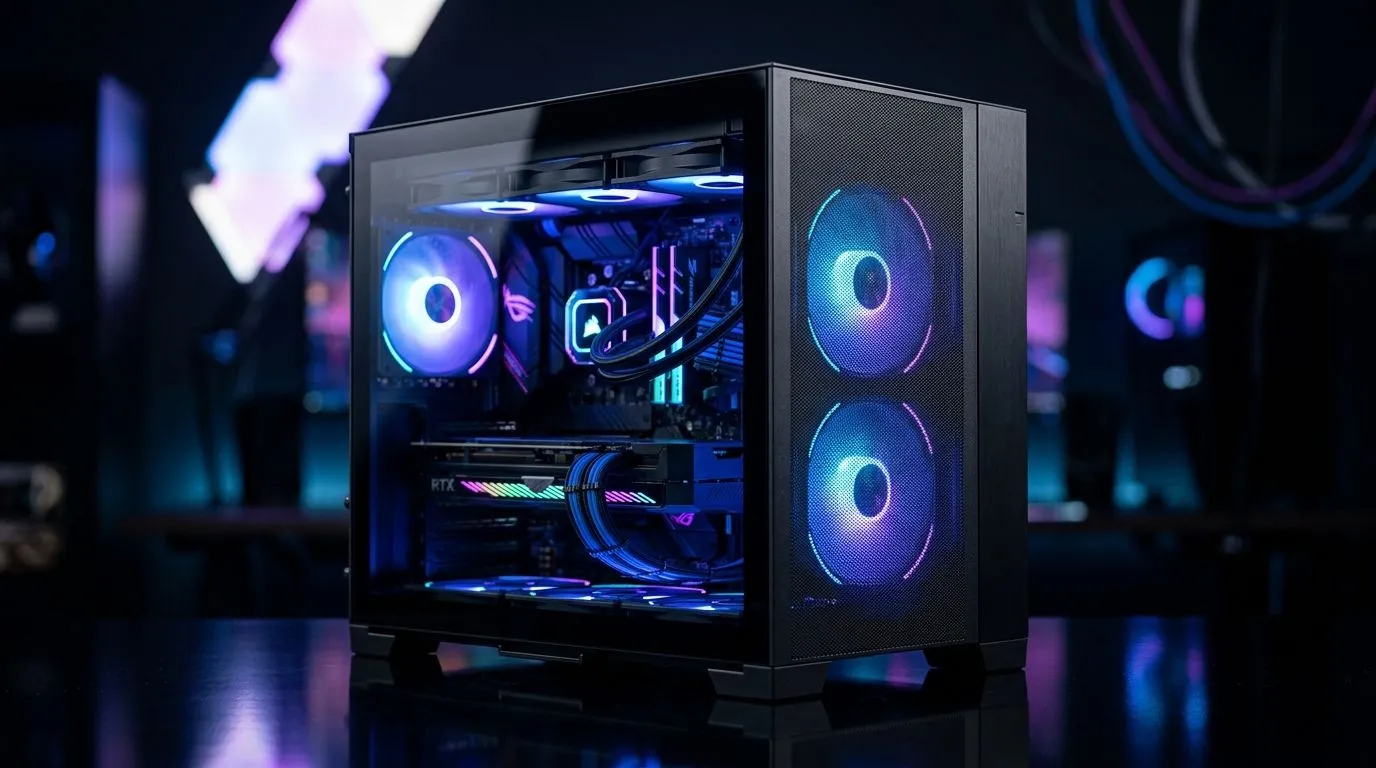
Best Airflow From 3 ARGB Fans in a Panoramic ATX Case
South African gamers know the struggle... hot rooms, long sessions, and hardware that works harder than it should 🔧 If your rig is running an RGB-heavy GPU and a hungry CPU, airflow matters more than flashy panels. A panoramic ATX case can look stunning, but the real win is smart cooling. With just three well-placed ARGB fans, you can keep temperatures steadier, reduce noise, and help your parts last longer.
Airflow in a Panoramic ATX Case
A panoramic case is built to show off your build from multiple angles. That means glass panels, cleaner lines, and usually a more open interior. Great for aesthetics. But airflow still needs planning. The best setups move cool air in from the front or side, then push warm air out through the top or rear.
If you only have three fans, placement matters. In most builds, a balanced intake and exhaust setup works best. Two intake fans can feed fresh air to the GPU, while one exhaust fan clears heat near the top. That keeps the flow predictable. It also avoids trapping warm air around your motherboard and graphics card.
For case browsing, start with Evetech’s range of computer cases if you want to compare layouts and form factors first.
Best Airflow From 3 ARGB Fans in a Panoramic ATX Case
This kind of build works because modern components do not always need a huge fan count... they need sensible direction. A good three-fan layout can outperform a messy six-fan setup if the airflow path is cleaner.
Here’s the simple rule:
1. Bring air in where the GPU can use it
Front or side intake is ideal. The graphics card is often the hottest component during gaming, especially in demanding titles.
2. Push heat out near the top
Warm air rises naturally, so a top or rear exhaust fan helps remove it efficiently.
3. Keep cables tidy
Loose power cables can block airflow. A clean interior helps more than people think.
For builders who like clean styling with solid cooling potential, Evetech’s Fractal Design PC cases are worth a look. Fractal is widely known for practical layouts and airflow-focused case design.
Airflow Pro Tip ⚡
When you install only three fans, test temperatures before and after changing fan direction. A small shift in airflow can lower GPU temperatures more than adding extra RGB ever will.
Why Three ARGB Fans Can Be Enough
Not every PC needs a wall of spinning plastic. Three quality ARGB fans can be enough for many mid-range and even high-end gaming builds, especially if the case has a sensible internal layout. The key is matching cooling to the parts inside.
If you’re building around a mainstream CPU and a single graphics card, you may get better results from smarter fan placement than from sheer fan count. That matters in South African homes too, where room temperatures can climb fast in summer. Less heat inside the case means less strain during long gaming nights and fewer distracting noise spikes.
If you want a stylish option without going over budget, check out Gamdias gaming cases for designs that balance looks and practicality.
What to Look for Before You Buy
A panoramic ATX case should not just look premium. It should make airflow easy.
Look for:
Mesh or vented intake areas
These help the fans breathe properly.
Enough clearance for your GPU
Bigger cards need room to move air.
Fan and radiator support
Even if you start with three fans, upgrade paths matter.
Dust filtering
Useful in South African environments, where dust can build up quickly.
If budget is tight, Evetech’s Gamdias gaming cases under R1500 can help you find a stylish entry point without overspending in rand.
Build Smarter, Not Louder
A good case choice saves you money later. Better airflow can mean lower fan speeds, less noise, and a more comfortable gaming experience. That’s useful whether you’re pushing FPS in competitive titles or rendering content after hours. If your case looks great but breathes badly, you’ll notice it. The smarter move is choosing a panoramic ATX case that supports airflow from the start 🚀
Ready to Find Your Perfect Match? The Mac vs Windows debate is complex, but for maximum power, choice, and value in South Africa, Windows is hard to beat. Explore our massive range of laptop specials and find the perfect machine to conquer your world.











