


RX 9070 XT Elden Ring Nightreign at 4K: FPS Benchmark & Optimal Settings
RX 9070 XT Elden Ring Nightreign at 4K: FPS. Real-world benchmark data, FPS numbers & performance analysis. What SA gamers can actually expect.
Read more- Compare best laptop for League of Legends across ASUS, MSI, Lenovo - Evaluate FPS, thermals, and price - Recommend top picks and buying tips Find the best laptop for League of Legends with clear FPS, cooling, and value guidance 🎮✨
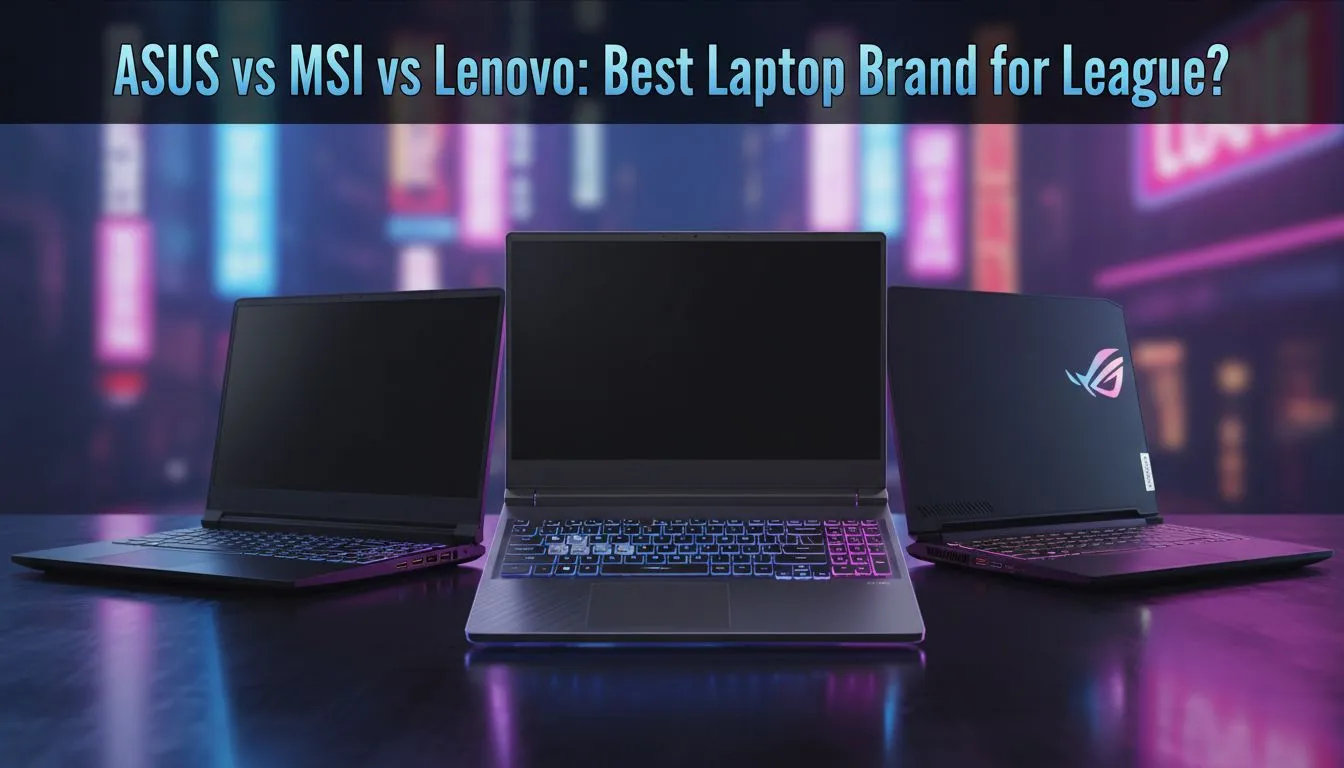
Climbing the LoL ranked ladder from South Africa is hard enough with our local latency. You don't need your hardware lagging when a team fight breaks out at Baron. Whether you're chasing Challenger or just playing ARAMs with the boys, picking the best laptop for League of Legends comes down to three giants: ASUS, MSI, and Lenovo. Let's find your perfect carry.
League of Legends is famously well-optimised, but that does not mean you should settle for mediocre gear. To truly compete, you need high frame rates and a screen that can keep up with the action. In the South African market, we often look for reliability... especially when we need to finish a match before the next stage of load shedding hits.
ASUS has long been a favourite in the local gaming community. Their ROG and TUF lineups offer a blend of aggressive styling and cooling solutions that handle our summer heat with ease. If you are looking for a machine that pairs high-end build quality with top-tier processing power, you should look at the latest Intel laptops on special. The TUF series, in particular, offers military-grade durability... perfect for the gamer who travels between home and LAN events.
MSI takes a "performance first" approach. They often pack higher-wattage components into their chassis compared to competitors at the same price point. For players who want the best possible frame-to-ZAR ratio, MSI is a strong contender. Their Katana and Cyborg series provide excellent thermal headroom. You can often find incredible value by browsing Ryzen laptop deals, which offer fantastic multi-core performance for both gaming and streaming your matches on Discord.
In the League of Legends video settings, try capping your frame rate to match your monitor's refresh rate (e.g., 144Hz). This prevents unnecessary GPU strain and keeps your frame times consistent, which is vital for hitting those crucial skill shots during chaotic team fights.
Lenovo has disrupted the market with their Legion and LOQ series. They are known for having some of the best laptop keyboards in the business... a major plus for hitting your QWER combos accurately. If you are a student or a gamer on a budget, you don't have to compromise on quality. There are several high-performance gaming laptops under R20k that will run League at maximum settings without breaking a sweat.
While League of Legends can run on a potato, it shines on a modern GPU. To experience the game at 144Hz or 240Hz, you want a dedicated graphics card that handles the visual clutter of ten players casting ultimates simultaneously. Investing in GeForce RTX gaming laptops on special ensures that your machine is future-proof for other titles like Valorant or Counter-Strike 2 as well.
Ultimately, the best choice depends on your specific needs. ASUS offers the flair, MSI brings the raw power, and Lenovo provides the refined balance. Before you make your final decision, it is always wise to compare the latest promotions. You can find the absolute best gaming laptop deals right here in South Africa to ensure you get the most out of every Rand spent. 🚀
Ready to Find Your Perfect Match? The debate between ASUS, MSI, and Lenovo is legendary, but the best laptop is the one that fits your playstyle and budget. Explore our massive range of laptop specials and find the perfect machine to conquer the Rift today.
MSI often leads for cooling and GPU performance; ASUS balances features and price; Lenovo Legion excels at thermals and keyboards.
Yes if you chase high FPS. Choose a laptop for 144fps League of Legends with a 144Hz+ panel to make the most of higher frame rates.
A budget laptop for League of Legends with GTX 1650 or modern integrated Ryzen can hit 60-100 FPS at 1080p on medium settings.
Consider ASUS TUF or ROG Strix lines; search ASUS laptop for League specs to match GPU, CPU, and cooling to your FPS goals.
Yes. Lenovo Legion models offer stable thermals and comfortable keyboards, making them solid for competitive League of Legends sessions.
Aim for a recent Ryzen 5/7 or Intel i5/i7 paired with GTX 30/40-series or RTX 20/30 for consistent 144+ FPS in League.
Gaming laptop thermals for LoL matter a lot: better cooling keeps FPS stable and prevents CPU/GPU throttling during long matches.
RX 9070 XT Elden Ring Nightreign at 4K: FPS. Real-world benchmark data, FPS numbers & performance analysis. What SA gamers can actually expect.
Read more
RTX 5090 Marvel Rivals FPS: Performance Benchmark. Real-world benchmark data, FPS numbers & performance analysis. What SA gamers can actually expect.
Read more
Intel Arc A770 Escape from Tarkov Performance. Real-world benchmark data, FPS numbers & performance analysis. What SA gamers can actually expect.
Read more
Head-to-head comparison of RX 9070 XT vs RTX 6070: Gaming Performance for SA gamers. Performance benchmarks, Rand pricing & which delivers better value.
Read more
Head-to-head comparison of RTX 5060 Ti Mining vs Gaming: Does It Affect for SA gamers. Performance benchmarks, Rand pricing & which delivers better value.
Read more
Ryzen 7 7800X3D Gaming Benchmark: FPS Across 20. Real-world benchmark data, FPS numbers & performance analysis. What SA gamers can actually expect.
Read more
Complete ATX Case Size Guide: Interior Dimensions. Best deals curated with real SA discounts, price history & tips on getting genuine value.

What GPU Do You Need for AI & Machine Learning. Hardware requirements breakdown with recommended specs & SA pricing for each tier.

Top Settings for RTX 4060 at Ultrawide 1440p picks evaluated on performance, value & SA availability with current Rand pricing from Evetech.

Head-to-head comparison of FreeSync vs G-Sync Explained: Which Should Gamers for SA gamers. Performance benchmarks, Rand pricing & which delivers better value.

Every spec on PCIe 5.0 explained in plain English. What matters for gaming and creator work in 2026, what's marketing fluff, and how each number translates to real-world performance.

Every spec on bios explained in plain English. What matters for gaming and creator work in 2026, what's marketing fluff, and how each number translates to real-world performance.

Every spec on gaming setups explained in plain English. What matters for gaming and creator work in 2026, what's marketing fluff, and how each number translates to real-world performance.

Every spec on cooling systems explained in plain English. What matters for gaming and creator work in 2026, what's marketing fluff, and how each number translates to real-world performance.

Every spec on understanding how much vram is needed explained in plain English. What matters for gaming and creator work in 2026, what's marketing fluff, and how each number translates to real-world.

How to pick the right PCIe 5.0 for your build in 2026: the features worth paying for, ZAR value tiers, and the trade-offs between budget, mid-range and flagship picks.

Every spec on gpu explained in plain English. What matters for gaming and creator work in 2026, what's marketing fluff, and how each number translates to real-world performance.

Every spec on gpu explained in plain English. What matters for gaming and creator work in 2026, what's marketing fluff, and how each number translates to real-world performance for SA buyers.