

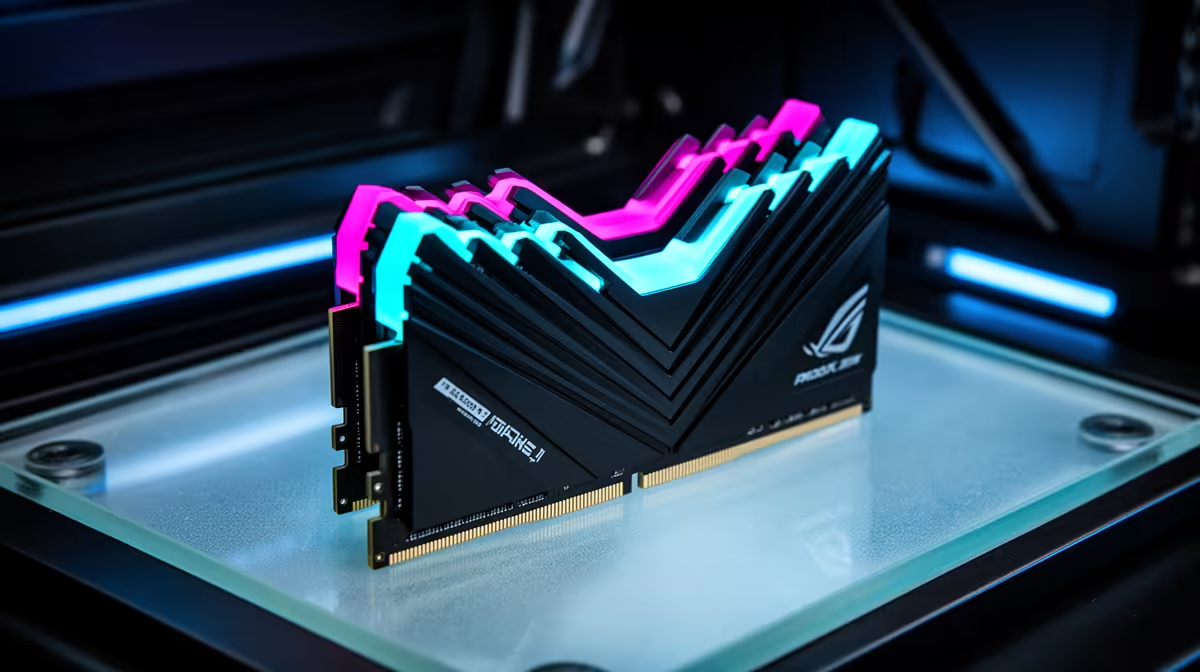
So, you've snagged the beastly MSI MAG X870E TOMAHAWK MAX WIFI motherboard for your new AMD build. Lekker! You're holding a ticket to insane performance, but to cash it in, you need the right fuel. We're talking about DDR5 RAM, and with this board, the sky's the limit. Choosing the best RAM for the MSI X870E Tomahawk MAX isn't just about grabbing the fastest kit; it's about finding the perfect balance for jaw-dropping speed.
Why Your RAM Choice is Crucial for X870E
With AMD's latest platform, memory isn't just a component; it's the central nervous system of your rig's performance. The new Zen 5 architecture and the X870E chipset are designed to stretch the legs of high-frequency DDR5 memory. Sticking with a slow or poorly optimised kit is like putting retread tyres on a Ferrari... you're just leaving performance on the table.
The MSI MAG X870E TOMAHAWK MAX WIFI PZ officially supports mind-bending speeds up to and beyond 8000MT/s. This is made possible by features like AMD EXPO (Extended Profiles for Overclocking), which allows for simple, one-click memory overclocking. Getting the optimal memory for your X870E build ensures your CPU isn't bottlenecked, leading to higher frame rates in games and faster response times in creative apps. 🚀
Finding the Sweet Spot: Speed, Latency, and Capacity
When hunting for the best RAM for your MSI X870E Tomahawk MAX, you'll be juggling three key specs: frequency (speed), CAS Latency (timings), and capacity (how many gigabytes).
Speed vs. Latency: The Eternal Battle
It's easy to get drawn in by the biggest number, like a massive 7800MT/s sticker. But speed is only half the story. CAS Latency (CL) measures the delay before the RAM responds to a command. A lower CL number is better.
- The Sweet Spot: For most South African gamers and power users, a kit running between 6000MT/s and 7200MT/s with a CL of 30 to 36 offers the best bang for your buck.
- The Enthusiast Tier: If you're pushing for every last frame and have the budget, exploring kits above 7200MT/s can yield fantastic results, especially with manual tuning.
Ultimately, the goal is to find a kit with high frequency and tight (low) timings that fits your budget. This board is just one part of a powerful ecosystem, which is why exploring the latest range of AMD motherboards can help you understand where the Tomahawk fits in the bigger picture.
Pro Tip: Enable EXPO in BIOS 🔧
Once you've installed your new DDR5 RAM, don't forget to jump into the MSI Click BIOS. Find the 'Memory Profile' or 'EXPO' setting and enable Profile 1. This single click loads the manufacturer's tested overclock settings, instantly unlocking the true speed of your memory kit. It's the easiest performance boost you'll ever get!
How Much RAM Do You Really Need?
The capacity question depends entirely on your workflow.
- 32GB (2x16GB): This is the new standard for high-end gaming and general productivity in 2024. It provides more than enough headroom for any AAA title, streaming, and multitasking without breaking a sweat.
- 64GB (2x32GB): If you're a content creator, 4K video editor, or run complex virtual machines, 64GB is a worthy investment. It prevents system slowdowns when working with massive files.
- 96GB+: This is workstation territory, reserved for professionals with extremely demanding memory needs.
Our Recommendations for Your Tomahawk MAX
While specific stock changes, the principles of choice remain the same. The best RAM for the MSI X870E Tomahawk MAX will always be a dual-channel kit with an AMD EXPO profile from a reputable brand. Whether you're building a new rig from scratch or upgrading an older one, choosing from a wide selection of motherboards is the first critical step, and you've already aced that part. ✨
Now, pair that incredible board with memory that lets it truly shine. Look for kits that balance speed and latency, and you'll have a PC that's not just fast... it's Evetech-fast.
Ready to Unleash Full Power? The MSI X870E Tomahawk MAX is the foundation for a truly epic build. Don't stop at the motherboard. Explore our massive range of PC components and build the high-performance machine you deserve.











