

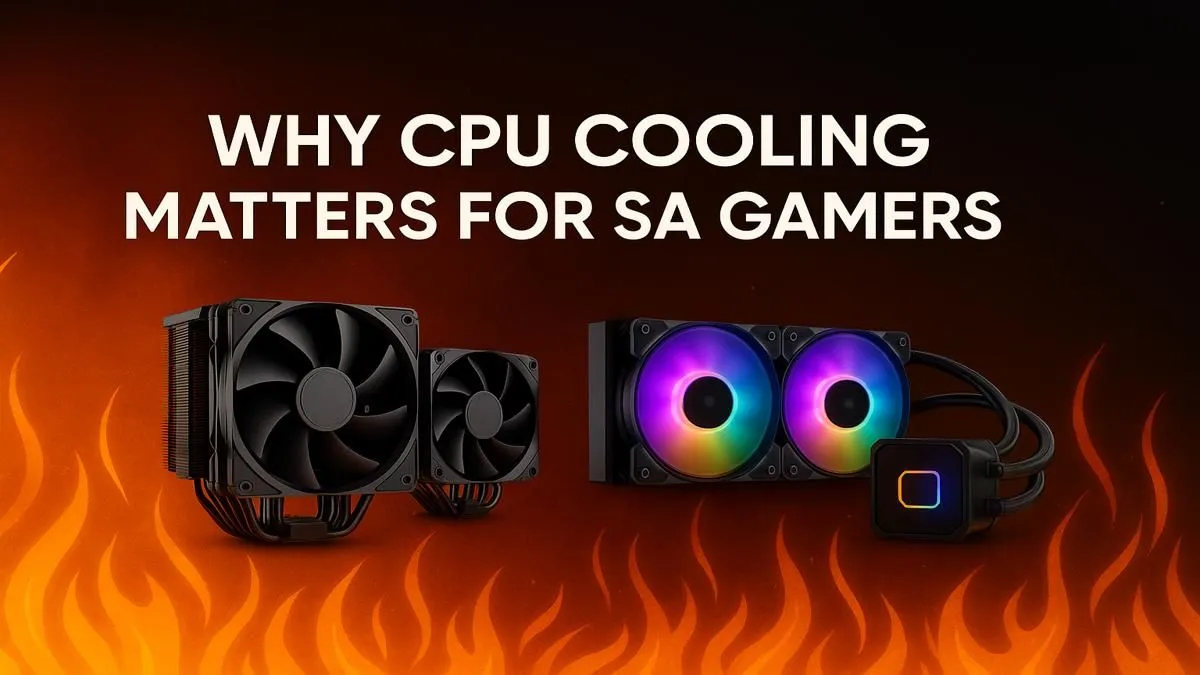
We’ve all felt it. That blistering Highveld summer heat. Now, imagine your PC’s processor feeling that same heat during a tense Warzone match. Without proper CPU cooling for gaming, your high-end rig can start to stutter and lag... just when you need it most. Keeping your CPU frosty isn't just a luxury; for South African gamers, it’s a non-negotiable part of building a reliable machine. Let's look at why.
The Performance Killer... Thermal Throttling 🌡️
Your CPU is smart... maybe too smart. When it gets dangerously hot, it deliberately slows itself down to prevent permanent damage. This self-preservation act is called thermal throttling, and it’s the number one culprit behind those sudden, frustrating frame drops. One moment you're hitting 144 FPS, the next you're a slideshow. A powerful processor is only as good as its ability to stay cool under pressure, making an effective CPU cooling solution essential for stable performance.
Why SA's Climate Demands Better CPU Cooling
Let's be honest, South Africa is not a cold country. Whether you're dealing with Durban's humidity or a dry Karoo heatwave, high ambient temperatures make your PC's job much harder. Your cooler has to work overtime just to keep the CPU at a reasonable idle temperature, let alone during a demanding gaming session. This is why a stock cooler, often included with a new CPU, just doesn't cut it for serious gamers here. Investing in better CPU cooling for gaming is investing in consistent performance, no matter the season. Whether you're running the latest Intel Core i9 or a top-tier AMD chip, a robust cooler is key. 🚀
Your Cooling Arsenal: Air vs. Liquid (AIO)
When it comes to upgrading your CPU cooling, you generally have two choices: traditional air coolers or All-In-One (AIO) liquid coolers.
- Air Coolers: These use a heatsink (a block of metal fins) and a fan to draw heat away from the CPU. They are reliable, affordable, and modern high-end models can compete with many AIOs.
- AIO Liquid Coolers: These use a closed loop of liquid to transfer heat from the CPU to a radiator, where it's cooled by fans. They often offer superior cooling for overclocking and have a clean, modern aesthetic.
Many gamers assume liquid is always better, but it's not that simple. For many powerful AMD Ryzen CPUs, a premium air cooler provides more than enough thermal headroom without the added complexity or potential points of failure of a liquid system.
Cooler Choice Quick Tip ❄️
For most South African gamers building a new rig, a quality tower air cooler from a brand like Noctua, Cooler Master, or DeepCool offers the best balance of price, performance, and reliability. Only consider an AIO if you're pushing serious overclocks or have a specific aesthetic in mind for a small form-factor case.
Quick Wins to Optimise Your PC's Airflow
Before you even buy a new cooler, you can take simple steps to improve your PC's thermal performance. Think of it as a free upgrade. 🔧
- Clean Your Case: Dust is a great insulator... which is terrible for PC components. Regularly clean your PC's dust filters and use compressed air to clear out internal dust buildup.
- Check Your Fan Curves: Use your motherboard's BIOS or software to set a more aggressive fan curve. This tells your fans to spin up faster as temperatures rise.
- Optimise Cable Management: Messy cables can block airflow. Tucking them away neatly behind the motherboard tray can significantly improve how air moves through your case.
These small tweaks can make a surprising difference, but for the ultimate peace of mind and unlocking your PC's full potential, a dedicated aftermarket cooler is the way to go.
Ready to Beat the Heat? Don't let thermal throttling sabotage your win streak. Proper CPU cooling is an investment in performance and longevity. Explore our massive range of CPU coolers and find the perfect solution to keep your rig running cool and fast.





