Quick Answer
For gaming in 2026, DisplayPort 2.1 is the superior standard for desktop gaming builds that need the highest bandwidth, supporting 4K at 240Hz and 8K at 60Hz without compression. HDMI 2.1 is the better choice for console gaming and connecting TVs, supporting 4K at 120Hz with VRR. For most South African PC gamers using a gaming monitor, DisplayPort 2.1 delivers the highest performance ceiling, while HDMI 2.1 covers all console and TV scenarios.
Bandwidth and Resolution: What Each Standard Supports
DisplayPort 2.1 operates at up to 80Gbps of total bandwidth using UHBR20 (Ultra-High Bit Rate 20). This is more than three times the bandwidth of HDMI 2.1's 48Gbps theoretical maximum. In practical gaming terms, DisplayPort 2.1 enables uncompressed 4K at 240Hz, 1440p at 360Hz, and even 8K at 60Hz without requiring Display Stream Compression (DSC). These bandwidth figures matter most to enthusiast-level gaming monitor owners and those planning their setups for the next three to five years of display technology.
HDMI 2.1 at 48Gbps handles 4K at 120Hz and 1440p at 144Hz without compression, covering the vast majority of gaming monitor and TV use cases in 2026. For South African gamers using a 4K 120Hz gaming TV for console or PC gaming, HDMI 2.1 is entirely sufficient and has the advantage of being the standard connection on consoles, TVs, and all-in-one displays. The two standards are not in direct competition for most buyers; they serve different connection scenarios.
VRR, HDR, and Feature Support
Both DisplayPort 2.1 and HDMI 2.1 support Variable Refresh Rate technology that eliminates screen tearing without adding the input lag that fixed V-Sync introduces. DisplayPort's VRR is implemented as G-Sync or Adaptive Sync on gaming monitors. HDMI 2.1's VRR is used primarily for console-side VRR on PlayStation 5 and Xbox Series X, as well as on gaming TVs.
HDR support is robust on both standards. HDMI 2.1 carries all HDR metadata formats including HDR10, Dolby Vision, and HDR10+ for TV and console applications. DisplayPort 2.1 carries HDR10 and HDR10+ for monitor applications. For gaming monitor use, the HDR implementation quality depends more on the display's panel technology and local dimming performance than on which cable standard is carrying the signal.
Audio return channel functionality (ARC and eARC) is exclusive to HDMI. This is a meaningful practical difference for South African users who connect their PC to a TV and want to route audio through a soundbar or AV receiver using the TV as the audio hub. DisplayPort does not support ARC, making HDMI the required standard for these home theatre integration scenarios.
Which Standard Should South African Gamers Choose?
The right choice depends entirely on your gaming setup. For PC gamers using a dedicated gaming monitor, DisplayPort is the standard that virtually all high-refresh-rate gaming monitors use as their primary input. DisplayPort 2.1 is now available on current-generation graphics cards from both AMD and Nvidia, and on next-generation gaming monitors offering 4K at 240Hz or 1440p at 360Hz. If your current monitor runs at 1440p 144Hz or 4K 120Hz, DisplayPort 1.4 covers your needs; DisplayPort 2.1 provides future-proofing headroom for the next display upgrade.
For gamers who also use a console on the same TV, HDMI 2.1 is the required standard for 4K 120Hz console gaming. Most premium gaming TVs have multiple HDMI 2.1 ports, allowing both a PC (via HDMI 2.1 from the GPU) and a console to connect simultaneously. In this scenario, the GPU selection matters since most current-generation gaming GPUs include at least one HDMI 2.1 port alongside their DisplayPort outputs.
It does influence display selection since TVs and monitors draw different power levels and interact differently with UPS systems during outages.
Cables, Compatibility, and What to Buy
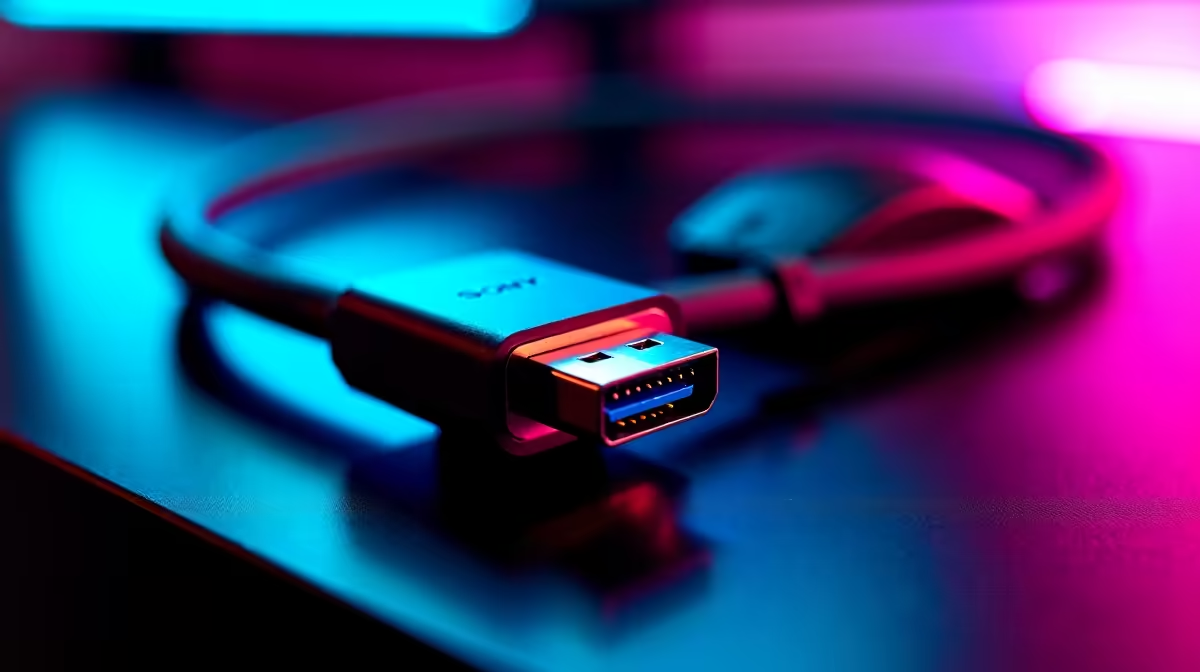
Physical cable quality is relevant for both standards at their maximum bandwidth. A certified DisplayPort 2.1 cable is required to achieve full UHBR20 bandwidth; using an older cable with a DP 2.1 port limits you to lower bandwidth modes. Similarly, an 8K-rated or Ultra High Speed HDMI cable is required for HDMI 2.1 at full 48Gbps. When purchasing cables in South Africa, verify the cable specification on the packaging rather than relying on port labelling alone.
Adapters between DisplayPort and HDMI work well for most use cases at lower bandwidth requirements but may not support the highest refresh rates and resolutions of each standard's maximum specification. For a permanent, high-performance connection, using the native cable type for each port pairing is always preferable.
FAQ
Can I use a DisplayPort 2.1 cable on a DisplayPort 1.4 monitor?
Yes. DisplayPort is fully backwards-compatible. A DP 2.1 cable works on DP 1.4 and DP 1.2 ports and negotiates to the highest mutually supported bandwidth. You will not get DP 2.1 bandwidth from a DP 1.4 monitor, but the cable is safe and functional.
Does HDMI 2.1 support 4K 144Hz for PC gaming?
HDMI 2.1 technically supports 4K 144Hz using Display Stream Compression (DSC), but most gaming monitors still implement 4K 144Hz and above through DisplayPort rather than HDMI in 2026. Some gaming monitors with HDMI 2.1 ports support 4K 120Hz natively without DSC. Check your specific monitor's spec sheet for its HDMI maximum resolution and refresh rate.
Is DisplayPort 2.1 available on current graphics cards?
Yes. AMD's RDNA 4 cards (RX 9000 series) and Nvidia's RTX 50-series GPUs both include DisplayPort 2.1 outputs. Previous-generation RDNA 3 and RTX 40-series cards included DisplayPort 2.1 on some models. Check your specific card's output specification to confirm DP version support.
Which standard should I use to connect my gaming PC to a TV for couch gaming?
HDMI 2.1 is the correct choice for TV connections. TVs use HDMI as their standard input, and HDMI 2.1 supports 4K at 120Hz with VRR for a full-feature gaming TV experience. Most current gaming GPUs include at least one HDMI 2.1 port for exactly this use case.
Ready to Find Your Perfect Match?
Browse gaming monitors with DisplayPort 2.1 and HDMI 2.1 support for your setup. Shop PC Monitors at Evetech