


RX 9070 XT Elden Ring Nightreign at 4K: FPS Benchmark & Optimal Settings
RX 9070 XT Elden Ring Nightreign at 4K: FPS. Real-world benchmark data, FPS numbers & performance analysis. What SA gamers can actually expect.
Read more• DLSS 4 vs FSR 4 input lag — compare latency and frame timing • Explain whether upscaling causes input lag • Recommend settings and hardware for low-lag CS2 play • Answer common player FAQs and testing tips 🎮⚡
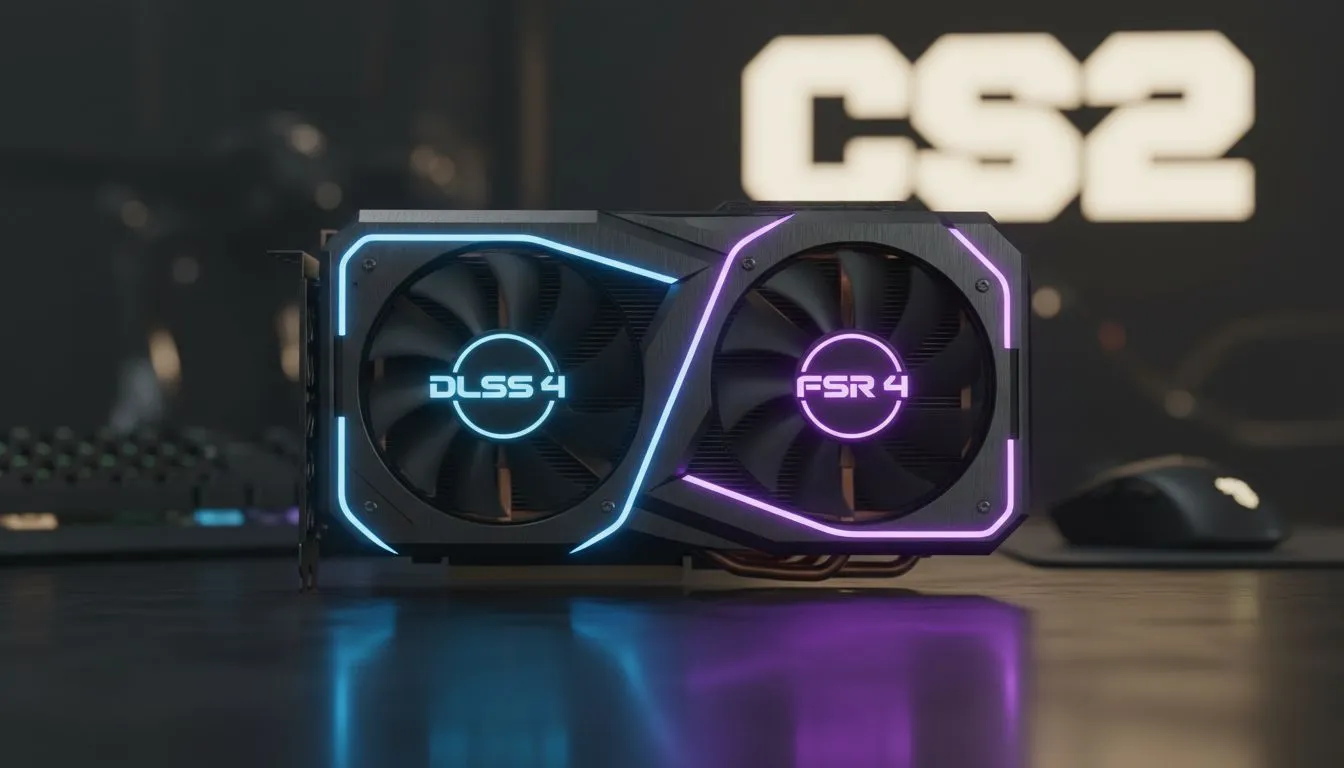
Every millisecond counts when you are lining up a headshot in Apex Legends or Warzone. You want high frame rates, but does AI upscaling come at a cost? As DLSS 4 and FSR 4 enter the conversation, South African gamers are asking the big question... does upscaling add latency? Let's dive into the DLSS 4 vs FSR 4 input lag debate and see which tech keeps your response times crisp. ⚡
Upscaling works by rendering your game at a lower resolution and using smart algorithms to fill in the gaps. This process takes a small amount of time. In the past, this was negligible. However, with the introduction of Frame Generation, the "feel" of the game changed. Whether you are looking for raw power or AI features, choosing the right NVIDIA or AMD graphics card is the first step toward a lag-free experience.
NVIDIA’s DLSS 4 is expected to further refine how frames are reconstructed. By using dedicated Tensor cores, the processing time is kept incredibly low. To combat any added delay, NVIDIA pairs this with Reflex technology. This ensures that even if the GPU is busy, your mouse input is prioritised. Many local gamers prefer MSI graphics cards because their custom cooling solutions help maintain consistent clock speeds... which is vital for stable latency.
AMD has confirmed that FSR 4 will move toward a fully AI-based approach. This is a massive shift from the spatial upscaling used in earlier versions. The goal is to improve image quality while keeping the performance boost high. For those on a budget in SA, you can buy AMD Radeon graphics cards to boost your frames without breaking the bank.
The main concern with FSR 4 will be how it handles Frame Generation latency. AMD uses "Anti-Lag+" to synchronize the CPU and GPU. While it works well, it often requires a fine touch to match NVIDIA's hardware-level integration. If you are spending R15,000 or more on a GPU, these small differences in input feel become very noticeable in competitive play.
Always enable NVIDIA Reflex or AMD Anti-Lag in your game settings when using upscaling. These technologies are designed to offset the processing time added by frame reconstruction... ensuring your mouse clicks feel instant even when the GPU is under heavy load.
It is not just a two-horse race anymore. Intel is also making waves with XeSS, which you can find on Intel Arc graphics cards at very competitive prices. Their approach to upscaling is similar to DLSS, using machine learning to keep images sharp.
While gamers focus on milliseconds, professionals also benefit from these technologies. Even workstation graphics cards are seeing AI upscaling benefits in creative apps like Blender or Premiere Pro. In these scenarios, a few milliseconds of input lag matter less than the massive boost in viewport fluidity.
The short answer is no... provided you use the right settings. Pure upscaling (Super Resolution) adds almost zero perceptible lag. It is only when you toggle "Frame Generation" that latency becomes an issue. DLSS 4 and FSR 4 are both aiming to solve this by making the AI smarter and faster. 🚀
In South Africa, where we often deal with higher pings to international servers, adding local hardware latency is the last thing you want. By pairing a modern GPU with a high refresh rate monitor, you can enjoy the visual fidelity of upscaling without sacrificing your competitive edge.
Ready to Find Your Perfect Match? The DLSS vs FSR debate is complex, but for maximum power, choice, and value in South Africa, Evetech has the hardware you need. Explore our massive range of graphics card specials and find the perfect machine to conquer your world.
DLSS 4 usually adds negligible input lag in CS2; frame generation can add latency, but pure upscaling often keeps dlss 4 input lag imperceptible.
FSR 4 typically has similar or lower input lag than DLSS 4 in upscaling-only modes; fsr 4 input lag varies by GPU and settings.
Frame generation can introduce extra latency compared with single-frame upscalers; check frame generation vs upscaling lag tests for details.
Use frame-time logging, a high-speed camera, or in-game timing tools for an upscaling input latency test to capture real-world lag.
Lower render scale, disable frame generation if needed, use high refresh rates and reduce buffering—see best settings for low input lag CS2.
Yes. Faster GPUs and up-to-date drivers reduce processing time; follow gpu settings for minimal latency to optimize performance.
Yes. Many players use upscaling for higher FPS with minimal input lag; compare cs2 performance dlss vs fsr to pick the best option.
RX 9070 XT Elden Ring Nightreign at 4K: FPS. Real-world benchmark data, FPS numbers & performance analysis. What SA gamers can actually expect.
Read more
RTX 5090 Marvel Rivals FPS: Performance Benchmark. Real-world benchmark data, FPS numbers & performance analysis. What SA gamers can actually expect.
Read more
Intel Arc A770 Escape from Tarkov Performance. Real-world benchmark data, FPS numbers & performance analysis. What SA gamers can actually expect.
Read more
Head-to-head comparison of RX 9070 XT vs RTX 6070: Gaming Performance for SA gamers. Performance benchmarks, Rand pricing & which delivers better value.
Read more
Head-to-head comparison of RTX 5060 Ti Mining vs Gaming: Does It Affect for SA gamers. Performance benchmarks, Rand pricing & which delivers better value.
Read more
Ryzen 7 7800X3D Gaming Benchmark: FPS Across 20. Real-world benchmark data, FPS numbers & performance analysis. What SA gamers can actually expect.
Read more
Complete ATX Case Size Guide: Interior Dimensions. Best deals curated with real SA discounts, price history & tips on getting genuine value.

What GPU Do You Need for AI & Machine Learning. Hardware requirements breakdown with recommended specs & SA pricing for each tier.

Top Settings for RTX 4060 at Ultrawide 1440p picks evaluated on performance, value & SA availability with current Rand pricing from Evetech.

Head-to-head comparison of FreeSync vs G-Sync Explained: Which Should Gamers for SA gamers. Performance benchmarks, Rand pricing & which delivers better value.

Every spec on PCIe 5.0 explained in plain English. What matters for gaming and creator work in 2026, what's marketing fluff, and how each number translates to real-world performance.

Every spec on bios explained in plain English. What matters for gaming and creator work in 2026, what's marketing fluff, and how each number translates to real-world performance.

Every spec on gaming setups explained in plain English. What matters for gaming and creator work in 2026, what's marketing fluff, and how each number translates to real-world performance.

Every spec on cooling systems explained in plain English. What matters for gaming and creator work in 2026, what's marketing fluff, and how each number translates to real-world performance.

Every spec on understanding how much vram is needed explained in plain English. What matters for gaming and creator work in 2026, what's marketing fluff, and how each number translates to real-world.

How to pick the right PCIe 5.0 for your build in 2026: the features worth paying for, ZAR value tiers, and the trade-offs between budget, mid-range and flagship picks.

Every spec on gpu explained in plain English. What matters for gaming and creator work in 2026, what's marketing fluff, and how each number translates to real-world performance.

Every spec on gpu explained in plain English. What matters for gaming and creator work in 2026, what's marketing fluff, and how each number translates to real-world performance for SA buyers.