

RTX 5060 Ti vs RX 9070: Gaming Performance Compared in South Africa 2026
Head-to-head comparison of RTX 5060 Ti vs RX 9070: Gaming Performance for SA gamers. Performance benchmarks, Rand pricing & which delivers better value.
Read moreFix poor webcam audio from built-in microphones with practical troubleshooting steps for calls and livestreams 🎧. Diagnose settings, reduce echo, and get clearer sound fast without extra gear.
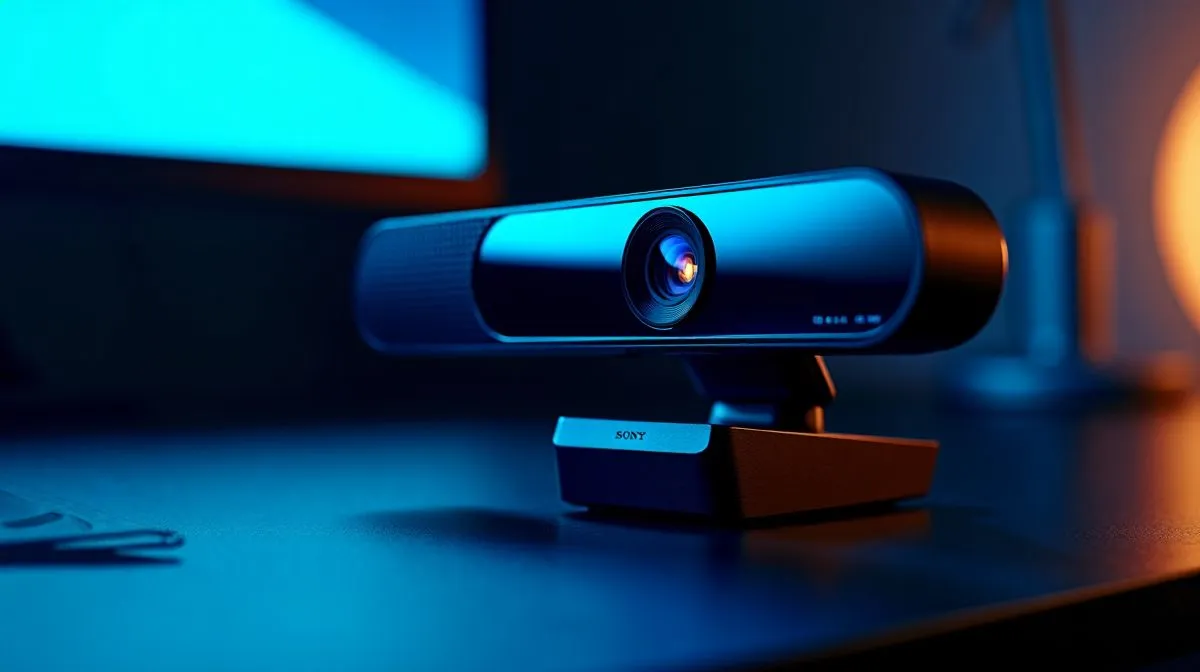
If your webcam sounds muddy, tinny, or like it’s recording from the next room… you’re not imagining it. Built-in microphones often pick up keyboard taps, fan noise, and room echo before they capture your voice. For South African gamers, streamers, and remote workers, that can make a quick Discord call or client meeting feel awkward fast. The good news? You can usually improve webcam audio on a built-in mic with a few simple checks 🔧
Before buying anything, test the mic in a quiet room. Close your door, switch off a noisy fan, and move the webcam closer to your mouth. Built-in mics are usually best within arm’s length. If the webcam sits too far away, your voice drops in volume and background noise takes over.
Next, check your settings in Windows, Zoom, Discord, or OBS. Make sure the correct microphone is selected. Then raise input levels slowly. Too much gain can make your voice crackle, but too little leaves it weak and flat. A small change often makes a big difference.
Drivers matter more than many people think. Open Device Manager and update your audio and webcam drivers. If the problem started after an update, try rolling back the driver. Also test the mic on another app. That helps you spot whether the issue is hardware, software, or just a bad profile setting.
If you use a headset for gaming, disable any extra microphone processing that may clash with the webcam mic. Noise suppression can help, but aggressive filters sometimes make voices sound robotic. Keep it light and test again.
Use the Windows Sound settings to lower input sensitivity first. If your mic is clipping, reduce gain before enabling heavy noise suppression. Cleaner audio usually comes from less processing, not more.
Sometimes the microphone is the weak point, not your setup. Many budget webcams use tiny mics that work for calls, but struggle with clarity in real homes. South African homes can be busy spaces… TVs in the next room, load-shedding fan setups, and hard surfaces all add echo.
If you’re shopping for an upgrade, start with a proper webcam range here: browse Evetech webcams. If you want to keep spending tight, these webcams under R1000 are a sensible place to compare options.
For creators who want a better balance between image and audio, these webcams under R2000 can offer a nicer leap in overall quality. If you’re aiming higher and want more room to choose, check the R3000 webcam range for stronger feature sets and more polished results.
Think of webcam audio like braai smoke... if the source is too far away or too busy, the result gets messy. Keep the mic close, reduce room noise, and avoid maxing out gain. If that still doesn’t fix it, the mic may simply be the wrong tool for your setup. A dedicated webcam or external mic can save time and frustration.
Ready to Find Your Perfect Match? The Mac vs Windows debate is complex, but for maximum power, choice, and value in South Africa, Windows is hard to beat. Explore our massive range of laptop specials and find the perfect machine to conquer your world.
Muffled audio usually comes from low mic gain, bad input device selection, or audio processing. Check Windows/Mac input, boost levels carefully, and test again.
Echo often comes from speaker feedback. Use headphones, reduce speaker volume, and disable noise suppression conflicts. Then confirm the webcam mic is the active input.
Increase microphone input volume in system settings, set the correct input device for your video app, and avoid clipping by lowering gain if distortion appears.
Improve placement, turn off nearby fans, and use app-level noise suppression. Avoid over-processing that can make webcam audio sound robotic.
Distortion usually means the mic input is clipping. Lower mic gain, check sample rate/input levels, and test with a short recording before you go live.
Yes. Outdated audio drivers or incorrect permissions can break input behavior. Update audio drivers, verify permissions, and reboot to clear audio conflicts.
Use the OS sound recorder to test the webcam microphone. If it’s bad there, it’s not the call app; if it’s fine, adjust app audio settings.
Head-to-head comparison of RTX 5060 Ti vs RX 9070: Gaming Performance for SA gamers. Performance benchmarks, Rand pricing & which delivers better value.
Read more
RTX 5090 Star Wars Outlaws at 1440p: FPS. Real-world benchmark data, FPS numbers & performance analysis. What SA gamers can actually expect.
Read more
RTX 5060 Star Wars Outlaws at 4K: FPS Benchmark. Real-world benchmark data, FPS numbers & performance analysis. What SA gamers can actually expect.
Read more
Head-to-head comparison of RTX 5060 vs RX 7700 XT: Price-to-Performance for SA gamers. Performance benchmarks, Rand pricing & which delivers better value.
Read more
RTX 3060 Red Dead Redemption 2 FPS: Performance. Real-world benchmark data, FPS numbers & performance analysis. What SA gamers can actually expect.
Read more
Head-to-head comparison of RTX 5060 Benchmarks vs Real Gaming Performance for SA gamers. Performance benchmarks, Rand pricing & which delivers better value.
Read more
When Will the RTX 6090 Launch in South Africa Detailed answer with SA data, expert analysis & practical recommendations for local buyers.

Top Valorant Settings for RTX 5070: FPS Optimisation picks evaluated on performance, value & SA availability with current Rand pricing from Evetech.

RDNA 3.5 Graphics in Ryzen AI 400? Can You Game. Plain-English explanation of what it means, why it matters & how it affects your buying decisions in SA.

GPU Price Index : December Report. Current stock data & price tracking for SA buyers. See what is available and where prices are heading.

Core i5-14600K + B760 + RTX 5060 Build Under. Full parts list, Rand pricing & expected performance. Build confidently with SA-available components.

RX 7600 Apex Legends at 4K: FPS Benchmark. Real-world benchmark data, FPS numbers & performance analysis. What SA gamers can actually expect.

RX 7900 XTX GTA 6 at 4K: FPS Benchmark & Optimal. Real-world benchmark data, FPS numbers & performance analysis. What SA gamers can actually expect.

Head-to-head comparison of RTX 5070 vs RX 9070 XT: Gaming Performance for SA gamers. Performance benchmarks, Rand pricing & which delivers better value.

GPU Setup Guide Gamers. Clear setup instructions with SA-specific considerations, troubleshooting tips & recommended components.

Top RTX 5090 Under R12000 picks evaluated on performance, value & SA availability with current Rand pricing from Evetech.

Call of Duty Warzone 2 Settings on RX 7600. Real-world benchmark data, FPS numbers & performance analysis. What SA gamers can actually expect.

GTA 6 Settings on RTX 5070 Ti: Performance. Real-world benchmark data, FPS numbers & performance analysis. What SA gamers can actually expect.