

RTX 5070 Cyberpunk 2077 at 1440p: FPS Benchmark & Optimal Settings
RTX 5070 Cyberpunk 2077 at 1440p: FPS Benchmark. Real-world benchmark data, FPS numbers & performance analysis. What SA gamers can actually expect.
Read moreReady to fix screen tearing 1440p and achieve buttery-smooth gameplay? This guide dives into powerful GPU-based solutions, from tweaking NVIDIA/AMD settings to understanding G-SYNC and FreeSync. Eliminate frustrating visual artifacts and unlock your monitor's true potential. 🚀🎮
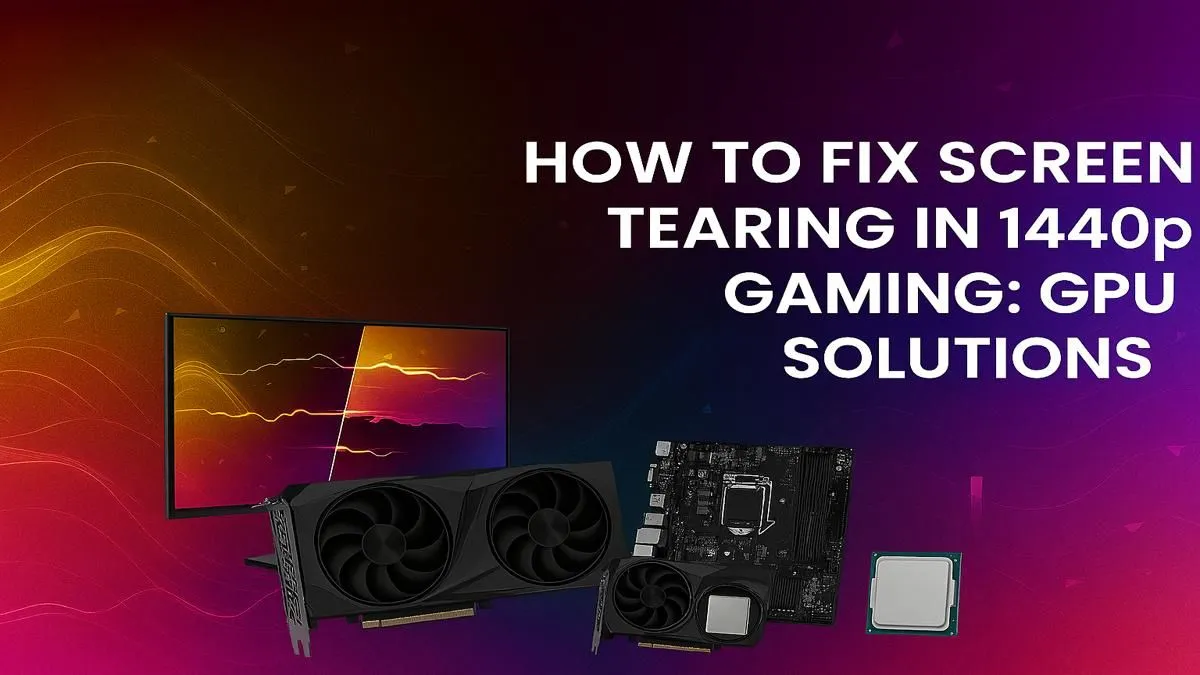
You’ve invested in a glorious 1440p monitor, ready for crisp visuals in Helldivers 2 or Apex Legends. But instead of immersive beauty, you get a jarring horizontal line that splits your screen in two. That, my friend, is screen tearing, and it can ruin any gaming session. Don’t stress… we’re here to help you fix screen tearing at 1440p, and the solution often starts and ends with your graphics card. Let's get it sorted.
At its core, screen tearing is a synchronisation problem. Your graphics card (GPU) is rendering frames at a different rate than your monitor can display them. When your GPU sends a new frame halfway through your monitor’s refresh cycle, you see parts of two different frames at once… creating that ugly tear.
Why does it feel worse at 1440p? Because this higher resolution demands much more power from your GPU. This can cause your frame rate to fluctuate wildly, making it harder to stay in sync with your monitor's fixed refresh rate (like 144Hz or 165Hz). A stable frame rate is key to a smooth experience.
Before you start browsing for hardware, a few software tweaks can make a massive difference. Sometimes, the best 1440p screen tearing solution is just a click away in your settings menu.
The oldest trick in the book is V-Sync (Vertical Sync). It forces your GPU to cap its frame rate to your monitor's refresh rate, eliminating tearing completely. The downside? It can introduce noticeable input lag, which is a big no-no for competitive gaming. A more modern approach is to use an in-game frame rate limiter or a tool like NVIDIA's Control Panel to cap your FPS just below your monitor's refresh rate.
However, the best software-driven solution is Adaptive Sync technology. This is the magic behind NVIDIA G-Sync and AMD FreeSync, which allows your monitor to adjust its refresh rate in real-time to match your GPU's output. It’s the smoothest experience possible. Exploring the wide world of modern graphics cards will show you just how common this feature has become.
While software helps, the ultimate way to fix screen tearing is with a GPU powerful enough to consistently deliver high, stable frame rates. If your graphics card can push out frames well above your monitor's refresh rate, the chances of seeing a tear diminish significantly. Here’s how the major players stack up for a tear-free 1440p experience. 🚀
NVIDIA has been at the forefront of smooth gaming for years with its G-Sync technology. For a guaranteed tear-free experience, pairing a G-Sync monitor with a powerful GeForce card is a winning combination. A modern card from the NVIDIA GeForce RTX lineup has more than enough muscle to handle 1440p, ensuring your frame rate stays high and stable, even in demanding titles.
AMD’s FreeSync technology is an open standard, meaning it’s more widely available and often more affordable. It works brilliantly to eliminate tearing and stuttering. For those on Team Red, the range of AMD Radeon graphics cards offers incredible performance-per-Rand, making them a fantastic choice for high-refresh-rate 1440p gaming without breaking the bank.
Before you buy a new GPU, double-check if your 1440p monitor supports G-Sync or FreeSync. Enabling this feature in your GPU's control panel is often the easiest and cheapest way to fix screen tearing. A 'G-Sync Compatible' or 'FreeSync Premium' monitor will give you the best variable refresh rate experience.
Don't sleep on the new challenger. Intel has entered the GPU arena with some impressive tech. Their cards fully support the VESA Adaptive Sync standard, making them compatible with FreeSync monitors. If you're building a new rig and looking for great value, Intel Arc graphics cards are proving to be serious contenders for smooth 1080p and 1440p gaming.
You might see some seriously powerful cards in the professional section and wonder if they’re the answer. In short: probably not for gaming. While incredibly powerful, workstation graphics cards are optimised for different tasks like 3D rendering, CAD, and scientific calculations. Their drivers are tuned for stability and precision, not the raw, high-speed frame delivery needed to fix screen tearing in games. Stick to a gaming-focused GPU for the best results.
Ready to Banish Screen Tearing for Good? 💥 The ultimate way to fix screen tearing at 1440p is with a GPU that can keep up with your display. Stop letting broken frames ruin your immersion. Explore our massive range of graphics cards and find the perfect upgrade to unlock smooth, tear-free gaming today.
Screen tearing at 1440p occurs when your GPU's frame rate output is not synchronized with your monitor's refresh rate, causing multiple frames to display in a single screen draw.
Not always. A powerful GPU can worsen tearing if it produces frames much faster than your monitor's refresh rate. The key is synchronization, not just raw power.
VSync can fix screen tearing by capping your GPU's frame rate to your monitor's refresh rate, but it may introduce input lag, which is a drawback for competitive gamers.
Use adaptive sync technologies like NVIDIA G-SYNC or AMD FreeSync. These technologies dynamically match your monitor's refresh rate to your GPU's output for smooth, tear-free gaming.
Yes. In the NVIDIA Control Panel, you can enable G-SYNC, V-Sync (including Fast Sync), or set a maximum frame rate limit under 'Manage 3D Settings' to resolve tearing.
Both are excellent solutions. G-SYNC often requires a certified monitor and NVIDIA GPU for the best experience, while FreeSync is an open standard with wider compatibility.
RTX 5070 Cyberpunk 2077 at 1440p: FPS Benchmark. Real-world benchmark data, FPS numbers & performance analysis. What SA gamers can actually expect.
Read more
RTX 3060 Crimson Desert at 1080p: FPS Benchmark. Real-world benchmark data, FPS numbers & performance analysis. What SA gamers can actually expect.
Read more
RTX 5060 Ti Starfield at 1080p: FPS Benchmark. Real-world benchmark data, FPS numbers & performance analysis. What SA gamers can actually expect.
Read more
Intel Arc B580 Assassins Creed Shadows at 1440p. Real-world benchmark data, FPS numbers & performance analysis. What SA gamers can actually expect.
Read more
RX 9070 Avowed at 4K: FPS Benchmark & Optimal. Real-world benchmark data, FPS numbers & performance analysis. What SA gamers can actually expect.
Read more
RX 9070 XT Linux Support: Benchmark & Real-World. Real-world benchmark data, FPS numbers & performance analysis. What SA gamers can actually expect.
Read more
Top Valorant Settings for RTX 5070: FPS Optimisation picks evaluated on performance, value & SA availability with current Rand pricing from Evetech.

RDNA 3.5 Graphics in Ryzen AI 400? Can You Game. Plain-English explanation of what it means, why it matters & how it affects your buying decisions in SA.

GPU Price Index : December Report. Current stock data & price tracking for SA buyers. See what is available and where prices are heading.

RX 9070 XT Elden Ring Nightreign at 4K: FPS. Real-world benchmark data, FPS numbers & performance analysis. What SA gamers can actually expect.

Core i5-14600K + B760 + RTX 5060 Build Under. Full parts list, Rand pricing & expected performance. Build confidently with SA-available components.

RX 7600 Apex Legends at 4K: FPS Benchmark. Real-world benchmark data, FPS numbers & performance analysis. What SA gamers can actually expect.

RX 7900 XTX GTA 6 at 4K: FPS Benchmark & Optimal. Real-world benchmark data, FPS numbers & performance analysis. What SA gamers can actually expect.

Head-to-head comparison of RTX 5070 vs RX 9070 XT: Gaming Performance for SA gamers. Performance benchmarks, Rand pricing & which delivers better value.

Top RTX 5070 Under R25,000 picks evaluated on performance, value & SA availability with current Rand pricing from Evetech.
Core i5-14600K + B760 + RTX 5060 Build Under. Full parts list, Rand pricing & expected performance. Build confidently with SA-available components.

Top Monitor for RX 9070: Resolution & Refresh Rate picks evaluated on performance, value & SA availability with current Rand pricing from Evetech.

Valorant Settings on RX 9060 XT: Performance. Real-world benchmark data, FPS numbers & performance analysis. What SA gamers can actually expect.