

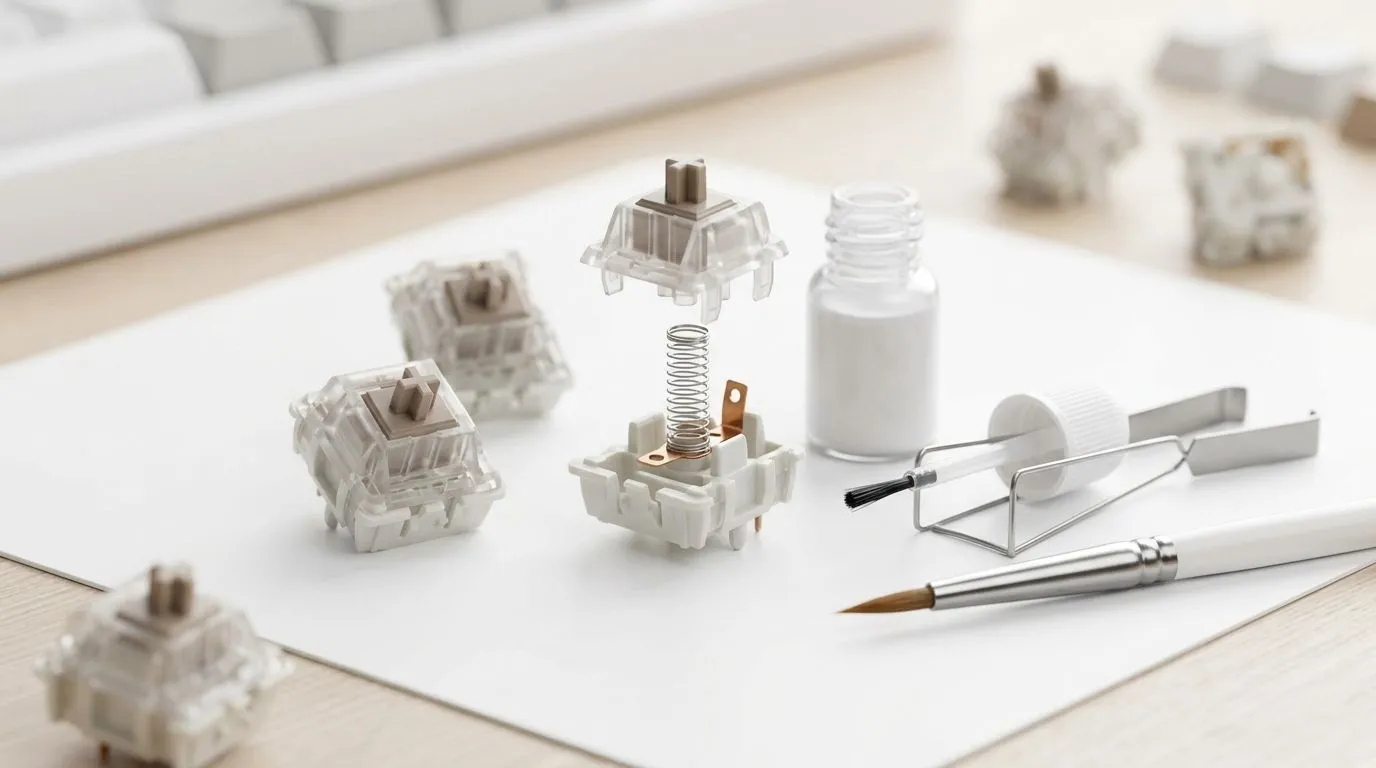
Keep Mechanical Keyboard Switches for Longer Lifespan (and Feel That “Crisp” Every Match)
South African gamers know the sound… the click-clack rhythm before a ranked push. But keyboard switches don’t last forever if you ignore dust, grime, and the little habits that wear them down. 🔧 Whether you’ve got a wired battleboard or a wireless desk setup, keeping your mechanical keyboard healthy is one of the cheapest upgrades you can make. Let’s make your switches feel new for longer.
Mechanical Keyboard Switches Need Maintenance (Not Magic)
Mechanical switches are built to be durable, but they’re not sealed against everyday life. Every time you eat chips at your desk, shed skin cells, or let dust float around, particles can work their way into switch housings and keycaps. Over time, that can cause “scratchy” presses, inconsistent actuation, or keys that feel a bit slower than they used to.
Also, switch wear is influenced by:
- How often you press certain keys (movement keys and abilities usually get abused first)
- The type of switches and keycap materials (stabilizers and thin keycaps can collect more grime)
- Your cleaning routine… or lack of one
Quick diagnosis before you start
If a few keys feel different, do this first:
- Try removing and re-seating the keycaps for those keys.
- Clean around the switch area with dry, gentle airflow.
- If it’s still sticky, you likely need deeper cleaning or professional service.
This saves you from “over-cleaning” switches that are fine.
Productivity Pro Tip ⚡
On Windows, use Evetech’s gaming keyboard deals to match your keyboard’s interface needs (wired for low-latency or wireless for desk flexibility). Then set key remaps for the worn keys so critical actions don’t rely on the weakest switch positions first.
How to Maintain Mechanical Keyboard Switches for Longer Lifespan (Step-by-Step)
1) Keep your keyboard clean without wrecking it
A safe routine that works for most mechanical keyboards:
- Weekly: Turn off your PC, then use compressed air to blow crumbs and dust from around the keycaps.
- Monthly: Remove keycaps and clean the keycap area. Wipe the top plate gently with a slightly damp microfibre cloth.
- Every few months: Clean keycap stems and stabilisers (if you have rattling or uneven feel).
Avoid liquids directly into switches. Moisture can cause corrosion and unpredictable behaviour.
2) Manage keycap wear and stabiliser problems ✨
Stabilisers (the long keys like Space/Enter) often feel worse first because they have more moving points. If you hear rattle or feel uneven travel:
- Remove the keycap and inspect for debris.
- Clean the stabiliser housings carefully.
- If your keyboard uses removable stabilisers, re-seat properly.
Even if your switches are fine, stabilisers can make it feel like the switches are failing.
3) Wired vs wireless: choose based on your setup, not hype 🚀
Switch maintenance still matters, but your connection can affect how you use the keyboard:
- Wired setups are ideal if you want consistent, uninterrupted play sessions.
- Wireless setups are great for a cleaner desk… just be mindful of dust settling when you leave it idle.
If you’re shopping, match your keyboard to your gaming habits using Evetech’s range:
- See options in the gaming keyboard deals here: Gaming keyboard deals
- If you prefer wired connectivity, browse: Cheapest gaming keyboard in South Africa (Wired)
- For wireless setups, check: Cheapest gaming keyboard in South Africa (Wireless)
Common Mistakes That Shorten Switch Life (and How to Avoid Them)
Don’t vacuum the keyboard like it’s a carpet
Vacuuming can generate static and pull keycap parts out unevenly. Compressed air and a proper keycap puller are safer.
Don’t “test” switches by hammering them
Yes, it’s tempting to spam WASD to see if it’s broken… but constant repeated presses during testing adds unnecessary wear to already-stressed switches.
Don’t ignore the desk environment
In many South African homes, dust levels depend on flooring, open windows, and pets. If your keyboard sits near a fan or window, you’ll need more frequent gentle cleaning.
If you want a ready-to-go desk pairing, you can also look at keyboard and mouse bundles that fit your playstyle:
And if you’re comparing what’s available right now for value, start here:
Keep Your Keyboard Feeling Fast: Maintenance That Actually Pays Off
When you maintain mechanical keyboard switch health, you get more than longevity. You get consistent actuation, smoother stabilisers, and that familiar “spring” feel when you land headshots. 🔧 For gamers in ZA, that means fewer surprises mid-season and less frustration during downtime.
If you’re currently shopping for a keyboard you can grow into, pick a board that matches your connection needs and your desk habits. Then maintain it. Simple.
Ready to Find Your Perfect Match? The Mac vs Windows debate is complex, but for maximum power, choice, and value in South Africa, Windows is hard to beat. Explore our massive range of laptop specials and find the perfect machine to conquer your world.











