


RX 9070 XT Elden Ring Nightreign at 4K: FPS Benchmark & Optimal Settings
RX 9070 XT Elden Ring Nightreign at 4K: FPS. Real-world benchmark data, FPS numbers & performance analysis. What SA gamers can actually expect.
Read moreWondering if more RAM for an entry-level CPU is the secret to better performance? We break down how adding memory can reduce bottlenecks, improve multitasking, and make your budget PC feel snappier. Discover if a RAM upgrade is your next smart move! 🚀💻
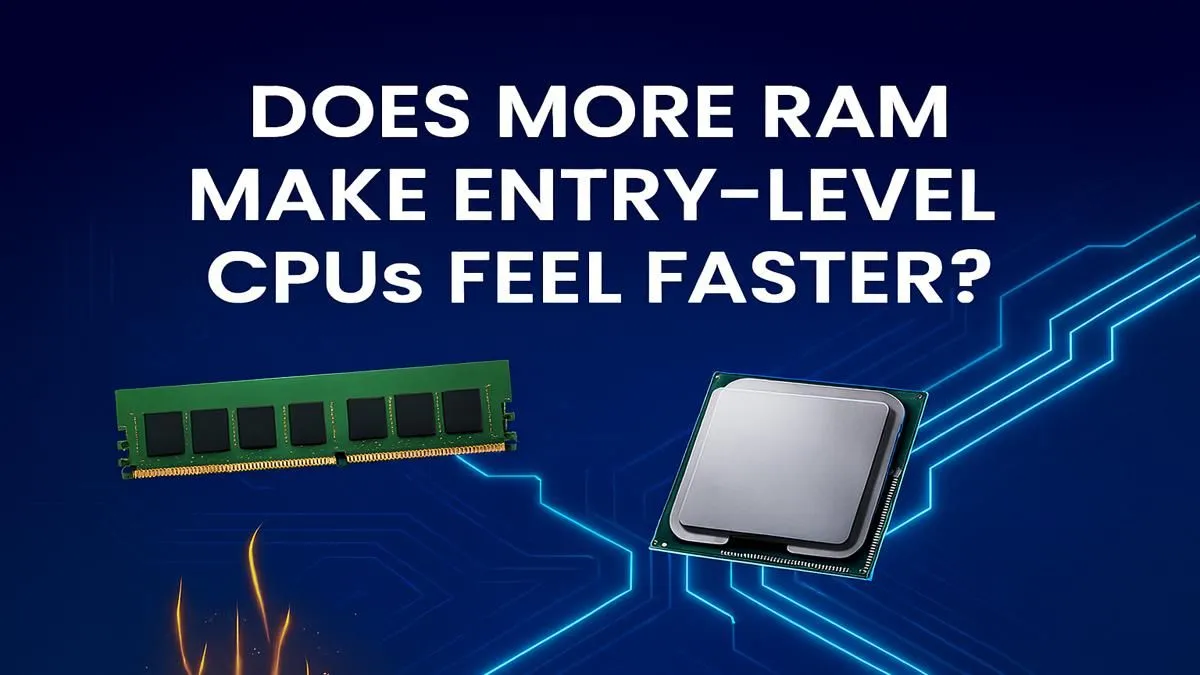
So, your budget laptop is starting to feel a bit sluggish. You're staring at upgrade options, and that extra stick of RAM looks like a cheap and easy fix. For just a few hundred Rand, you could double your memory! But is adding more RAM for entry-level CPUs the silver bullet for performance everyone claims it is? Sometimes yes... and sometimes you're just putting a bigger fuel tank on a scooter. Let's dig in.
Think of your computer's performance like a workshop. Your CPU (Central Processing Unit) is the master craftsman, the one actually doing the work. The RAM (Random Access Memory) is the workbench. A bigger workbench lets the craftsman lay out more tools and materials at once, making it easier to switch between tasks.
But here's the catch: if the craftsman is slow, a massive workbench won't make them work any faster on a single project. It just means they can juggle more projects inefficiently. An entry-level CPU has its limits, and no amount of RAM will change its core processing speed.
Don't get us wrong, a RAM upgrade can be a phenomenal boost in the right situation. For systems with entry-level CPUs, two scenarios stand out.
Most budget-friendly laptops don't have a separate, powerful graphics card (GPU). Instead, they use integrated graphics, which are built right into the CPU. These integrated GPUs don't have their own dedicated video memory (VRAM); they borrow it from your main system RAM.
This is especially true for systems with AMD APUs, which are known for having relatively powerful integrated graphics. Doubling your RAM from 8GB to 16GB not only gives your system more breathing room but also allocates more memory to the GPU, which can directly improve in-game frame rates and graphical performance. If you're looking for a budget-friendly machine, many of the best options in our range of AMD laptops on special benefit hugely from this.
If your laptop has two RAM slots, always use two smaller sticks (e.g., 2x 8GB) instead of one larger one (1x 16GB). This enables 'dual-channel' memory, which doubles the data transfer speed between the RAM and the CPU. For integrated graphics, this single change can boost performance by a very noticeable 15-25%!
The second big win is for everyday multitasking. Are you the type to have 20+ Chrome tabs open while listening to Spotify and chatting on Discord? If so, you're probably hitting your RAM limit. An upgrade from 8GB to 16GB will make your entire experience smoother, with less stuttering and faster switching between apps. This simple upgrade can revitalise many of the excellent work-and-play Intel laptops on special available today.
Here’s where we need to be realistic. If your entry-level CPU is the main bottleneck, adding more RAM beyond a certain point yields almost no benefit.
Going from 16GB to 32GB on a laptop with a Celeron or a basic Core i3, for example, won't make your games run faster or your videos export quicker. The CPU is already running at 100% capacity; it simply can't process the data any faster. At this stage, your money is far better saved towards a system with a more balanced configuration. For a true leap in performance, especially for gaming, you need a stronger CPU paired with a dedicated graphics card, which you'll find in our selection of the best gaming laptop deals.
For an entry-level CPU, adding more RAM is not the ultimate performance boost, but it is often the most cost-effective one ✨.
If you're constantly running out of memory while multitasking or you're gaming on integrated graphics, upgrading from 8GB to 16GB offers a fantastic return on investment. It's a tangible, immediate improvement. However, if your system already has 16GB, you've likely hit the ceiling of what a RAM upgrade can do. The next logical step is a more powerful, balanced machine.
Ready to Find Your Perfect Match? A RAM upgrade is smart, but a balanced system is smarter. For the best performance, value, and choice in South Africa, finding a machine where the CPU, RAM, and GPU work in harmony is key. Explore our massive range of laptop specials and find the perfect rig to conquer your world.
More RAM doesn't increase your CPU's clock speed, but it makes the whole system feel faster. It gives the CPU quick access to data, preventing slowdowns from using storage.
Not at all. For modern multitasking and gaming, 16GB is the sweet spot, even for a budget PC. It prevents performance drops when you have multiple applications running.
A CPU bottleneck happens when the processor can't keep up with faster components, like a powerful GPU. Adding RAM helps the system but won't fix a core CPU limitation.
A RAM upgrade for a budget PC is usually cheaper and delivers a noticeable boost, especially if you have 8GB or less. It's a great first step for better multitasking.
Having enough RAM is crucial for smooth gaming. It prevents stuttering and lag by keeping game assets ready for the CPU, which is vital for an entry-level system.
For an entry-level CPU, capacity is king. Upgrading from 8GB to 16GB will provide a much bigger performance improvement than a small increase in RAM speed.
RX 9070 XT Elden Ring Nightreign at 4K: FPS. Real-world benchmark data, FPS numbers & performance analysis. What SA gamers can actually expect.
Read more
RTX 5090 Marvel Rivals FPS: Performance Benchmark. Real-world benchmark data, FPS numbers & performance analysis. What SA gamers can actually expect.
Read more
Intel Arc A770 Escape from Tarkov Performance. Real-world benchmark data, FPS numbers & performance analysis. What SA gamers can actually expect.
Read more
Head-to-head comparison of RX 9070 XT vs RTX 6070: Gaming Performance for SA gamers. Performance benchmarks, Rand pricing & which delivers better value.
Read more
Head-to-head comparison of RTX 5060 Ti Mining vs Gaming: Does It Affect for SA gamers. Performance benchmarks, Rand pricing & which delivers better value.
Read more
Ryzen 7 7800X3D Gaming Benchmark: FPS Across 20. Real-world benchmark data, FPS numbers & performance analysis. What SA gamers can actually expect.
Read more
Complete ATX Case Size Guide: Interior Dimensions. Best deals curated with real SA discounts, price history & tips on getting genuine value.

What GPU Do You Need for AI & Machine Learning. Hardware requirements breakdown with recommended specs & SA pricing for each tier.

Top Settings for RTX 4060 at Ultrawide 1440p picks evaluated on performance, value & SA availability with current Rand pricing from Evetech.

Head-to-head comparison of FreeSync vs G-Sync Explained: Which Should Gamers for SA gamers. Performance benchmarks, Rand pricing & which delivers better value.

Every spec on PCIe 5.0 explained in plain English. What matters for gaming and creator work in 2026, what's marketing fluff, and how each number translates to real-world performance.

Every spec on bios explained in plain English. What matters for gaming and creator work in 2026, what's marketing fluff, and how each number translates to real-world performance.

Every spec on gaming setups explained in plain English. What matters for gaming and creator work in 2026, what's marketing fluff, and how each number translates to real-world performance.

Every spec on cooling systems explained in plain English. What matters for gaming and creator work in 2026, what's marketing fluff, and how each number translates to real-world performance.

Every spec on understanding how much vram is needed explained in plain English. What matters for gaming and creator work in 2026, what's marketing fluff, and how each number translates to real-world.

How to pick the right PCIe 5.0 for your build in 2026: the features worth paying for, ZAR value tiers, and the trade-offs between budget, mid-range and flagship picks.

Every spec on gpu explained in plain English. What matters for gaming and creator work in 2026, what's marketing fluff, and how each number translates to real-world performance.

Every spec on gpu explained in plain English. What matters for gaming and creator work in 2026, what's marketing fluff, and how each number translates to real-world performance for SA buyers.