

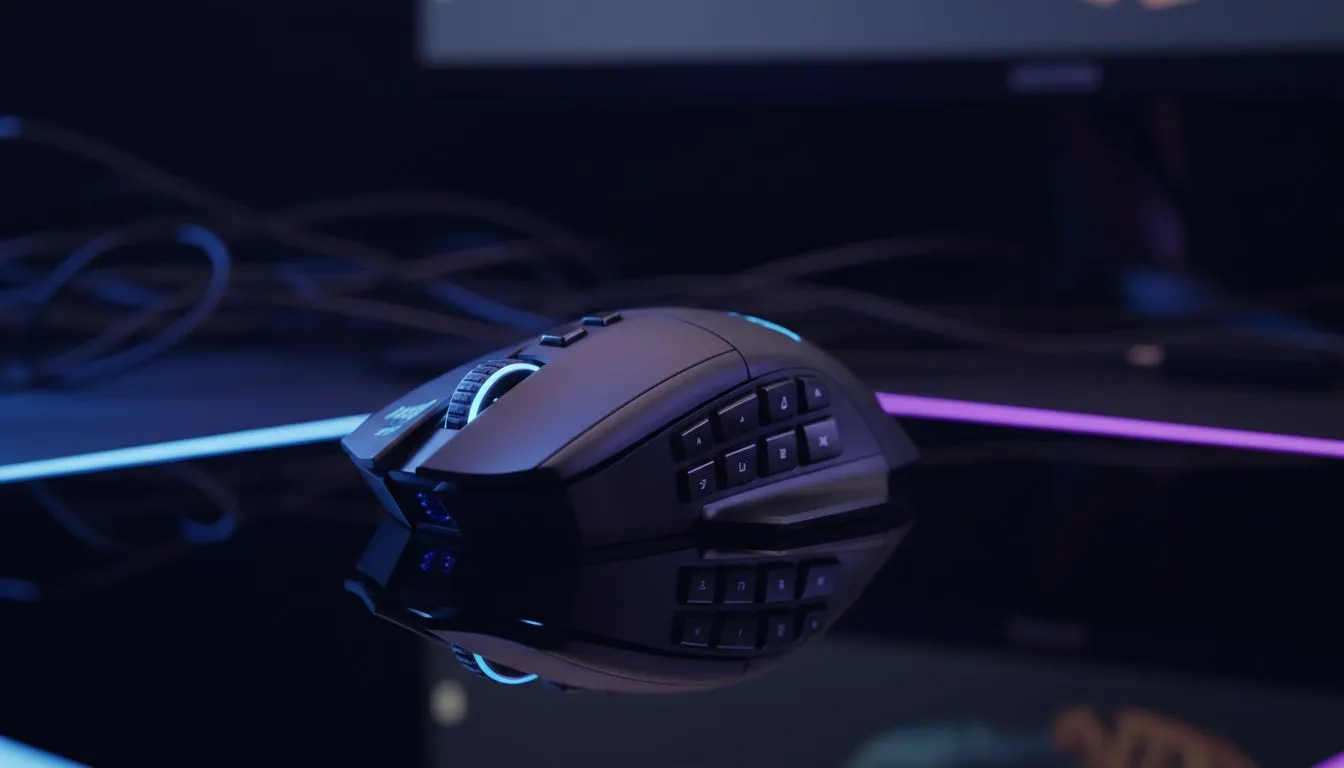
Why multi-button wireless mice are winning over South African MMO & MOBA players
South African MMOs and MOBAs demand keys at your fingertips… and multi-button wireless mice answer that call. Fast macros, thumb grids and reliable wireless performance let you swap abilities and react without hunting for keyboard shortcuts. Whether you raid in Johannesburg or queue in Cape Town, the right mouse shaves seconds off your cooldowns and keeps your focus razor-sharp. 🎯
Multi-button wireless mice: what players notice first
The biggest gains come from layout and latency. A good multi-button wireless mouse gives programmable thumb buttons, a comfortable grip, and sub-1ms dongle performance for consistent aim. If you want to browse models and sensors, start with Evetech’s gaming mouse listings to compare sensors and button counts (official specs here: https://www.evetech.co.za/components/gaming-mouse-117.aspx). That page helps you match features like DPI range and switch durability to your playstyle.
Ergonomics, buttons and battery — how to decide
Ergonomics matters in long sessions. Look for sculpted shapes and placement that keeps your thumb relaxed. Battery life is important, but modern wireless mice balance polling rate and power; many let you charge between matches. Comparisons and current special offers (all in ZAR) are easy to find on Evetech’s deals hub — check live prices and bundles before you buy: https://www.evetech.co.za/best-gaming-mouse-deals/x/054.aspx. ⚡
Wired vs wireless for multi-button rigs
Concerned about latency? Top-tier wireless mice now match wired responsiveness for most players. If you prefer a wired fallback during tournaments or long streams, Evetech lists wired options too — useful when you want the absolute lowest latency or a simple plug-and-play setup: https://www.evetech.co.za/buy-wired-mouse/x/1596.aspx. Balance your needs: portability and clean desks for wireless, absolute consistency for wired.
Accessories and extras that make multi-button mice sing
Don’t forget grips, skates and spare dongles. Small upgrades can improve glide and consistency. Browse mouse accessories if you want replacement skates or customisation options: https://www.evetech.co.za/buy-mouse-accessories/x/1595.aspx. And if you’re leaning toward wireless specifically, see Evetech’s wireless category to compare battery tech and dongle designs: https://www.evetech.co.za/buy-wireless-mouse/x/1597.aspx. ✨
Macro Setup Pro Tip ⚡
For MMO and MOBA players, map long cooldowns to a single thumb macro with a toggle layer. Practice the sequence in a bot or training room until muscle memory sticks — it reduces misfires under pressure.
Quick setup checklist for South African gamers
- Pick a shape that fits your grip style.
- Assign high-use spells to thumb buttons and secondary actions to side clusters.
- Save profiles to onboard memory so your settings travel with the mouse.
- Test wireless dongle placement to avoid USB interference.
Final thought before you buy
Multi-button wireless mice put complex inputs within reach and keep your hands on aim more than ever. Try a couple of shapes if you can; comfort beats specs in the long run. Ready to test models? Check our curated pages and current promotions above to compare features and ZAR prices for the best value.
Ready to Find Your Perfect Match? The Mac vs Windows debate is complex, but for maximum power, choice, and value in South Africa, Windows is hard to beat. Explore our massive range of laptop specials and find the perfect machine to conquer your world.











