

RTX 5050 Avowed FPS: Performance Benchmark & Best Settings
RTX 5050 Avowed FPS: Performance Benchmark. Real-world benchmark data, FPS numbers & performance analysis. What SA gamers can actually expect.
Read moreMastering PC benchmarks for video editing is crucial for a smooth workflow. This guide decodes CPU, GPU, and RAM scores to help you build or upgrade the ultimate editing rig. Stop guessing and start optimizing your performance for faster renders and real-time playback! 🚀💻
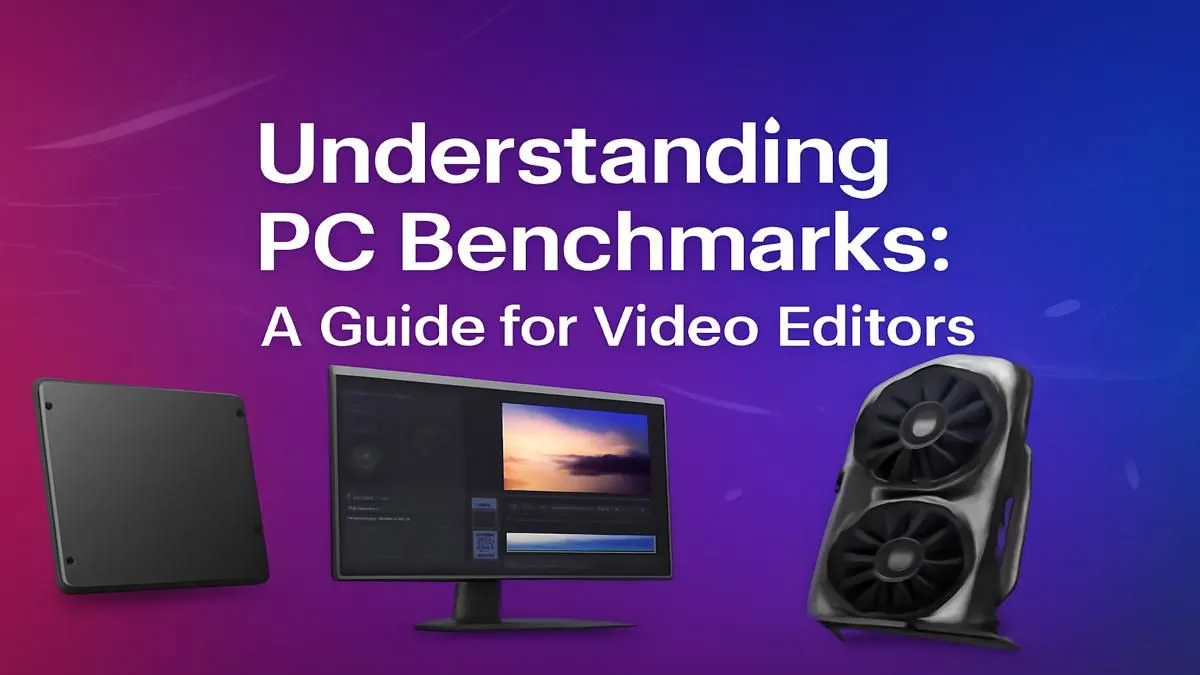
Staring at a stuttering timeline or a render bar that moves at a glacial pace? We’ve all been there. For South African creators, every minute lost to a slow PC is a minute you can't spend creating, editing, or landing the next gig. Forget confusing spec sheets and marketing hype. The secret to choosing the right machine lies in understanding PC benchmarks for video editing—real-world tests that reveal a computer’s true performance. This guide will show you exactly what to look for.
Think of a benchmark as a standardised obstacle course for your computer. Instead of just listing a CPU's speed in gigahertz, a benchmark runs a series of tasks—like encoding a 4K video or applying complex effects—and times how long it takes. This gives you a score.
A higher score generally means better performance for that specific task. This is crucial because it cuts through the noise. A PC that’s great for gaming might not be the best for editing. Solid video editing benchmarks help you invest your hard-earned Rands in the components that will actually speed up your workflow.
A powerful editing rig is all about balance. Let's break down the key parts and the benchmarks that matter most for each.
Your Central Processing Unit (CPU) is the heart of your editing machine. It handles timeline scrubbing, decoding video files, and the final export. When looking at CPUs, two things matter:
A great all-round CPU benchmark is Cinebench, which tests both single-core and multi-core performance, giving you a clear picture of a processor's capabilities.
Your Graphics Processing Unit (GPU), or graphics card, was once just for gaming. Now, it’s a powerhouse for video editing. It accelerates tasks like applying colour grades, effects, stabilisation, and even speeding up exports using special technologies.
The most important factor here is the software you use. Adobe Premiere Pro, for example, heavily relies on NVIDIA's CUDA cores for its Mercury Playback Engine. This makes NVIDIA GeForce gaming PCs an incredibly popular choice among Adobe users. However, DaVinci Resolve is famously efficient at using GPU power, and performs exceptionally well with a wide range of cards, including those in powerful AMD Radeon gaming PCs.
For a definitive PC benchmark for video editing, look at the results from PugetBench for Premiere Pro or DaVinci Resolve. These are custom benchmarks created by Puget Systems that simulate real-world editing workflows.
Always edit using proxies for 4K or higher resolution footage. Proxies are smaller, low-resolution copies of your media files. Your software uses them for smooth timeline playback and then switches back to the full-quality originals for the final export. It dramatically improves performance on almost any machine!
So, you’ve seen the scores... what now? The goal is to build or buy a balanced system. There’s no point pairing a top-tier GPU with a slow CPU; one will just hold the other back.
This is where buying a pre-configured system can save you a lot of headaches. For example, our range of pre-built PC deals are designed with balanced components to deliver great performance for their price. For professionals whose livelihood depends on speed and reliability, purpose-built Workstation PCs offer optimised components and stability for the most demanding projects.
Understanding PC benchmarks for video editing empowers you to make an informed choice. You're no longer just buying a list of parts; you're investing in a faster, more efficient, and more creative workflow. 🚀
Ready to Stop Waiting and Start Creating? A slow PC shouldn't hold your creativity hostage. Armed with the right knowledge about benchmarks, you can choose a machine that powers through renders and keeps up with your vision. Explore our range of powerful Workstation PCs and find the perfect rig to bring your projects to life.
A good benchmark score depends on the software. For Cinebench R23, a multi-core score above 20,000 is excellent. For PugetBench, scores over 1000 indicate a high-performance system for Premiere Pro.
To benchmark your PC for video editing, use specialized software like PugetBench for Adobe apps, Cinebench for CPU rendering, and a disk speed test for storage performance. Run the tests and compare your scores.
Both are crucial. The CPU benchmark for video editing is vital for encoding, while the GPU benchmark is key for real-time playback and effects. A balanced system with strong scores in both is best.
The best tools include PugetBench for real-world Adobe performance, Cinebench for CPU rendering tests, and SPECviewperf for professional graphics, giving a comprehensive view of your system's capabilities.
Yes, RAM speed and capacity significantly impact video editing. A good RAM speed benchmark is critical, as faster RAM allows the CPU to access data quicker for smooth playback and faster rendering.
Key specs are a multi-core CPU (Intel Core i9 or AMD Ryzen 9), a powerful GPU (NVIDIA RTX series), at least 32GB of fast RAM, and a fast NVMe SSD for your OS, apps, and cache files.
RTX 5050 Avowed FPS: Performance Benchmark. Real-world benchmark data, FPS numbers & performance analysis. What SA gamers can actually expect.
Read more
RTX 5050 Fable at 1440p: FPS Benchmark & Optimal. Real-world benchmark data, FPS numbers & performance analysis. What SA gamers can actually expect.
Read more
RX 7600 Black Myth Wukong 2 at 1080p: FPS. Real-world benchmark data, FPS numbers & performance analysis. What SA gamers can actually expect.
Read more
Head-to-head comparison of RTX 5060 vs RX 9070: Ray Tracing Performance for SA gamers. Performance benchmarks, Rand pricing & which delivers better value.
Read more
Head-to-head comparison of RX 7800 XT Mining vs Gaming: Does It Affect for SA gamers. Performance benchmarks, Rand pricing & which delivers better value.
Read more
RTX 4060 Ti Hogwarts Legacy FPS: Performance. Real-world benchmark data, FPS numbers & performance analysis. What SA gamers can actually expect.
Read more
Top Valorant Settings for RTX 5070: FPS Optimisation picks evaluated on performance, value & SA availability with current Rand pricing from Evetech.

RDNA 3.5 Graphics in Ryzen AI 400? Can You Game. Plain-English explanation of what it means, why it matters & how it affects your buying decisions in SA.

GPU Price Index : December Report. Current stock data & price tracking for SA buyers. See what is available and where prices are heading.

RX 9070 XT Elden Ring Nightreign at 4K: FPS. Real-world benchmark data, FPS numbers & performance analysis. What SA gamers can actually expect.

Core i5-14600K + B760 + RTX 5060 Build Under. Full parts list, Rand pricing & expected performance. Build confidently with SA-available components.

RX 7600 Apex Legends at 4K: FPS Benchmark. Real-world benchmark data, FPS numbers & performance analysis. What SA gamers can actually expect.

RX 7900 XTX GTA 6 at 4K: FPS Benchmark & Optimal. Real-world benchmark data, FPS numbers & performance analysis. What SA gamers can actually expect.

Head-to-head comparison of RTX 5070 vs RX 9070 XT: Gaming Performance for SA gamers. Performance benchmarks, Rand pricing & which delivers better value.

Top Laptop with Ryzen 5 + RTX 4090 Laptop: Picks picks evaluated on performance, value & SA availability with current Rand pricing from Evetech.

Top Budget GPU for Marvel Rivals picks evaluated on performance, value & SA availability with current Rand pricing from Evetech.

Valorant Settings on RTX 5070: Performance. Real-world benchmark data, FPS numbers & performance analysis. What SA gamers can actually expect.

Top Budget GPU for Assassins Creed Shadows picks evaluated on performance, value & SA availability with current Rand pricing from Evetech.