

Is Overclocking TKL keyboard Worth It in SA?
Is Overclocking TKL keyboard Worth It in SA Detailed answer with SA data, expert analysis & practical recommendations for local buyers.
Read moreWant cooler gaming without extra noise? PWM fan speeds between 800–2200 RPM can improve temperatures while staying quieter. Use smart curves, steady airflow, and correct control settings. 🎮🔧
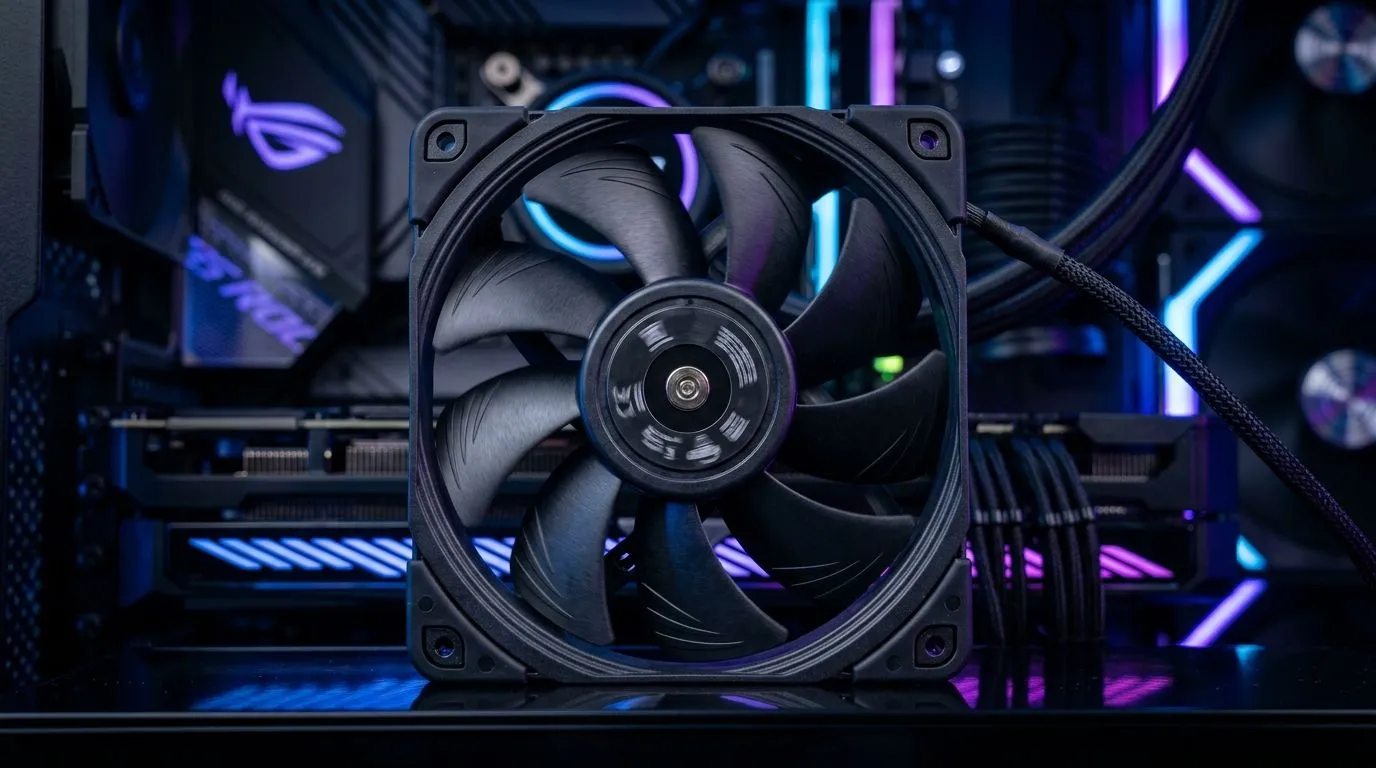
If you’ve ever been mid-match, heard the case go loud, and wondered, “Is this cooling even helping?”… you’re not alone. In South Africa, where load shedding, warm rooms, and long sessions are real, fan control matters. 🔧 PWM (Pulse Width Modulation) lets your PC fine-tune airflow instead of running flat-out. With the sweet spot often sitting around 800–2200 RPM, you can chase lower temps and quieter gameplay without risking stability.
Let’s break it down in a way you can actually use while shopping at Evetech.
PWM fans don’t simply “spin fast or slow”. They receive a control signal, then adjust speed hundreds of times per second. That means your motherboard (or a fan hub) can ramp airflow based on CPU and GPU temperatures.
In practice, the range 800–2200 RPM is common for case fans because:
Evetech stocks a wide range of case fans, so you can build the airflow profile you want (quiet front intake, stronger exhaust, or a balanced stack). You can browse the options here: Explore case fans at Evetech
Before you pick a fan, match it to your role in the airflow plan. A common layout for gaming PCs is:
Also, keep size in mind. Most gamers will land on 120mm or 140mm fans:
If you’re shopping by size, start here: 120mm case fans and 140mm case fans
Brand choice helps, too. If you’re after a specific ecosystem or consistent performance, check the lineup for: CORSAIR case fans
And if you want strong value-focused options, see: Deepcool case fans
RPM is only half the story. Static pressure matters for front panels with mesh or restrictive filters, while airflow helps more with open cases. PWM helps you control both by letting the motherboard decide when to ramp.
RGB is optional, but it affects buying decisions:
You can filter for RGB models here: RGB case fans
Or browse non-RGB options: Non-RGB case fans
On Windows (and in your game library), track temps during one repeatable scenario. Use your GPU’s overlay or monitoring tool and run the exact same map for 10 minutes after each fan change. If your average game temp drops but you still hear high RPM constantly, adjust the fan curve so the ramp starts later (for example, move the “full speed” point a bit higher).
In the real South African market, the best fan is the one that fits your case, matches your airflow needs, and stays within your budget in ZAR. The good news? With PWM fans in the 800–2200 RPM bracket, you get a practical balance of quiet idle and responsive cooling under load.
Want to build a cooler, quieter rig for the long sessions? Let’s get you the right fans fast.
Ready to Find Your Perfect Match? The Mac vs Windows debate is complex, but for maximum power, choice, and value in South Africa, Windows is hard to beat. Explore our massive range of laptop specials and find the perfect machine to conquer your world.
Yes. Proper PWM fan curves increase airflow at higher temps, which can reduce CPU/GPU temps during gaming while keeping low-RPM operation quieter.
A common approach is keeping fans near 800–1200 RPM for idle/light loads, then ramping toward 1600–2200 RPM only when temperatures rise.
Use temperature-based points: hold lower RPM at low temps, then add a smoother slope as temps approach your target, avoiding sudden jumps that create noise.
PWM gives more precise control for compatible fans and motherboards, which helps you fine-tune RPM for cooler gaming with less audible ramping.
Noise can come from steep fan curve steps, bad fan placement, dust, or a control mismatch. Check curve smoothness and fan mounting/balance.
Targets vary by hardware, but many gamers aim for stable temps under thermal limits. Use your CPU/GPU thermal thresholds to guide your fan curve.
Often, yes. Better PWM ramp behavior, fan orientation, cleaned filters, and improved case airflow can lower temps without pushing fans to their max.
Either can work. BIOS is consistent; software may be easier to tweak. Choose one system to avoid conflicts and keep the curve stable.
Is Overclocking TKL keyboard Worth It in SA Detailed answer with SA data, expert analysis & practical recommendations for local buyers.
Read more
Geekbench Keyboard Benchmarks: Rankings. Real-world benchmark data, FPS numbers & performance analysis. What SA gamers can actually expect.
Read more
Head-to-head comparison of Keyboard Prices: Online vs Physical Stores for SA gamers. Performance benchmarks, Rand pricing & which delivers better value.
Read more
Head-to-head comparison of Apple Magic Keyboard vs Third-Party: Is It Worth for SA gamers. Performance benchmarks, Rand pricing & which delivers better value.
Read more
Snapdragon X2 NPU Explained: How 80 TOPS Changes. Plain-English explanation of what it means, why it matters & how it affects your buying decisions in SA.

HBM? High Bandwidth Memory Used in GPUs and AI. Plain-English explanation of what it means, why it matters & how it affects your buying decisions in SA.

How much should you spend on sim racing accessories in South Africa for a realistic setup? We break down budgets by quality tiers, so you buy smart gear and avoid overspending 🎮💸

G-Sync and FreeSync? Variable Refresh Rate. Plain-English explanation of what it means, why it matters & how it affects your buying decisions in SA.

AMD Laptop: Value. SA-focused analysis with local pricing data, real-world insights & actionable buying advice.

How MacBook Neo Handles 30+ Chrome Tabs with Only. SA-focused analysis with local pricing data, real-world insights & actionable buying advice.

Why Apple Put 8GB RAM in MacBook Neo: The A18 Pro. SA-focused analysis with local pricing data, real-world insights & actionable buying advice.

Upgrade your work laptop with a New Motherboard. Step-by-step instructions with SA-specific tips, common pitfalls to avoid & expert recommendations.

Glorious Keyboard Switches Explained: Which. Plain-English explanation of what it means, why it matters & how it affects your buying decisions in SA.

Winter Keyboard Buying Guide. Everything you need to know with SA pricing, step-by-step instructions & expert recommendations.

Keyboard Buying Guide. Everything you need to know with SA pricing, step-by-step instructions & expert recommendations.

LGBTQ+ Gamers Keyboard Guide: January Edition. Everything you need to know with SA pricing, step-by-step instructions & expert recommendations.