

RTX 5050 Avowed FPS: Performance Benchmark & Best Settings
RTX 5050 Avowed FPS: Performance Benchmark. Real-world benchmark data, FPS numbers & performance analysis. What SA gamers can actually expect.
Read moreWant to reduce audio latency on PC gaming headsets? Optimize 2.4GHz wireless setup for clearer, faster sound. Try range, channel tuning, and PC audio settings to cut delay 🎧⚡
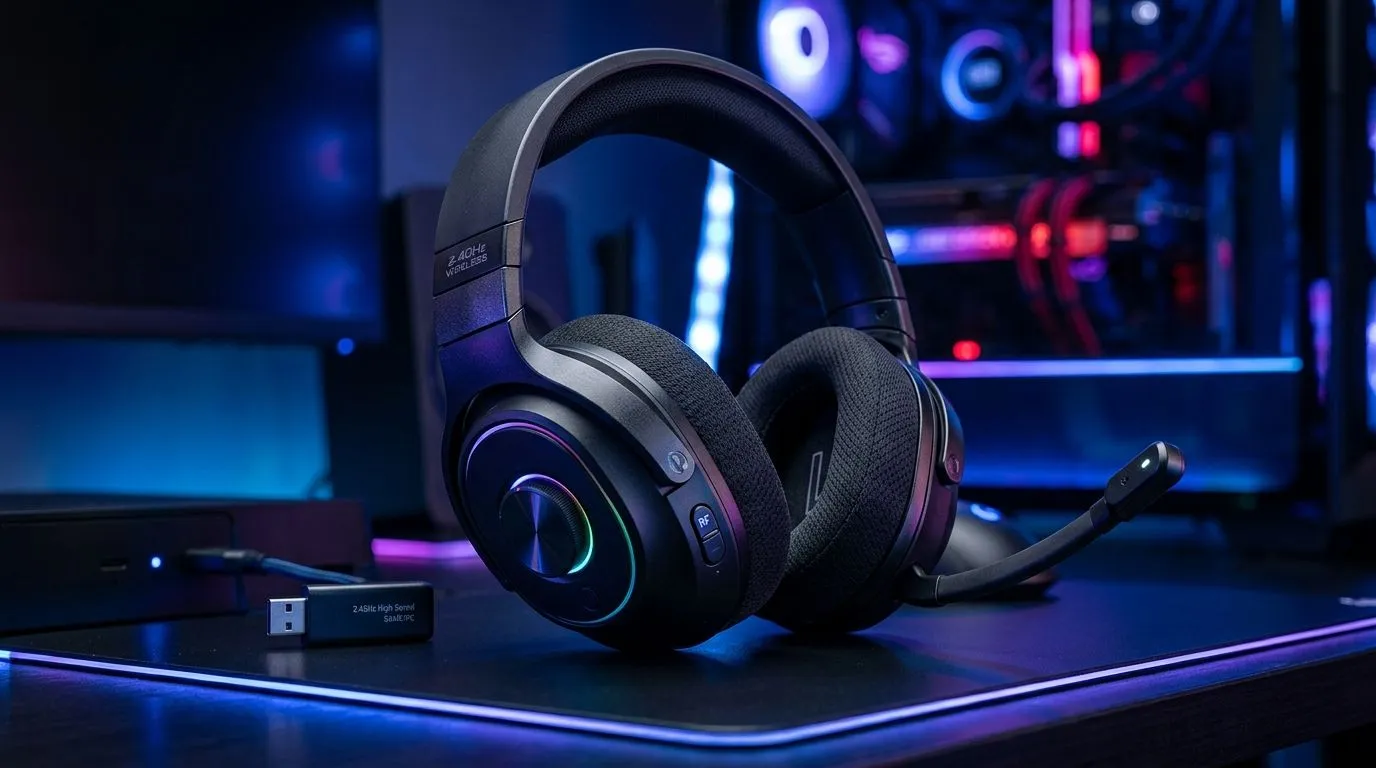
If your shot lands a frame late and your squad blames ping, you’re not alone. South African gamers know every millisecond counts. 2.4GHz wireless headsets offer a low-latency link that beats standard Bluetooth for competitive play — and they’re simple to adopt. Check local wireless options to match consoles, PC or hybrid setups. https://www.evetech.co.za/buy-wireless-headset/x/1578.aspx
2.4GHz headsets use a dedicated USB dongle or radio channel to send audio directly to the headset. That dedicated connection bypasses Bluetooth overhead, cutting round‑trip delay. For practical comparisons and product listings, see Evetech’s wireless headset category for compatibility notes. https://www.evetech.co.za/components/headphone-headsets-100.aspx
Last month a Cape Town player swapped Bluetooth buds for a 2.4GHz set during a local LAN. Her aim synced with audio cues again. The difference felt immediate... not dramatic marketing, just fewer missed opportunities and better calls.
Not all consoles behave the same. Some PlayStation models allow USB audio dongles, while Xbox approvals vary by headset. Confirm platform support before you buy — Evetech lists PlayStation-compatible headsets clearly. https://www.evetech.co.za/buy-playstation-headsets/x/1575.aspx For Xbox users, Evetech’s Xbox headset page helps narrow choices that pair with the console’s wireless protocols. https://www.evetech.co.za/buy-xbox-headsets/x/1576.aspx
Place the dongle in a front‑facing USB port or a short USB extension. Line‑of‑sight to the headset and avoiding metal clutter reduces interference and keeps latency low.
Wired headsets still offer the lowest possible latency and a reliable fallback. If you stream or need zero compromise, check wired options. https://www.evetech.co.za/buy-wired-headset/x/1577.aspx Use wired for audio production, and 2.4GHz wireless for fast, untethered competitive play. For current deals and price comparisons in ZAR, Evetech’s deals page helps you spot discounts and bundles that fit your budget. https://www.evetech.co.za/best-gaming-headset-deals/x/053.aspx
If you play competitively or simply hate laggy comms, switching to a 2.4GHz wireless headset is a practical upgrade. It’s not magic; it’s better signal design and fewer protocol hops. Check compatibility, try hardware in a quick session, and use the checklist above to tighten your setup.
Ready to Find Your Perfect Match? Choosing the right headset transforms play. Explore Evetech’s wireless headsets and accessories to reduce latency and get back in sync with your team.
Latency often comes from interference, distance to the dongle, PC audio processing, or mismatched wireless modes. Fixing 2.4GHz wireless interference and output settings helps reduce audio latency.
For lower latency, keep the 2.4GHz wireless dongle close and unobstructed. Reducing distance and removing barriers can reduce audio latency significantly.
Yes, using the right 2.4GHz channel can reduce wireless interference and help reduce audio latency, especially in crowded Wi‑Fi environments.
Use the correct output device, disable extra audio effects, and enable game mode/low latency features when available. These PC audio settings can reduce audio latency.
They can. Avoid high-latency USB hubs, try direct USB ports, and prevent power-saving modes that may affect the 2.4GHz dongle and increase delay.
If latency changes with distance or channel, it points to interference. If it stays constant across locations, codec or audio processing may be the cause.
Typically, yes. But with good 2.4GHz wireless setup, you can reduce audio latency enough for most PC gaming, often to near-wired responsiveness.
RTX 5050 Avowed FPS: Performance Benchmark. Real-world benchmark data, FPS numbers & performance analysis. What SA gamers can actually expect.
Read more
RTX 5050 Fable at 1440p: FPS Benchmark & Optimal. Real-world benchmark data, FPS numbers & performance analysis. What SA gamers can actually expect.
Read more
RX 7600 Black Myth Wukong 2 at 1080p: FPS. Real-world benchmark data, FPS numbers & performance analysis. What SA gamers can actually expect.
Read more
Head-to-head comparison of RTX 5060 vs RX 9070: Ray Tracing Performance for SA gamers. Performance benchmarks, Rand pricing & which delivers better value.
Read more
Head-to-head comparison of RX 7800 XT Mining vs Gaming: Does It Affect for SA gamers. Performance benchmarks, Rand pricing & which delivers better value.
Read more
RTX 4060 Ti Hogwarts Legacy FPS: Performance. Real-world benchmark data, FPS numbers & performance analysis. What SA gamers can actually expect.
Read more
Top Valorant Settings for RTX 5070: FPS Optimisation picks evaluated on performance, value & SA availability with current Rand pricing from Evetech.

RDNA 3.5 Graphics in Ryzen AI 400? Can You Game. Plain-English explanation of what it means, why it matters & how it affects your buying decisions in SA.

GPU Price Index : December Report. Current stock data & price tracking for SA buyers. See what is available and where prices are heading.

RX 9070 XT Elden Ring Nightreign at 4K: FPS. Real-world benchmark data, FPS numbers & performance analysis. What SA gamers can actually expect.

Core i5-14600K + B760 + RTX 5060 Build Under. Full parts list, Rand pricing & expected performance. Build confidently with SA-available components.

RX 7600 Apex Legends at 4K: FPS Benchmark. Real-world benchmark data, FPS numbers & performance analysis. What SA gamers can actually expect.

RX 7900 XTX GTA 6 at 4K: FPS Benchmark & Optimal. Real-world benchmark data, FPS numbers & performance analysis. What SA gamers can actually expect.

Head-to-head comparison of RTX 5070 vs RX 9070 XT: Gaming Performance for SA gamers. Performance benchmarks, Rand pricing & which delivers better value.

Top RTX 5070 Under R25,000 picks evaluated on performance, value & SA availability with current Rand pricing from Evetech.
Core i5-14600K + B760 + RTX 5060 Build Under. Full parts list, Rand pricing & expected performance. Build confidently with SA-available components.

Top Monitor for RX 9070: Resolution & Refresh Rate picks evaluated on performance, value & SA availability with current Rand pricing from Evetech.

Valorant Settings on RX 9060 XT: Performance. Real-world benchmark data, FPS numbers & performance analysis. What SA gamers can actually expect.