

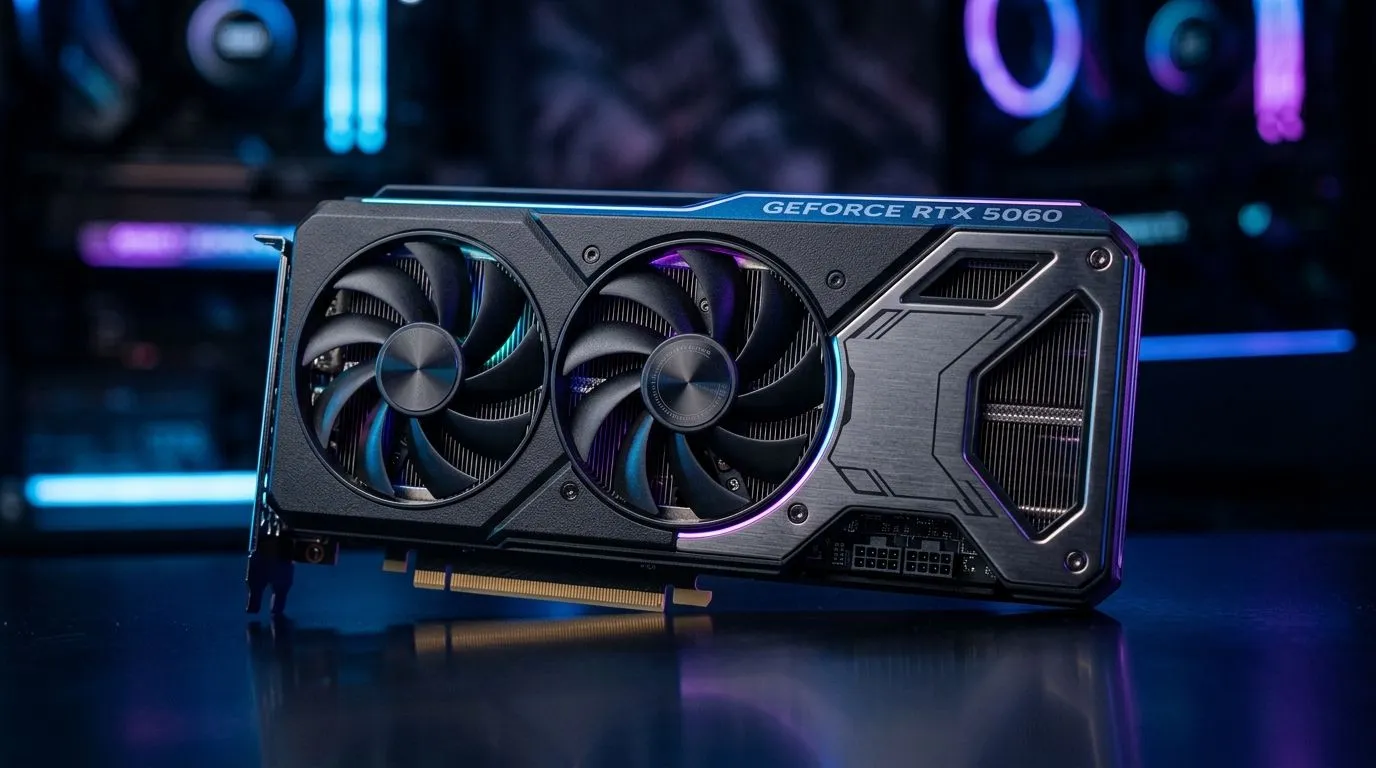
RTX 5060 28Gbps Memory: Does Faster VRAM Stop Game Stuttering?
South African gamers have one thing in common… stuttering is annoying, especially when your rig should be smooth. You see “faster VRAM” claims, then you’re left wondering: does it actually fix frame pacing, or is it just marketing?
Let’s break it down clearly. We’ll look at what “RTX 5060 28Gbps memory” really changes, why stutters happen in the first place, and what to test before you spend your gaming budget. ⚡
What “28Gbps VRAM” changes (and what it doesn’t)
Faster memory can reduce how often the GPU waits for data. In simple terms: if the GPU needs textures, frames, or buffers and the memory can’t keep up, you can get hitching.
But stuttering isn’t always a “VRAM speed” problem. Often it’s one of these:
- Shader compilation or asset streaming (common after updates, or when you first enter a new area)
- CPU bottlenecks (especially in cities, battles, and multiplayer)
- Insufficient system RAM causing paging
- Storage latency (HDDs are notorious here; SSDs help)
- Background apps and overlays consuming time slices
So the real question becomes… does faster VRAM stop your stutter pattern? The answer depends on where the bottleneck sits. 🚀
How to confirm whether VRAM speed is the culprit
Before assuming you need “more speed,” do a quick, repeatable test. 🔧
Step 1: Compare a “warm” run vs a “cold” run
Start the game, then:
- Run to the same benchmark spot twice.
- If stutters disappear on the second run, it often points to caching, streaming, or compilation, not VRAM bandwidth.
Step 2: Watch CPU and GPU usage
Use your preferred overlay (in-game metrics are fine). If:
- GPU usage is low while FPS tanks, your CPU or system is likely the limiter.
- GPU usage stays high but frames dip, memory bandwidth or workload spikes might be involved.
Step 3: Change only one variable at a time
Try:
- Turn off heavy overlays (recording, chat overlays)
- Close browser tabs and launchers
- Ensure your power mode isn’t restricting performance
Productivity Pro Tip ✨
If your PC is showing micro-stutters, make one change and measure again. On Windows, open Task Manager, then keep it on the “Performance” tab while you benchmark. If CPU spikes are the pattern during dips, you’ll save money by upgrading CPU RAM before chasing VRAM speed claims.
Where faster VRAM can help most
Faster VRAM bandwidth can make a noticeable difference when:
- You play at higher resolutions (1440p and 4K amplify texture bandwidth needs)
- You use high texture quality or texture packs
- You enable features that increase memory traffic, such as higher shadow/texture settings
However, if your issue is storage streaming (like jumping into new zones on a slow drive), VRAM speed may not change the stutter timing much.
What to buy instead of chasing “specs-only” fixes
If you’re building or upgrading, don’t just compare memory speed. Compare the full system balance:
- GPU tier (enough compute for your targets)
- CPU headroom (so it can feed the GPU)
- RAM capacity (avoid paging)
- SSD vs HDD (reduce asset-load hitching)
- Cooling and power stability (throttling can look exactly like stutter)
If you want a practical starting point, browse the graphics cards available from Evetech and match the rest of your setup accordingly. ⚡
Explore matching RTX and Radeon options on Evetech
If you’re looking at NVIDIA models, these pages are a good place to start:
- Browse MSI cards here: MSI graphics cards
- Explore GeForce options: GeForce graphics cards
And if you’re open to Radeon for your workload and pricing preferences:
- Check Radeon cards: Radeon graphics cards
For a wider comparison across brands:
- View all graphics cards in this section: NVIDIA and ATI graphics cards
Final verdict: will faster VRAM stop stuttering?
Faster VRAM can help when the stutter aligns with GPU workload and bandwidth pressure. But if your stutter is caused by CPU limits, storage streaming, or RAM pressure, “28Gbps” alone won’t magically fix it.
The smart move is simple: identify the pattern first… then buy the upgrade that matches the bottleneck. 🚀
Ready to Find Your Perfect Match? The Mac vs Windows debate is complex, but for maximum power, choice, and value in South Africa, Windows is hard to beat. Explore our massive range of laptop specials and find the perfect machine to conquer your world.








